Manual · Microscan
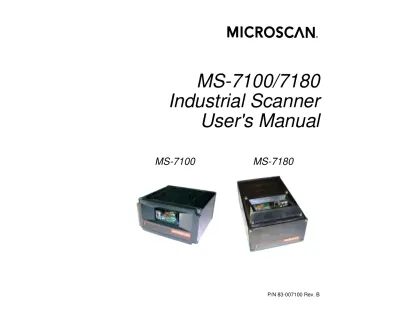
MS-7100/7180 Industrial Scanner User's Manual
Manual138 pagesPDF 1.9 MB
User's manual for the Microscan MS-7100 and MS-7180 fixed-mount industrial laser scanners: setup, configuration and commands.
Names · 2 models
The models it names
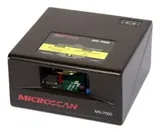 Microscan MS-7100Decoded fixed-mount laser barcode scanner from$1,295.008 in stock
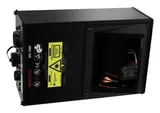 Microscan MS-7180Decoded fixed-mount laser barcode scanner from$1,795.001 in stock
Filed with · 3 models
Also filed with these models on the old site
Summary
What is in it
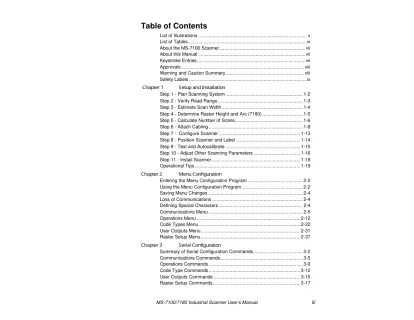
Microscan's user's manual for the MS-7100 and MS-7180 fixed-mount industrial laser scanners. Chapter 1 walks step by step through planning, read range, scan width, cabling, configuring, positioning, testing and installing the scanner. Later chapters cover configuring by menu (communications, operations, code types, user outputs, raster setup), configuring by serial command, the Calibration Setup menu and the serial operational commands sent from the host. Specifications and reference tables are in the appendices.
Its parts
- Setup and Installation
- Menu Configuration
- Serial Configuration
- Calibration
- Operational Commands
From the manual
Key facts from this manual
Each line names its page in the PDF.
User's manual from 1998 for the Microscan MS-7100 and MS-7180 fixed-mount industrial laser bar code scanners; the MS-7180 adds a raster mirror for a two-dimensional scan pattern. It walks through planning, cabling, configuring by menu or serial command, calibration, host commands and troubleshooting.
- Device
- Fixed-mount industrial laser diode bar code scanner in a sealed case p. 6
- Raster scanning
- MS-7180: stepper motor and raster mirror sweep the scan line over a two-dimensional area p. 6
- Interfaces
- RS-232, RS-422 and RS-485; 7 or 8 data bits, 1 or 2 stop bits, 600 to 38.4K baud, selectable parity p. 105
- Connectors
- 28-pin host, 9-pin trigger and 9-pin power connectors, circular twist-lock sealed sockets on the rear panel p. 12, 18
- Cable distances
- RS-232 to host 50' (15.2 m); RS-422 to host 4000' (1219 m); RS-485 multidrop drop 10' (3 m) p. 18
- Light source
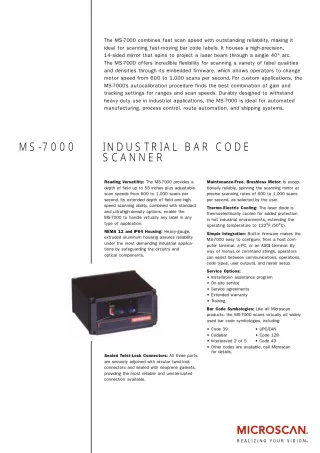
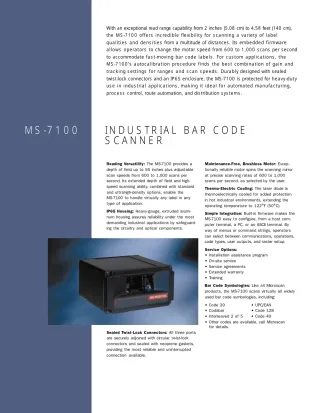
- Visible laser diode, 670 nm nominal; operating life 10,000 hrs. min at 122°F (50°C) p. 105
- Code types
- Code 39, Codabar, Interleaved 2 of 5, UPC/EAN, Code 128; Code 49 optional p. 105
- Scanning
- Rotating polygon mirror; 40° scan width angle; pitch ±50°, skew ±40° p. 105
- User outputs
- Beeper, 3 relay pulse outputs, match code, two status LEDs p. 105
- Protocols
- Point-to-point, XON/XOFF, RTS/CTS, polling mode D, multidrop and user defined p. 105
- Operating temperature
- 32° to 122°F (0° to 50°C); humidity up to 90% non-condensing p. 105
- Housing
- Dust tight case, NEMA12 p. 105
- Size
- MS-7100: 5.33 in long, 3.06 in high; MS-7180: 8.72 in long, 4.05 in high; both 5.56 in wide p. 105
- Connector kits
- Kit P/N 98-200003-01 comes with the scanner; 28-pin host cable connector kit P/N 98-200001-01 p. 18
What this manual walks you through
- Planning a scanning system and checking read range p. 12, 13
- Attaching host, trigger and power cabling p. 18
- Configuring the scanner by menu p. 6
- Configuring the scanner by serial command p. 6
- Using the Calibration Setup menu p. 6
- Sending operational commands from the host p. 6
- Fixing common read and communication problems p. 113, 114, 115
Good to know
- There are no user serviceable parts; opening the scan head can expose the user to laser diode power of up to 5 mW. p. 8
- The laser beam can harm eyesight; never point it at people. p. 8
- Labels should meet the ANSI X3.182-1990 print quality guideline. p. 6
- Maximum cable lengths vary with wire size, shielding, grounding and signal noise. p. 18
- Object detectors that emit pulsed infrared can seriously degrade the read rate if they shine into the scanner or onto the label. p. 113
Questions this manual answers
What interfaces does the Microscan MS-7100 support?
RS-232, RS-422 and RS-485, at 600 to 38.4K baud. p. 105
What is the difference between the MS-7100 and the MS-7180?
The MS-7180 adds a controllable stepper motor and raster mirror that spread the scan over a two-dimensional area. p. 6
How long can the RS-232 cable from an MS-7100 to the host be?
Up to 50' (15.2 m) under ideal conditions; RS-422 reaches 4000' (1219 m). p. 18
Why does my MS-7100 send unreadable characters to the host?
The host and scanner baud rates or parity do not match; change them to match the host. p. 113
What temperature can the MS-7100 run in?
32° to 122°F (0° to 50°C). p. 105
Contents
Chapters and sections
Each line opens the PDF at its page.
The whole text · 14 parts
Read the manual here as text
Its text as extracted from the PDF, unedited, in parts; each page opens the PDF at that page.
The file