Manual · Keyence
BL-V35E Instruction Manual: Bar Code Display Interface
Manual156 pagesPDF 1.3 MB
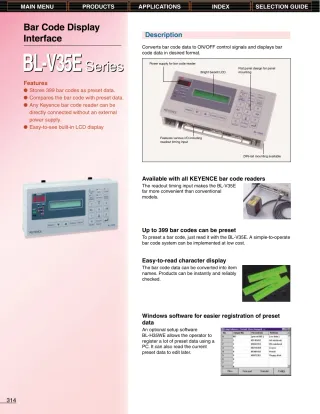
Instruction manual for the Keyence BL-V35E bar code display interface, a verifier that compares scanned data with stored presets.
Covers · 1 model
The models it covers
Summary
What is in it
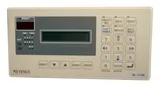
Keyence instruction manual for the BL-V35E bar code display interface. The unit stores up to 399 preset bar codes, compares them with data from a connected BL series fixed-mount reader, and signals matches on its parallel port. The manual covers package contents, setup with BL series readers, mounting and wiring, the multi-preset, step verification and serial number check functions, extended functions, settings, serial commands, PLC link, printout, specifications and dimensions.
Its parts
- Overview
- Setup Procedure
- Wiring and Installation
- Basic Functions
- Extended Functions
- Setting
- Serial Communication
- PLC Link
- Printout Function
From the manual
Key facts from this manual
Each line names its page in the PDF.
This is the Keyence instruction manual for the BL-V35E bar code display interface, a panel unit that stores up to 399 bar code presets and compares scanned data against them. It explains wiring, setup, the verification functions, serial commands, the PLC link and printing. The appendix holds specifications, dimensions and a list of error messages.
- Device
- Bar code data verifier that stores up to 399 presets and compares reader data against them p. 4
- Power
- 100 to 120 VAC (50/60 Hz) p. 32
- Serial ports
- Two RS-232C ports (PORT 1, PORT 2) on D-sub 9-pin male connectors p. 4, 35
- Parallel interface
- 7 inputs and 12 outputs on a D-sub 25-pin female connector p. 4, 33
- Reader power
- 5 VDC to connected readers, 750 mA maximum in total p. 3
- Bar code length
- Up to 32 digits p. 3
- Outputs
- OK, NG and OUT1 to OUT10; output No. as bit (presets 1 to 10), binary or BCD (presets 1 to 399) p. 33
- Output rating
- 30 V (100 mA) maximum per output terminal p. 34
- Compatible readers
- Keyence BL-600, BL-700, BL-500 and BL-180 series fixed-mount readers; other makers' readers too p. 4
- Reader current draw
- BL-600 330 mA, BL-180 300 mA, BL-500 320 mA, BL-500H 340 mA, BL-700 510 mA, BL-P1E 120 mA (or less) p. 18
- Printer
- DPU-414 serial printer on PORT 1 p. 16, 19
- PLC link
- Includes KEYENCE KV, Mitsubishi MELSEC-A, OMRON SYSMAC-C, SYSMAC-CQM1 and SYSMAC-CV series p. 122
- Parallel plug
- DB-25PF-IN connector with DB-C8-J10-F1-1 case (NIHON KOKU DENSHI KOGYO) or equivalent p. 34
- In the box
- Main unit, 2 metal fixtures, D-sub 25-pin connector and case, manual, shift key label p. 12, 13
What this manual walks you through
- Connecting bar code readers, a PC, a PLC or a printer p. 18, 19
- Using two bar code readers at once p. 18
- Sending commands to a BL series reader through direct communication p. 20
- Connecting the power supply p. 32
- Wiring the parallel interface pins and I/O circuits p. 33, 34
- Serial port pin assignment and connecting a reader p. 35
- Troubleshooting PLC link errors p. 131
- Reading and clearing error messages p. 149
Good to know
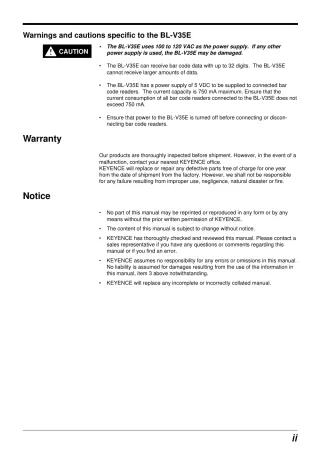
- The total current of all connected readers must not exceed 750 mA. p. 3
- Turn the power off before connecting or disconnecting a reader. p. 3
- A printer and a PC (or PLC) cannot be connected at the same time. p. 19
- A synchronization sensor needs its own power supply, not the BL-V35E's. p. 18
- Not to be used to protect the human body. p. 2
Questions this manual answers
What power does the Keyence BL-V35E need?
It runs on 100 to 120 VAC at 50/60 Hz. p. 32
How many bar codes can the BL-V35E store?
It stores up to 399 data presets and compares each scan against them. p. 14
Which bar code readers work with the BL-V35E?
Keyence BL-600, BL-700, BL-500 and BL-180 series fixed-mount readers, and readers made by other companies. p. 4
What does the BL-V35E error Bar Code Data 32 Byte Over mean?
Bar code data longer than 32 digits was received. It clears when correct data of 32 digits or less arrives. p. 149
Can two scanners be connected to the BL-V35E?
Yes, when PORT 1 is set for a bar code reader, but then a PC, PLC or printer cannot be connected. p. 18
Contents
Chapters and sections
Each line opens the PDF at its page.
- <Link>– – – – – – – – – – – – – – – – – – – –1
- – – – – – – – – – – – – – – – – – – – – – – –1
- Front1
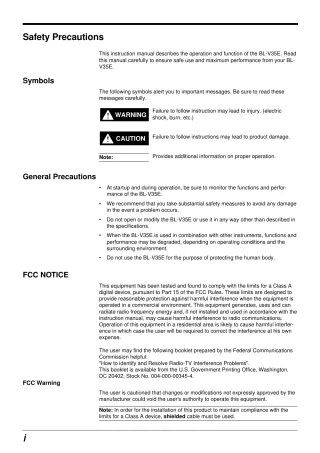
- Safety Precautions2
- Symbols2
- General Precautions2
- FCC NOTICE2
- Warnings and cautions specific to the BL-V35E3
- Warranty3
- Notice3
- Note to User4
- Terms4
- How this manual is organized5
- Chapter 1 Overview11
- Chapter 2 Setup Procedure21
- Chapter 3 Wiring and Installation29
- Chapter 4 Basic Functions41
- Chapter 5 Extended Functions75
The whole text · 16 parts
Read the manual here as text
Its text as extracted from the PDF, unedited, in parts; each page opens the PDF at that page.
- Pages 1 to 31-3
- Pages 4 to 104-10
- Chapter 1 Overview11-20
- Chapter 2 Setup Procedure21-28
- Chapter 3 Wiring and Installation29-40
- Chapter 4 Basic Functions, pages 41 to 4941-49
- Chapter 4 Basic Functions, pages 50 to 5850-58
- Chapter 4 Basic Functions, pages 59 to 6759-67
- Chapter 4 Basic Functions, pages 68 to 7468-74
- Chapter 5 Extended Functions75-88
- Chapter 6 Setting, pages 89 to 9889-98
- Chapter 6 Setting, pages 99 to 10899-108
- Chapter 7 Serial Communication109-120
- Chapter 8 PLC Link121-132
- Chapter 9 Printout Function133-142
- Appendix143-156
The file