Manual · Intermec
M90 Series Portable Data Entry Unit Reference Manual
Manual156 pagesPDF 352 KB
Reference manual for the Intermec M90 Series portable data entry unit: system software, operation modes, DOS and BIOS calls.
Covers · 1 model
The models it covers
Summary
What is in it
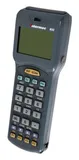
Intermec reference manual for the M90 Series portable data entry unit, a programmable batch data collection terminal. It describes the system design (keypad, file system, display, real-time clock, serial and bar code ports, memory map), the kernel and operation modes including setup, supervisor settings and diagnostics, and the DOS and BIOS calls available to application programs. Appendices cover connector pins, downloading applications or BIOS, bar code symbologies and cables.
Its parts
- Introduction
- System Organization
- Operation Modes
- DOS System Call
From the manual
Key facts from this manual
Each line names its page in the PDF.
Intermec's reference manual (P/N M90902, Revision A, September 1999) for the M90 Series Portable Data Entry Unit, aimed at programmers and technicians. It describes the hardware, keypad codes, memory map, operation modes and diagnostic tests, the DOS and BIOS calls, the connector pins, flash reprogramming and the cables.
- Device
- Programmable portable data entry unit that can also run as a dedicated computer receiving programs from a host p. 9
- Processor
- NEC V25 microprocessor (16-bit CPU) p. 10
- Memory
- 128 KB to 2048 KB RAM; 256 KB EEPROM (128 KB kernel, 128 KB for applications) p. 10
- Display
- Backlit LCD, 12 characters by 4 lines or 16 characters by 8 lines (depending on setting) p. 10
- Scanning
- Integrated bar code scanner plus one bar code input port for wands, wand-emulation CCD or laser-diode scanners p. 20
- Serial port
- RS-232 with a built-in Kermit server; default 19200 bps, 8 bit, 1 stop, no parity, no flow control p. 20, 120
- Batteries
- Main battery powers the RAM; a backup lithium battery takes over when it is absent or depleted p. 10
- Connector
- 10-pin modular connector: 9-volt charge power, TXD, RXD, regulated 5-volt (max 100 mA), GND, DTR, CTS, RTS, wand input, OUT0 p. 117
- Cables
- M90503 office dock to modem; M90403 M90 to PC (with 9-volt charge barrel); M90504 office dock to PC p. 139, 140
- Firmware
- 256 KB of ROM-based firmware with DOS functions and drivers for bar code decoding, display, keypad, communications, clock, calendar and alarm p. 9
- Programming tools
- Microsoft C 4.0 or later, Borland C 3.0 or later, Turbo Pascal 6.0 or later, IBM PC macro assembler 1.0 or later; programs in .EXE format p. 11
- Resident programs
- Up to eight user-resident applications in ROM, 128 KB in total at most p. 119
- Keypad languages
- English default; Swedish, Finnish, Danish, Spanish, French, German and Italian keypad subsystems p. 12
- Function keys
- [FN] with A turns the backlight on and off; with B adjusts contrast; with Y adjusts speaker volume p. 17
What this manual walks you through
- The system block diagram and hardware overview p. 10
- Keypad scan codes and ASCII values for English and other keypads p. 12, 13, 14, 15, 16, 17, 18
- Port usage, memory map and interrupt vectors for programmers p. 21, 22, 23, 24
- Running the diagnostic tests: RAM, keypad, RS-232, LCD, clock, scanner and RAM backup p. 64, 65, 66, 67, 68, 69
- Making an RS-232 loopback plug for the serial test p. 66
- Putting application programs into ROM as user-resident applications p. 119
- Updating the M90 flash to a new version p. 120
- Downloading files from a PC with Kermit or Windows Hyper Terminal p. 120, 121
- Connector pin assignments p. 117
- Wiring of the modem and PC cables p. 139, 140
Good to know
- Before flash programming, charge the battery fully or keep the M90 on charge; a power failure can corrupt the flash, which then needs replacing at a service center. p. 119, 120
- The diagnostic program may destroy data, so back up the M90 data first. p. 64
- None of the listed cables are standard, and the M90503 modem cable is not designed for Norand printers. p. 139
- ROM-resident applications must be .EXE files; data files are not allowed there. p. 119
- Hyper Terminal is not optimized for large files or daily use, though it is easier than Kermit. p. 121
Questions this manual answers
What processor does the Intermec M90 use?
An NEC V25 microprocessor, a 16-bit CPU. p. 10
How much memory does the M90 have?
From 128 KB up to 2048 KB of RAM, plus a 256 KB EEPROM for the kernel and applications. p. 10
How do I download a program to the M90 from a PC?
Connect a serial null modem cable, select COM in User Mode to start the Kermit server (19200 bps, 8 bit, 1 stop, no parity), then send with Kermit or Hyper Terminal. p. 120, 121
What is the pinout of the M90 connector?
A 10-pin modular connector: 1 9-volt charge, 2 TXD, 3 RXD, 4 regulated 5 volts, 5 GND, 6 DTR, 7 CTS, 8 RTS, 9 wand input, 10 OUT0. p. 117
How do I turn on the M90 backlight?
Press [FN] with the A key; it turns the backlight on and off. p. 17
The whole text · 16 parts
Read the manual here as text
Its text as extracted from the PDF, unedited, in parts; each page opens the PDF at that page.
- Pages 1 to 101-10
- Pages 11 to 2011-20
- Pages 21 to 3021-30
- Pages 31 to 4031-40
- Pages 41 to 5041-50
- Pages 51 to 6051-60
- Pages 61 to 7061-70
- Pages 71 to 8071-80
- Pages 81 to 9081-90
- Pages 91 to 10091-100
- Pages 101 to 110101-110
- Pages 111 to 120111-120
- Pages 121 to 130121-130
- Pages 131 to 140131-140
- Pages 141 to 150141-150
- Pages 151 to 156151-156
The file