Manual · Intermec
M90 Series Portable Data Entry Unit User's Guide
Manual32 pagesPDF 182 KB
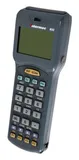
User's guide for the Intermec M90 Series Portable Data Entry (PDE) unit, a handheld batch terminal with keyboard and bar code scanner.
Covers · 1 model
The models it covers
Summary
What is in it
Intermec's user's guide for the M90 Series Portable Data Entry unit, a handheld terminal that collects data by keyboard or integrated bar code scanner and transfers it to a host by cable or modem. It gives the technical description, start-up steps, battery replacement, downloading programs from a host with Kermit or Windows Hyper Terminal, general operation (keyboard, modes, data entry), peripherals such as cables, wands and docks, battery charging, maintenance and fault finding.
Its parts
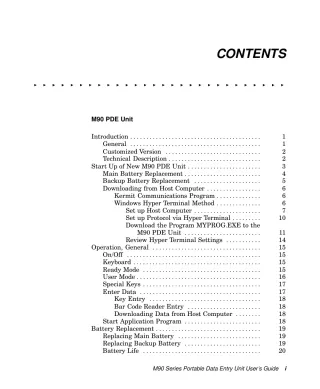
- Introduction
- Start Up of New M90 PDE Unit
- Operation, General
- Battery Replacement
- Peripherals
- Maintenance
- Fault Finding and Error Codes
From the manual · read page by page
Key facts from this manual
Each line names its page in the PDF.
Intermec's user's guide (P/N M90901, Revision B, September 1999) for the M90 Series Portable Data Entry Unit. It covers first start-up, replacing and charging batteries, downloading programs from a PC with Kermit or Hyper Terminal, daily operation and keys, the docks and simple fault finding, with a short technical description.
- Device
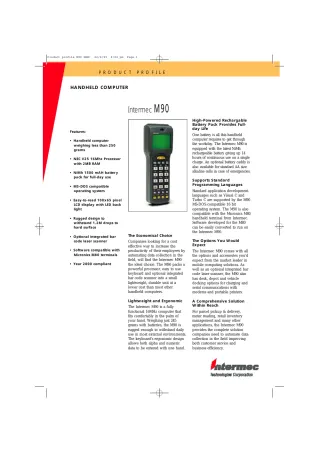
- Portable data entry unit; data entered by keyboard or integrated barcode scanner is later sent to a host by cable or modem p. 5
- Memory
- 256 KB Flash ROM (for O/S and application); 2 MB internal SRAM, usable as RAM disk or program space p. 6
- Power
- 1500 mAh NiMH rechargeable removable pack; optional caddy for two AA cells; CR2032 backup battery p. 6
- Display
- 100x65 pixel mono LCD; text modes 4x12 or 8x16 characters; LED backlight p. 6
- Serial port
- Asynchronous RS-232 up to 57600 bps (RJ-45 socket on unit or office dock); RS-485 network through the depot dock p. 7
- Size and weight
- 176 mm long, 52 mm wide, 27 mm high; 245g with batteries p. 6
- Software
- MS-DOS emulation operating system (subset of version 3); Microsoft C 6 and up, Borland C++ 3 and up, Borland Turbo Pascal 6 and up p. 7
- Keyboard
- 25 keys; [S1], [S2], [S3] shift to the left, center or right character; F1 to F8 are application keys p. 6, 21
- Backup retention
- With the main battery removed, the backup battery keeps program and data for two years p. 24
- Charging
- About four hours in the dock; 14 to 16 hours with a 9-volt DC adapter on the PC cable's DC jack p. 27, 28
- PC cable
- P/N M90402, connects the M90 directly to a PC and has a DC jack for charging p. 25, 27
- Accessories
- External tethered scanning, serial interface cable, charger, vehicle dock, depot dock, office dock, AA battery cell caddy p. 7
- Auto off
- Turns the unit off after one to nine minutes without a key press (five minutes default); can be disabled p. 19
What this manual walks you through
- Starting a new unit: inserting batteries and loading an application p. 7
- Replacing the main battery pack p. 8
- Replacing the lithium backup battery p. 9
- Downloading programs and data with the Kermit server commands p. 10
- Setting up Windows Hyper Terminal and sending a program to the M90 p. 11, 12, 13, 14, 15, 16, 17, 18
- Turning the unit on and off and using the User mode menu p. 19, 20
- Entering data by keyboard or bar code scanner p. 21, 22
- Using the dock and the vehicle dock p. 25, 26
- Regular and quick charging of battery packs, including a spare p. 26, 27, 28, 29
- Fault finding: no text in the display or a locked unit p. 30
Good to know
- Keep the main battery inserted while replacing the backup battery, or the data in RAM is lost. p. 9
- Data is lost if the main battery is exhausted and the backup battery is too low. p. 23
- The system reset is an emergency step, to be done only when the System Partner recommends it. p. 30
- Units are often customized, so functions and keys can differ from this guide. p. 6, 19
- Clean with a damp cloth only, no solvents; the batteries are the only field-replaceable part. p. 30
Questions this manual answers
How do I turn the Intermec M90 on and off?
It has no on/off switch: press [S1] and [FN] together to turn it on, and again to turn it off. p. 19
How long does the M90 battery take to charge?
About four hours in the dock, or 14 to 16 hours with a 9-volt DC adapter plugged into the PC cable. p. 27, 28
What does the M90 main battery low warning mean?
The main battery should be replaced within about one hour; with a rechargeable pack, charge it for about half an hour. p. 23
What settings does the M90 use to download from a PC?
Select COM in User mode to start the Kermit server at 19200 bps, 8 bit, 1 stop, no parity and no flow control, over a null modem cable. p. 10
What languages can I program the M90 in?
Microsoft C 6 and up, Borland C++ 3 and up, and Borland Turbo Pascal 6 and up. p. 7
The whole text · 4 parts
Read the manual here as text
Its text as extracted from the PDF, unedited, in parts; each page opens the PDF at that page.
The file