Manual · HHP
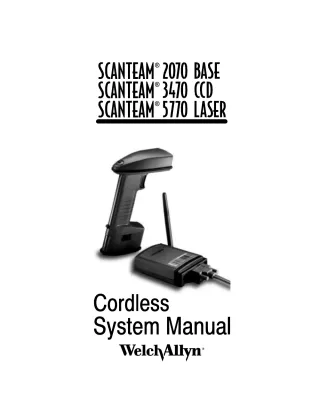
Cordless System Manual: SCANTEAM 2070 Base, SCANTEAM 3470 CCD, SCANTEAM 5770 Laser
Manual112 pagesPDF 1.4 MB
System manual for the Welch Allyn SCANTEAM cordless scanning system: 2070 base, 3470 CCD and 5770 laser scanners.
Covers · 1 model
The models it covers
Summary
What is in it
Welch Allyn's manual for its cordless scanning system: the SCANTEAM 2070 base with one or more SCANTEAM 3470 cordless CCD or 5770 cordless laser scanners. It covers batteries and charging, setting up and connecting the base, adding scanners, beeper and LED signals, and the programming bar codes for interfaces, host and auxiliary port communications, work groups, prefixes, suffixes, data formatting and symbologies. Specifications, pinouts, dimensions, scan maps, maintenance, troubleshooting and support follow.
Its parts
- Introduction & Installation
- Quick Start & Interface Menu
- Communications Menu
- Application Work Groups Menu
- Symbology Menu
- Supported Interface Keys
- Product Specifications and Pinouts
- Maintenance and Troubleshooting
- Customer Support
From the manual
Key facts from this manual
Each line names its page in the PDF.
System manual for the Welch Allyn cordless scanning system: the SCANTEAM 2070 Base, the SCANTEAM 3470 cordless CCD scanner and the SCANTEAM 5770 cordless laser scanner. It shows how to charge the battery packs, connect the base to a terminal or computer and program the system from bar code menus. It also gives specifications, connector pinouts and a troubleshooting guide.
- System
- SCANTEAM 2070 Base with up to nine SCANTEAM 3470 CCD or 5770 laser cordless scanners p. 9
- Scan engine
- 3470: CCD, 630 to 660 nm visible red LEDs, 113 scans per second p. 86
- Radio
- 2.400 to 2.4835 GHz (ISM Band), frequency hopping, 1 Mbps p. 85
- Range
- Within a 50 foot (15.24 meter) radius of the base, under open air conditions p. 9
- Host interfaces
- 2070 Base: keyboard wedge terminals, CRT terminals, personal computers and direct RS-232, through a DB-15 female host port p. 91
- Aux port
- 2070 Base: 10 pin modular receptacle for an RS-232 input device or wand emulation output; 300 to 38400 baud p. 90
- Battery packs
- Snap-on packs of four rechargeable AA cells: NiCad 600 mAh or NiMH 1200 mAh p. 11, 22, 88
- Charging
- Pack plugs directly into a 120 Volt AC outlet in North America; elsewhere a Charge Strip for two or six packs p. 11, 12
- Charge time
- NiCad pack 8 hours at 120 VAC, 60 hz; NiMH pack 4 hours at any voltage and frequency p. 11, 12
- Operating voltage
- 3470: +4.3 to 6.0 VDC; 2070 Base: +4.0 to 14.0 VDC p. 85, 86
- Size and weight
- 3470: 8.3 in. high (with battery), 3.1 in. wide, 4.7 in. long; 18 ounces (510 g) with battery pack p. 86
- Operating temperature
- 3470: +32° F to +122° F; 2070 Base: -4° F to +122° F p. 85, 86
- Ruggedness
- 3470: IP 54 sealing; 26 drops from 6 feet (1.8 m) to concrete p. 86
- Accessories
- Charge Strips, belt holster, standard and industrial wall mount kits, Visual Menu PC configuration software p. 22
What this manual walks you through
- Charging the battery pack and reading its charge LED p. 12
- Connecting the base to the host as a keyboard wedge or RS-232 device p. 13
- Placing the base and antenna for the best radio coverage p. 13
- Battery pack care, storage and disposal p. 11, 88
- Programming the system with the bar code menus p. 23
- Restoring the factory settings p. 99
- Troubleshooting a scanner that will not read or reads wrongly p. 99, 100
- Aux RS-232 and host port connector pinouts p. 90, 91
- Powering the base from an external supply p. 91
Good to know
- Plug the battery pack straight into a wall socket in North America only; other countries need a Charge Strip. p. 12, 88
- Take the pack off the outlet or charge strip within 24 hours of a full charge, and avoid extended overcharging. p. 11
- Packs stored longer than 6 months should be recharged at least once a year to prevent loss of performance or leakage. p. 88
- The 50 foot radius is reached only under optimal open air conditions, with a clear path free from RF interference. p. 9
- The manual states the product must be used with a certified Class 2 power supply or a certified SELV output. p. 2
Questions this manual answers
How many SCANTEAM 3470 scanners can one 2070 base support?
Up to nine cordless scanners can be associated with one SCANTEAM 2070 Base. p. 9
How long does a SCANTEAM 3470 battery pack take to charge?
A NiCad pack takes 8 hours at 120 VAC, 60 hz; a NiMH pack takes 4 hours at any voltage and frequency. p. 11, 12
What is the range of the SCANTEAM 3470 cordless scanner?
It decodes in real time within a 50 foot (15.24 meter) radius of the base, under optimal open air conditions. p. 9
Why does a scanned bar code show on screen but not get entered?
The system needs a suffix programmed, such as a carriage return, so the scan is followed by the key your application needs. p. 99
What power supply does the SCANTEAM 2070 base need?
It takes DC power from an external supply through a barrel connector, or from the terminal it is connected to; the input range is 4 VDC to 14 VDC. p. 91
The whole text · 12 parts
Read the manual here as text
Its text as extracted from the PDF, unedited, in parts; each page opens the PDF at that page.
The file