Manual · HHP
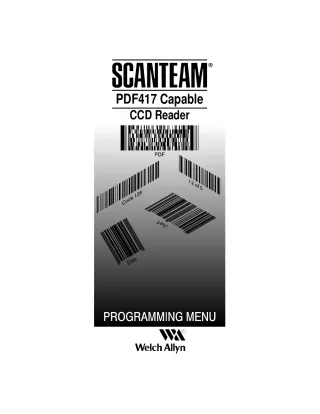
SCANTEAM PDF417 Programming Menu
Manual30 pagesPDF 141 KB
Programming menu for Welch Allyn SCANTEAM PDF417-capable CCD readers such as the 3400: bar codes to set beeper, RS-232, wand and trigger.
Filed with · 1 model
Also filed with these models on the old site
Summary
What is in it
Bar code programming menu for Welch Allyn SCANTEAM decoded-output PDF417-capable CCD readers, including the SCANTEAM 3000 and 3400 models. It explains how menu pages and the bar code chart work (ENTER, DEFAULT, ESCAPE, EXIT), with information pages and programming bar codes for the beeper, RS-232 settings (baud rate, character format, flow control), wand emulation, autotrigger and manual trigger, prefix and suffix characters and symbology options, plus input power voltage requirements by model and sample bar codes.
From the manual
Key facts from this manual
Each line names its page in the PDF.
Welch Allyn's 1998 bar code programming menu for decoded output PDF417 capable SCANTEAM CCD readers; its power table lists SCANTEAM 3000, 3400, 3400PDF/G and 3700PDF/C models. Each menu page, scanned with the bar code chart, sets the beeper, RS-232 port, wand emulation output, trigger mode, prefix and suffix, and which linear and PDF417 codes the reader decodes.
- Purpose
- Bar code menu for programming decoded output PDF417 capable CCD readers p. 2
- Input voltage
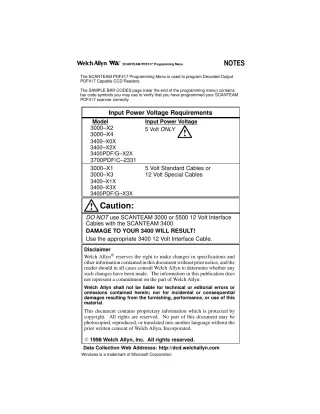
- 3400-X0X, 3400-X2X and 3400PDF/G-X2X: 5 volt only; 3400-X1X, 3400-X3X and 3400PDF/G-X3X: 5 volt standard or 12 volt special cables p. 2
- Symbologies
- Autodiscriminates 7: Codabar, Code 39, Interleaved 2 of 5, Code 128, UPC, EAN and PDF417 p. 14
- Serial settings
- 600 to 38,400 bps (default 9600); 7 or 8 data bits; default 8 data, no parity, 1 stop p. 6
- Flow control
- None (default), RTS/CTS hardware handshaking or XON/XOFF p. 6
- Wand emulation
- Sends decoded data as Code 128 wand scans, splitting large messages into blocks of 20 to 80 characters p. 8, 9
- Macro PDF
- Up to 16 Macro PDF symbols, up to 13,000 characters, sent as one data packet p. 18
- Prefix and suffix
- Up to 8 characters each by hex ASCII value; default suffix CR LF, no prefix p. 12, 13
- Serial trigger
- ASCII 18 decimal turns the trigger on, ASCII 20 turns it off p. 10
- Beeper
- Four volume levels (default medium-high); single, double and triple beeps, tick and hum p. 4
- Wand output rate
- 15, 30 (default), 60 or 120 inches per second, assuming 10 mil codes p. 9
What this manual walks you through
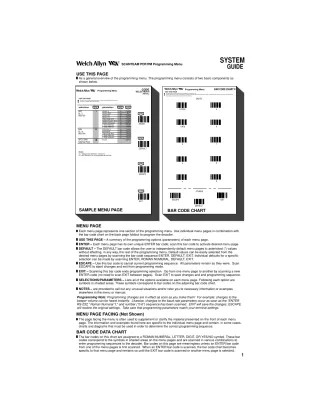
- Using menu pages with the bar code chart p. 3
- Setting beeper volume and PDF417 progress sounds p. 4, 5
- Setting RS-232 baud rate, character format and flow control p. 6, 7
- Setting wand emulation block size, delay, rate and polarity p. 8, 9
- Choosing auto trigger or manual trigger p. 10, 11
- Framing messages with a prefix and suffix p. 12, 13
- Enabling Codabar, Code 39, Interleaved 2 of 5 and Code 128 p. 14, 15
- Setting UPC and EAN versions and addenda p. 16, 17
- PDF417 options: Macro PDF, decode timing and scan diagnostics p. 18, 19
Good to know
- SCANTEAM 3000 or 5500 12 volt cables damage a 3400; use the 3400 12 volt cable. p. 2
- Encrypted or control-code PDF labels can trigger unwanted actions on a host not running the matching application. p. 8
- Macro PDF storage is not available on SCANTEAM 2000 and 3000 decoders. p. 19
- SCANTEAM 3000 and 3400 must be in manual trigger mode to use the switched power option. p. 11
- UPC Version D is not supported. p. 16
Questions this manual answers
How do I reset a SCANTEAM PDF417 menu page to defaults?
Scan that page's ENTER bar code, then DEFAULT, then EXIT. p. 3
How do I remove the carriage return and line feed after each scan?
On the Prefix/Suffix page, scan ENTER, II, EXIT to clear the suffix. p. 12
What do three beeps mean on a SCANTEAM PDF417 reader?
An error, such as an illegal menu code or a full serial input buffer. p. 4
Why does my PDF417 scanner hum and seem locked up?
It is busy decoding a PDF417 symbol that needs a lot of error correction; it cannot scan while decoding. p. 4
What baud rates does the SCANTEAM 3400 PDF support?
600 to 38,400 bits per second; the default is 9600. p. 6
The whole text · 3 parts
Read the manual here as text
Its text as extracted from the PDF, unedited, in parts; each page opens the PDF at that page.
The file