Manual · HHP
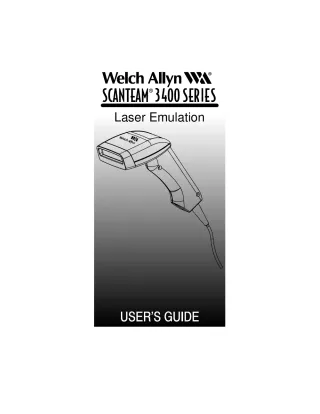
SCANTEAM 3400 Series Laser Emulation User's Guide
Manual29 pagesPDF 278 KB
User's guide for the laser emulation version of the Welch Allyn SCANTEAM 3400 and 3400LR hand-held CCD scanners: setup, specs and pinouts.
Covers · 1 model
The models it covers
Summary
What is in it
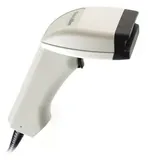
A short user's guide for the laser emulation SCANTEAM 3400 series, covering the 3400 hand-held CCD and the 3400 Long Range CCD. It introduces the scanner and its reading ranges, unpacking, reading the identification label (scan rate, trigger, focal distance and interface options), connecting the scanner to a decoder, scanning techniques, environmental and electrical specifications, scanner performance, pinouts and dimensions, maintenance, troubleshooting, customer support and the limited warranty.
Its parts
- Getting Started
- Product Specifications and Pinouts
- Maintenance and Troubleshooting Guide
- Customer Support
- Limited Warranty
From the manual · read page by page
Key facts from this manual
Some pages are scans or cannot be read; this says only what the readable text supports. Each line names its page in the PDF.
Welch Allyn's 1998 user's guide for the laser emulation SCANTEAM 3400 hand-held CCD and 3400 Long Range (3400LR) CCD, which send an undecoded laser-style bar code signal to a decoder unit. It covers connecting and aiming the scanner, its specifications, the connector and cable pinouts, cleaning, cable replacement and troubleshooting.
- Device
- Hand-held CCD scanner with laser emulation output; optics with no moving parts or glass mirror p. 8
- Output
- Laser compatible bar image to a decoder unit attached to the terminal p. 12, 20
- Power
- 5 VDC ±10% only; 55 mA (50 scans/s) or 80 mA (100 scans/s); 3400LR 140 mA p. 3, 16, 17
- Connectors
- 8-pin RJ41 modular jack in the handle; standard cable ends in a 9-pin Type D squeeze-to-release connector p. 20
- Reading ability
- 5 mil code in close focus (3400-XX1); 20 mil code 0 to 4 in. (3400-XX2); 3400LR 7 mil at 3.5 in., 15 mil 0 to 6 in. p. 8
- Scan width
- Bar codes up to 3 in. (76 mm) wide, 5 in. (127 mm) on the 3400LR p. 8
- Scan rate and light
- 100 or 50 scans per second (factory selectable), 3400LR 50; 660 nm red LEDs p. 18, 19
- Weight
- 5.5 oz (155 g); belt loop for portable use p. 21
- Temperature
- Operating 32° F to 122° F (0° C to 50° C); storage -40° F to 158° F; 0% to 95% RH noncondensing p. 16
- Durability
- Functional after ten 5 ft. (1.5 m) drops and a 15 KV discharge; MTBF 50,000 hours p. 16
- Angles
- Pitch ±7 degrees, skew ±30 degrees p. 18
- Trigger
- Auto trigger or manual trigger, set by the item number p. 10
What this manual walks you through
- Reading the item number on the identification label p. 10, 11
- Connecting the scanner to a decoder and terminal p. 12, 13
- Aiming at single and multiple bar codes p. 14, 15
- Scanner and cable pinouts p. 20
- Cleaning the scan window p. 22
- Replacing the interface cable p. 23
- Troubleshooting a scanner that will not light or read p. 24
Good to know
- The housing is not water-tight; never submerge it or use solvents on it. p. 22
- Symbologies are enabled in the decoder the scanner connects to, not in the scanner. p. 24
- Cables must be shielded, with the shield tied to the connector shell, to stay within FCC rules. p. 3
- When ordering a replacement cable, give the part number of the original cable. p. 23
Questions this manual answers
What voltage does the laser emulation SCANTEAM 3400 need?
5 volts only, 5 VDC ±10%. p. 3
How far can the ST3400 read a bar code?
The 3400-XX2 reads 20 mil code from 0 to 4 in.; the 3400LR reads 15 mil code from 0 to 6 in. p. 8
How do I remove the cable from a SCANTEAM 3400?
With host power off, press a straightened paper clip into the small hole near the handle base to release the connector, then pull it out. p. 23
Why won't my laser emulation 3400 read a bar code type?
Check that the symbology is enabled in the decoder the scanner is connected to, and that the code is not smeared, scratched or wet. p. 24
The whole text · 3 parts
Read the manual here as text
Its text as extracted from the PDF, unedited, in parts; each page opens the PDF at that page.
The file