Manual · HHP
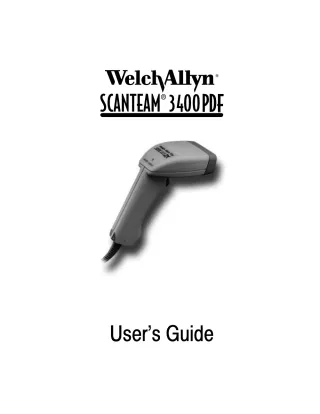
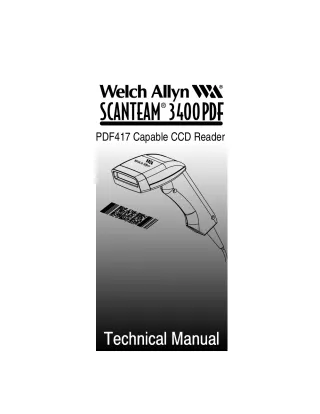
SCANTEAM 3400PDF PDF417 Capable CCD Reader Technical Manual
Manual91 pagesPDF 400 KB
Technical manual for the Welch Allyn SCANTEAM 3400PDF, a PDF417 capable CCD bar code reader: setup, programming and specifications.
Filed with · 1 model
Also filed with these models on the old site
Summary
What is in it
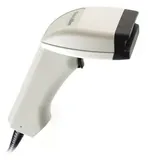
Technical manual for the Welch Allyn SCANTEAM 3400PDF CCD scanner, which reads conventional bar codes and PDF417. It extends the SCANTEAM PDF Programming Menu with in-depth detail: supported symbologies and hardware, how the reader works and its timing, unpacking, identification and installation, programming beeper, RS-232, wand emulation, trigger and prefix/suffix options, printing PDF417 labels for better readability, maintenance, troubleshooting and full technical specifications.
Its parts
- Introduction to the SCANTEAM 3400PDF
- Operational Description
- Set-up and Installation
- Programming the Scanner
- Printing PDF417 Labels for Improved Readability with SCANTEAM 3400PDF Readers
- Maintenance
From the manual
Key facts from this manual
Some pages are scans or cannot be read; this says only what the readable text supports. Each line names its page in the PDF.
Welch Allyn technical manual for the SCANTEAM 3400PDF 2X, a hand-held CCD reader with a built-in decoder that reads PDF417 as well as linear bar codes. It is written for the 3400PDF version of the SCANTEAM 3400. It covers setup, programming, printing PDF417 labels, care of the reader and its specifications.
- Device
- Hand-held, non-contact CCD scanner with integrated decoder; reads PDF417 by swiping top to bottom p. 14
- Output
- Decoded RS-232 serial output only p. 31
- Bar codes read
- Codabar, Interleaved 2 of 5, Code 39, Code 128, UPC, EAN, PDF417 p. 17
- Scan engine
- 2048-pixel CCD sensor; red LED light, 660 nm; single line, 200 scans per second p. 78
- Scan width
- 3.0 inch (7.62 cm) p. 14
- Operating voltage
- 3400PDF/G-12X: 5V ±10%; 3400PDF/G-13X: 5V ±10% or 12V ±10% p. 80
- Host connector
- 9-pin D shell: pin 2 TXD (data from scanner), pin 3 RXD, pin 5 ground, pin 8 RTS, pin 9 +5 VDC p. 82
- Interface cord
- Field-replaceable cord with an RJ41 modular plug at the scanner end p. 30, 31
- Scan speed
- Up to 10 inches (25 cm) per second lateral speed p. 15
- Skew and pitch
- Skew ±30 degrees; pitch ±7 degrees p. 78
- Operating temperature
- 32° F to 122° F (0° C to 50° C) p. 83
- Weight
- 8.5 ounces without cord p. 83
- Durability
- Survives a 5 foot drop to a non-yielding surface; 15 KV ESD; mean time between failure 74,000 hrs. p. 83
- Companion products
- Countertop holder, wall mount holder, hands-free holders (right or left side mount), +5 volt power supply (US or Europe) p. 16
What this manual walks you through
- Unpacking the reader and finding its model and serial number p. 28
- Connecting the interface cord to the scanner and the host p. 30, 31
- Replacing the interface cable in the field p. 31, 73
- Reading codes with manual trigger or autotrigger p. 32, 33
- Testing the reader with a PDF417 test symbol p. 33
- Cleaning the window and inspecting cords and case p. 72, 73
- Bar code print quality requirements p. 85
Good to know
- Saving configuration settings more than 1000 times exceeds the flash memory's specification. p. 83
- The housing is not water-tight; never use solvents or abrasive wipers on the case or window. p. 72
- There are no user-serviceable parts inside; the case should not be opened. p. 74
- Cables connected to the reader must be shielded, with the shield grounded to the connector shell, to keep FCC compliance. p. 4
- The power supply may carry up to 100mV p-p of noise and ripple. p. 80
Questions this manual answers
Does the SCANTEAM 3400PDF read PDF417?
Yes. It is a hand-held CCD reader with a built-in decoder that reads PDF417 as well as linear codes such as Code 39, Code 128 and UPC. p. 14, 17
How do I replace the SCANTEAM 3400PDF cable?
Turn the host off and unplug the cable, then press a straightened paper clip into the small hole near the back of the handle to release the tab and pull the connector out. p. 73
What interface does the 3400PDF use?
RS-232 serial output only, through a 9-pin D shell connector at the host end. p. 31, 83
What is the operating temperature of the SCANTEAM 3400PDF?
32° F to 122° F (0° C to 50° C). p. 83
What happens if I save the settings too many times?
Settings are kept in flash memory, and saving them more than 1000 times exceeds the flash memory's specification. p. 83
The whole text · 10 parts
Read the manual here as text
Its text as extracted from the PDF, unedited, in parts; each page opens the PDF at that page.
The file