Manual · HHP
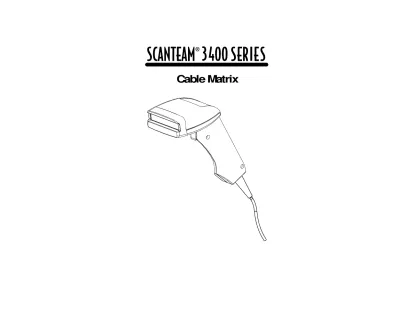
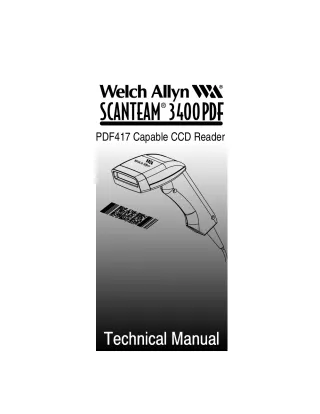
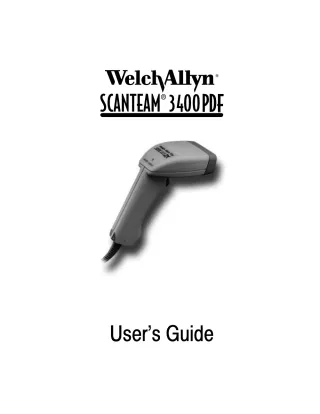
SCANTEAM 3400 PDF User's Guide
Manual96 pagesPDF 823 KB
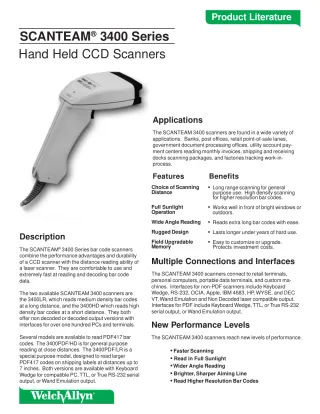
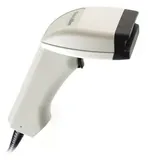
User's guide for the Welch Allyn SCANTEAM 3400PDF scanner, which reads PDF417 and linear bar codes, with programming bar codes.
Filed with · 1 model
Also filed with these models on the old site
Summary
What is in it
Welch Allyn user's guide for the SCANTEAM 3400PDF hand-held scanner, which reads PDF417 and linear bar codes. It explains the model number on the label, connecting the scanner, depth of field charts, Plug and Play and terminal interface programming, output and serial settings, the data formatter, wand emulation and keyboard options, symbology settings, the cloning utility, specifications and cable pinouts, maintenance, troubleshooting and customer service.
Its parts
- Introduction & Quick Start Menu
- Output Parameters Menu
- General Operating Menu
- Symbology Menu
- Firmware Utility Menu
- Supported Interface Keys
- Product Specifications and Pinouts
- Maintenance and Troubleshooting
- Customer Service
From the manual
Key facts from this manual
Some pages are scans or cannot be read; this says only what the readable text supports. Each line names its page in the PDF.
Welch Allyn's 1998-1999 user's guide for the SCANTEAM 3400PDF, a hand-held CCD scanner that reads PDF417 and linear bar codes, in high density (3400PDF/HD) and long range (3400PDF/LR) versions. It shows how to connect and program the scanner with menu bar codes for keyboard wedge, RS-232 or wand emulation output, clone firmware, and gives specifications, cable pinouts and default settings.
- Device
- Hand-held CCD scanner that reads PDF417 and linear bar codes, with built-in decoding p. 9
- Outputs
- Keyboard wedge, RS-232 (TTL or true) or wand emulation p. 9, 10
- Versions
- HD (high density) or LR (long range) engine; no trigger (always hands-free) or manual trigger p. 10
- Power
- 5 VDC ±10%; 280 mA (HD) or 240 mA (LR); 400 mA in-rush maximum p. 75
- Scan rate and light
- 200 scans per second (HD), 113 (LR), set at factory; 660 nm red LEDs p. 76
- Cables
- 10-pin modular plug at the scanner, 9-pin Type D female at the terminal; RS-232 cable adds a 4-pin mini-DIN for an external power supply p. 77, 78
- Wand emulation output
- Code 39, UPC, EAN, Code 128, Interleaved 2 of 5 and Codabar pass through; other linear codes go out as Code 39, PDF417 as Code 128 p. 16
- RS-232 defaults
- 9600 baud, even parity, 7 data bits, 1 stop bit p. 15, 89
- Temperature
- Operating 32° F to 122° F (0° C to 50° C); storage -40° F to 158° F; 0% to 95% RH noncondensing p. 75
- Durability
- Functional after ten 5 ft. (1.5 m) drops and a 15 KV discharge; MTBF 50,000 hours p. 75
- Firmware
- Revision reports as WA34310XXX; firmware clones between units over a cable in about 30 seconds p. 19, 68
- Character sets
- MS-DOS or Windows code page; National ISO or ASCII PDF label character set; country keyboards p. 48
What this manual walks you through
- Reading the model number on the identification label p. 10
- Connecting the scanner to a terminal or computer p. 11
- One-scan Plug and Play setup for IBM PC, RS-232 and wand emulation p. 11, 15, 16
- Depth of field and width of field charts p. 12, 13, 14
- Restoring factory settings and showing the software revision p. 19
- Fixing characters from Windows-made or national PDF labels p. 48
- Cloning firmware from a master unit p. 68
- Cable pinouts for wand emulation, RS-232 and keyboard wedge p. 77, 78, 79
- Factory default settings charts p. 89, 90
Good to know
- The housing is not water-tight; never submerge it or use solvents or abrasive wipers on it. p. 81
- Do not open the scanner; it has no serviceable parts inside. p. 81
- The manual states FCC Class A compliance; residential use is likely to cause interference. p. 3
- Cables must be shielded, with the shield tied to the connector shell, to stay within FCC rules. p. 3
- MSI and Plessey must each be enabled on their own. p. 84
Questions this manual answers
Does the SCANTEAM 3400PDF read 2D PDF417 codes?
Yes; it reads PDF417 and linear bar codes and decodes them internally. p. 9
How do I check the firmware version on a 3400PDF?
Scan the Show Software Revision bar code; the scanner sends a revision like WA34310XXX to the host. p. 19
Why do PDF label characters display wrong on my PC?
The label may have been made in Windows; scan the Windows bar code (the default is MS-DOS), and check the country code. p. 48
Does the 3400PDF RS-232 cable need a power supply?
The RS-232 cable has a 4-pin mini-DIN plug that connects to an external power supply. p. 78
How long does cloning a 3400PDF take?
About 30 seconds; the master unit double beeps when done. p. 68
The whole text · 10 parts
Read the manual here as text
Its text as extracted from the PDF, unedited, in parts; each page opens the PDF at that page.
The file