Manual · Allen-Bradley
Bulletin 2755 Industrial Medium and High-Speed Bar Code Scanners User Manual
Manual53 pagesPDF 2.9 MB
User manual for the Allen-Bradley 2755-L7 medium-speed and 2755-L9 high-speed industrial bar code scan heads used with the 2755-DM9 decoder.
Names · 2 models
The models it names
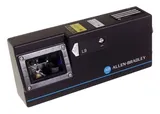 Allen-Bradley 2755-L7Non-decoded fixed-mount laser barcode scanner from$1,195.0012 in stock Allen-Bradley 2755-L9Non-decoded fixed-mount laser barcode scanner from$1,595.005 in stock
Filed with · 1 model
Also filed with these models on the old site

Summary
What is in it
Allen-Bradley's user manual for the Bulletin 2755 industrial bar code scan heads: the 2755-L7 medium-speed and 2755-L9 high-speed scanners, in side scanning and raster scanning versions, used with the Catalog No. 2755-DM9 decoder. It describes reading ranges by bar width, features, cabling and accessories, installation considerations such as symbol positioning and pitch, mounting, the package detector, laser on/off, scan width and raster height adjustment, window cleaning, troubleshooting and specifications.
Its parts
- Using This Manual
- Product Description
- Installation Considerations
- Installation
- Operation
- Maintenance and Troubleshooting
- Specifications
From the manual
Key facts from this manual
Each line names its page in the PDF.
This is the Allen-Bradley user manual for the Bulletin 2755 industrial bar code scan heads: the 2755-L7 medium-speed and 2755-L9 high-speed models, each in side scanning and raster scanning versions. It covers reading ranges, accessories, mounting, connection to the 2755-DM9 Decoder, scan width and raster height adjustment, window cleaning and troubleshooting. The 2755-DS is not named in it.
- Device
- Moving-beam laser bar code scan head for the 2755-DM9 Decoder, in side scanning or side raster scanning versions p. 8
- Scan rate
- L7: 350 scans/second; L9: 800 scans/second, ± 5% p. 8, 38
- Scan range
- L7: 3.5 to 50 in (8.89 to 127 cm); L9: 5 to 30 in (12.7 to 76.2 cm) from the scan window, depending on model p. 38
- Laser
- Focused helium-neon (He-Ne) laser, 632.8nm, 1.5 mW max. p. 38
- Power
- Receives power from the decoder p. 37
- Enclosure
- Gasketed cast aluminum NEMA 4 case with replaceable scan window p. 11, 37
- Size and weight
- 5.38 x 12.5 x 2.69 in (H x W x D); 6.5 lbs. (2.95 kg) p. 37
- Operating temperature
- 32° to 131°F (0° to 55°C) ambient p. 37
- Scan sweep angle
- L7: 47°; L9: 27° p. 38
- Decoder cables
- 2755-CL10, 10 foot (3 meter), or 2755-CL25, 25 foot (7.6 meter); sold separately p. 12, 13
- Package detectors
- 2755-NP3 long range (up to 18 feet, 5.5 m) or 2755-NP5 short range (up to 10 feet, 3 m); 2755-NC9 port connector for your own switch p. 13
- Mounting hardware
- 2755-NM1 swivel mounting base, 2755-NM2 "T" mounting plate, 2755-NM3 Series B flat mounting plate p. 26, 27
- Replacement windows
- W77121-800-01 glass window kit; W77121-800-02 plastic window kit p. 13
- Package detect input
- Min. OFF-state 11 VDC; max. ON-state 2 VDC p. 38
What this manual walks you through
- Choosing a range version by minimum bar width p. 9, 10
- Planning space and mounting the scan head p. 24
- Installing the swivel mounting base or flat mounting plate p. 26, 27
- Connecting the scanner, host and package detector to the DM9 decoder p. 27
- Placing the package detector switch and reflector p. 28
- Turning the laser on and off p. 29
- Adjusting the scan width p. 30, 31
- Adjusting the raster height p. 31, 32
- Cleaning the glass or plastic scan window p. 34, 35
- Troubleshooting power, laser and read problems p. 36
Good to know
- No user maintenance of the scan head is required; do not open the enclosure. p. 33
- If the beam becomes an intense dot instead of a thin line, turn the laser off at its toggle switch and remove power to the decoder. p. 23
- Raster models can roll over when jarred or vibrated, and labels may be missed while the raster resets. p. 25
- Do not clean the plastic window with organic solvents or abrasive paper wipes. p. 35
- The laser beam must not strike the package detector reflector, or reads may be inaccurate. p. 28
Questions this manual answers
What decoder does the Allen-Bradley 2755-L7 scanner work with?
The 2755-L7 and 2755-L9 scan heads are designed for the 2755-DM9 Decoder, which also powers them. p. 8, 37
What is the reading range of the 2755-L9?
5 to 30 inches (12.7 to 76.2 cm) from the scan window, depending on the model selected. p. 38
Which cable connects a 2755-L7 scan head to the decoder?
The 2755-CL10 (10 foot) or 2755-CL25 (25 foot) cable; scanner to decoder cables are sold separately. p. 12, 13
How do I clean the scan window on a 2755 scanner?
Turn the decoder off, dust the window with optics rated air, remove it, and clean it with optics rated solution, cotton swabs and lens paper. p. 34
Why does my 2755 raster scanner miss labels after it is bumped?
Jarring or vibration can cause raster rollover; the raster motor resets itself, and labels may not be read meanwhile. p. 25
Contents
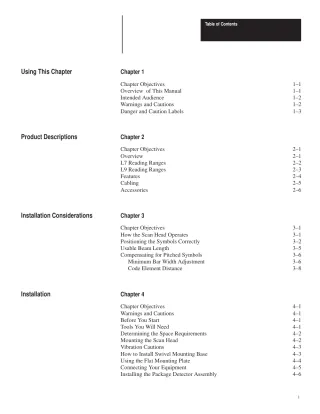
Chapters and sections
Each line opens the PDF at its page.
- Front Cover1
- Important User Information2
- 1 - Using This Manual5
- 2 - Product Description8
- 3 - Installation Considerations14
- 4 - Installation23
- Chapter Objectives23
- Warning and Cautions23
- Before You Start23
- Tools You Will Need23
- Determining the Space Requirements24
- Mounting the Scan Head24
- Vibration Cautions25
- How to Install the Swivel Mounting Base (Cat.No.2755-NM1/2755-NM2)26
- Using the Flat Mounting Plate (Cat.No.2755-NM3 Series B)27
- Connecting Your Equipment27
- Installing the Package Detector Assembly28
- 5 - Operation29
16 more lines, from page 30 on
The whole text · 9 parts
Read the manual here as text
Its text as extracted from the PDF, unedited, in parts; each page opens the PDF at that page.
The file