Manual · Worth
TriCoder Users Manual
Manual246 pagesPDF 4.2 MB
User's manual for the Worth Data TriCoder portable bar code reader: data collection, uploading, setup, custom programs and troubleshooting.
Filed with · 7 models
Also filed with these models on the old site
 Worth Tricoder T61Portable batch data collection terminal from$495.001 in stock
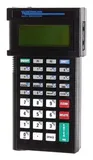 Worth Tricoder T62Portable batch data collection terminal from$595.001 in stock Worth Tricoder T63Portable batch data collection terminal from$525.001 in stock
 Worth TriCoder LT63Portable batch data collection terminal Call for availability Worth Tricoder T50Portable batch data collection terminal Call for availability Worth TriCoder T52Portable batch data collection terminal Call for availability Worth TriCoder T53Portable batch data collection terminal Call for availability
Summary
What is in it
User's manual for the TriCoder, a bar code reader that works both as a portable batch data collector and as a fixed on-line reader in Non Portable mode. It starts with tutorials for the built-in Program #0 and Program #1, then covers uploading data, USB, serial and keyboard wedge connections, setup parameters, the TriCoder Utilities, writing custom programs, memory partitions, tables and pick lists, voice messages and troubleshooting, with appendices on power, firmware upgrades, cable pin-outs and bar code specifications.
Its parts
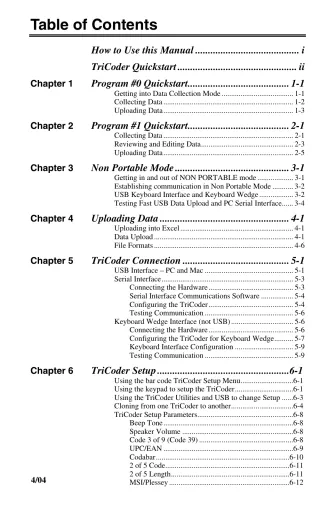
- Program #0 Quickstart
- Program #1 Quickstart
- Non Portable Mode
- Uploading Data
- TriCoder Connection
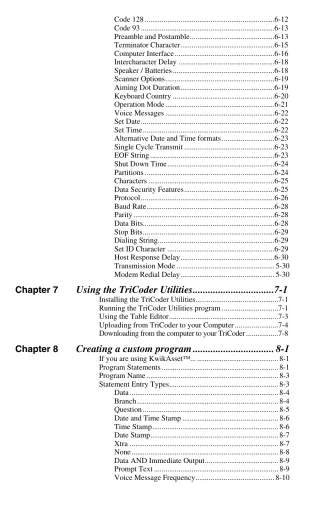
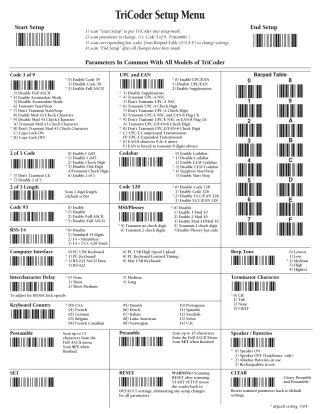
- TriCoder Setup
- Using the TriCoder Utilities
- Creating a custom program
- Creating TriCoder Programs on your PC using the Virtual TriCoder
- Transmitting and Receiving Programs & Setup
- Partitioning memory for data files and tables
- Tables and Pick Lists
- Voice Messages
- Troubleshooting
From the manual
Key facts from this manual
Each line names its page in the PDF.
The TriCoder Users Manual from Worth Data (contents dated 4/04), covering the TriCoder bar code reader in general; it does not name the T50 or any other model number. It walks through data collection with the built-in programs, connecting by USB, serial or keyboard wedge, setup, custom programs, memory partitions, voice messages and troubleshooting. Its appendices cover power, batteries, scanners, cables and bar code specifications.
- Device
- Bar code reader that works as a portable data collector and as a fixed on-line reader (Non Portable mode) p. 6
- Interfaces
- USB (standard on all models), keyboard wedge or RS-232 serial p. 6, 38
- USB
- C21 USB cable; the USB port does not power the TriCoder; high speed USB up to 40 times faster than serial p. 38
- Cables
- Serial: F34 25 pin female null modem or F36 9 pin female straight, each with an RJ-45 8 pin end; keyboard: F30-1 PC Splitter Cable p. 40, 175
- Main batteries
- Three AA: alkaline (including alkaline rechargeables), NiMH or NiCad; NiMH preferred over NiCad p. 167
- Battery life
- About 20 hours of continuous scanning on alkalines; NiMH or NiCad about 40% less p. 167
- Backup battery
- CR2032 3v lithium for memory and real-time clock, lasting about 6 months p. 168
- Wall power
- 5-volt power adapter included; power jack on the bottom of the unit p. 166
- Charging
- Built-in recharging circuit, enabled by jumper JP3; about 8 hours for a full charge p. 167
- Memory
- 512K in eight 64K pages; up to 3 data files and 3 tables p. 123
- Scanners
- Works with lasers, CCDs and slot scanners; a laser scans 36 times per second p. 176
- Built-in programs
- Program #0 (one ITEM prompt) and Program #1 (item number, then quantity, editable) p. 6
- Start-up screen
- Shows interface letter (W keyboard, R serial, K USB keyboard, H USB high speed), firmware version and board version p. 166
What this manual walks you through
- Collecting and uploading data with built-in Program #0 and Program #1 p. 2, 6
- Using the TriCoder as a fixed reader in Non Portable mode p. 2, 6
- Connecting to a PC or Mac by USB, serial or keyboard wedge p. 2, 38, 40
- Setting up the TriCoder by bar code menu, keypad or utilities, and cloning p. 2
- Creating custom data collection programs p. 3
- Partitioning memory for data files and tables p. 4, 123
- Changing the AA and lithium batteries p. 168, 169
- Looking up display and error messages p. 149
- Storing the TriCoder short and long term p. 169
Good to know
- Use only the 5-volt power adapter supplied with the TriCoder; another adapter can cause severe damage even if the voltage matches. p. 167
- Never recharge alkaline batteries; with jumper JP3 installed, use only rechargeable batteries. p. 167
- With NiCad or NiMH batteries, set Speaker/Batteries from 02 to 03, or the unit cannot warn of low batteries and fails in strange ways. p. 168
- On low AA batteries the unit shows CHANGE BATTERIES for 20 seconds, then turns itself off to protect data. p. 168
- For storage of 6 months or more, upload data and programs and remove both batteries; the memory is then reset to factory settings. p. 169
Questions this manual answers
What batteries does the Worth TriCoder take?
Three AA batteries (alkaline, NiMH or NiCad) for main power, plus a CR2032 3v lithium battery that backs up memory and the clock. p. 167, 168
How long do TriCoder batteries last?
Alkaline AA batteries give about 20 hours of continuous scanning; NiMH or NiCad give about 40% less. The lithium backup lasts about 6 months. p. 167, 168
Does the TriCoder charge or run from USB?
No. The USB port does not power the TriCoder; it runs on batteries or the Worth Data 5V power supply. p. 38
Which serial cable connects a TriCoder to a PC?
The F34 cable for a 25 pin PC serial port or the F36 cable for a 9 pin port; the modular end plugs into the port labeled COMPUTER. p. 40
How much memory does the TriCoder have?
512K, divided into eight 64K pages shared among up to 3 data files and 3 tables. p. 123
The whole text · 26 parts
Read the manual here as text
Its text as extracted from the PDF, unedited, in parts; each page opens the PDF at that page.
- Pages 1 to 101-10
- Pages 11 to 2011-20
- Pages 21 to 3021-30
- Pages 31 to 4031-40
- Pages 41 to 5041-50
- Pages 51 to 6051-60
- Pages 61 to 7061-70
- Pages 71 to 8071-80
- Pages 81 to 9081-90
- Pages 91 to 10091-100
- Pages 101 to 110101-110
- Pages 111 to 120111-120
- Pages 121 to 130121-130
- Pages 131 to 140131-140
- Pages 141 to 150141-150
- Pages 151 to 160151-160
- Pages 161 to 170161-170
- Pages 171 to 180171-180
- Pages 181 to 190181-190
- Pages 191 to 200191-200
- Pages 201 to 210201-210
- Pages 211 to 220211-220
- Pages 221 to 230221-230
- Pages 231 to 239231-239
- Pages 240 to 243240-243
- Pages 244 to 246244-246
The file