Manual · Symbol
SPT 1700 Series Product Reference Guide
Manual394 pagesPDF 4.4 MB
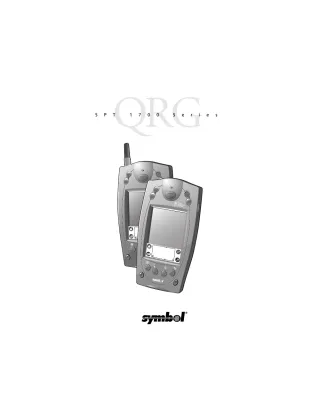
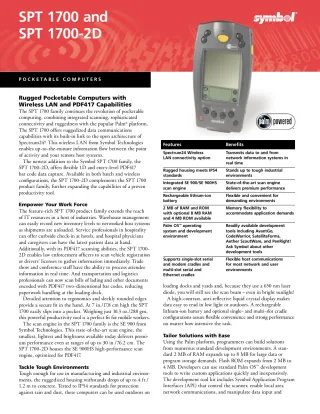
Product reference guide for the Symbol SPT 1700 Series Palm-based terminals, including the SPT 174x, SPT 1733 and SPT 1734 wireless models.
Covers · 4 models
The models it covers
 Symbol SPT-1700Portable batch data collection terminal from$595.001 in stock Symbol SPT-1733 1734Wide-area wireless (WWAN) portable data collection terminal Call for availability Symbol SPT-1740802.11 (1 Mbps) wireless portable data collection terminal Call for availability Symbol SPT-1746802.11b wireless portable data collection terminal Call for availability
Summary
What is in it
Symbol's product reference guide for the SPT 1700 Series terminals. It covers unpacking, the battery and cradle, first start-up and the desktop software, then network setup for Spectrum24 (SPT 174x), CDPD (SPT 1733) and GSM (SPT 1734) models. Further chapters teach Graffiti writing and menus, and the built-in applications such as Address Book, Date Book, Expense, HotSync, Mail, the Laser Scanner application, installing applications and maintenance.
Its parts
- Getting Started with the SPT 1700
- Network Setup
- Working with Your SPT 1700 Terminal
- Finding Information With Your SPT 1700 Terminal
- Applications: Address Book
- Applications: Calculator
- Applications: Date Book
- Applications: Expense
- Applications: HotSync
- Applications: ScoutSync Client
- Applications: AvantGo Client and Mobile Link
- Applications: Mail
- Applications: Memo Pad
- Applications: Preferences
- Applications: Security
From the manual
Key facts from this manual
Each line names its page in the PDF.
Product reference guide for the Symbol SPT 1700 Series handheld terminals: SPT 1700, SPT 1733, SPT 1734, SPT 1740, SPT 1742 and SPT 1746. It explains the parts of the terminal, setting up cradles, installing and charging the battery, network setup, the built-in applications and scanning. It also covers diagnostics, troubleshooting, care of the terminal and resets.
- Device
- Handheld terminal that scans 1- and 2-dimensional bar codes p. 16
- Memory
- 2MB ROM/2MB RAM, 2MB ROM/8MB RAM or 4MB ROM/8MB RAM p. 16
- Battery
- Lithium-ion, under a latched battery cover p. 37
- Charging
- About two hours, in a cradle, on the Synchronization/Charging Cable or in the Universal Battery Charger (UBC) p. 31, 38
- Battery life
- About 8 hours of normal use per charge; shorter with scanning p. 367, 368
- Cradles
- CRD1700-1000S single-slot serial, CRD1700-4000S four-slot serial, CRD1700-1000M single-slot modem, CRD1700-4000E four-slot Ethernet p. 30
- Ports
- Serial port at the bottom of the terminal; infrared port p. 29, 35
- Radio
- SPT 1733: CDPD wide area; SPT 1734: GSM wide area; SPT 1740, SPT 1742 and SPT 1746: Symbol Spectrum24 local area p. 16
- Serial adapter
- 9-pin to 25-pin adapter, p/n 160-0072 p. 32
- Desktop software
- Symbol Palm Terminal Desktop Software, p/n SW-35138-xx p. 34
- Ethernet cradle
- CRD1700-4000E: standard 10 Base-T cable; needs a DHCP server on the subnet p. 35
- Vehicle cradle
- VCD 1700 Series: 9-pin RS-232 port limited to TXD, RXD, RTS and CTS; runs from vehicle power p. 35, 36
- Memory backup
- Keeps memory up to 2 minutes with the battery removed p. 368
- Auto-off
- One, two or three minutes of inactivity p. 358
What this manual walks you through
- Connecting the serial, modem and Ethernet cradles to a computer p. 32, 33, 34, 35
- Connecting a VCD 1700 vehicle cradle to an external device p. 35, 36
- Installing the battery and charging it and a spare battery p. 37, 38, 39
- Starting the terminal for the first time and calibrating the screen p. 40, 41
- Setting up Spectrum24, CDPD and GSM network connections p. 17
- Scanning bar codes with the SScan demonstration program p. 321
- Running the serial port, digitizer and system diagnostics tests p. 355, 356
- Troubleshooting cradles, power, sound, beaming, memory and HotSync problems p. 357, 358, 359, 360, 361
- Caring for the terminal and getting the most from the battery p. 367, 368
- Performing a soft reset or a hard reset p. 369
Good to know
- The terminal needs a dedicated serial port on the computer; it cannot share one with an internal modem or another device. p. 32
- If the Ethernet cradle cannot get its settings from a DHCP server, all its LEDs flash red and it stops responding until power is cycled. p. 35
- A hard reset erases all records and entries on the terminal; try a soft reset first. p. 369
- A drained battery left in the terminal for a long time can lose all stored data. p. 368
- When the battery runs low during scanning, the scanner application shuts off. p. 368
Questions this manual answers
What battery does the SPT 1700 use and how long does it take to charge?
It uses a lithium-ion battery. In the CRD1700-1000S cradle the charging LED turns green after about two hours, when the battery is full. p. 37, 38
Which cradles fit the SPT 1700?
The guide lists the CRD1700-1000S single-slot serial, CRD1700-4000S four-slot serial, CRD1700-1000M modem and CRD1700-4000E four-slot Ethernet cradles, plus a Synchronization/Charging Cable. p. 30
How do I hard reset an SPT 1700?
Remove the battery cover, hold the power button and press the reset button on the back with the stylus tip, then confirm with the upper half of a scroll button. This erases the stored data. p. 40, 41
Why are all the LEDs on the SPT 1700 Ethernet cradle flashing red?
The cradle could not configure itself or lost its address lease. Connect it to an Ethernet network with a working DHCP server and 6 available IP addresses. p. 358
Contents
Chapters and sections
Each line opens the PDF at its page.
- About This Guide15
- Chapter 1 Getting Started with the SPT 170025
- Chapter 2 Network Setup51
- Chapter 3 Working with Your SPT 1700 Terminal77
- Chapter 4 Finding Information With Your SPT 1700 Terminal109
- Chapter 5 Applications: Address Book115
- Chapter 6 Applications: Calculator129
134 more lines, from page 135 on
- Chapter 7 Applications: Date Book135
- Chapter 8 Applications: Expense155
- Chapter 9 Applications: HotSync®173
- Introduction175
- The HotSync Process and the HotSync Manager175
- Performing a HotSync Operation for the First Time175
- Conducting a Local HotSync Operation181
- Selecting HotSync Setup Options181
- Customizing HotSync Application Settings184
- Conducting a HotSync Operation via Modem186
- Conducting Wireless HotSync Operations190
- Setting Up for a Wireless HotSync190
- Setting Up the Ethernet Cradle for HotSync194
- Chapter 10 Applications: ScoutSync Client197
- Chapter 11 Applications: AvantGo Client and Mobile Link205
- Introduction207
- AvantGo Client207
- Using the Channel Manager208
- Using the Forms Manager210
- Using AvantGo Client With a Modem212
- AvantGo Client Menu Commands214
- Mobile Link216
- Servers Tab217
- Connection Tab220
- Using the Mobile Link Application on Your SPT 173x Terminal222
- Mobile Link Menu Commands225
- Troubleshooting226
- Chapter 12 Applications: Mail227
- Introduction229
- Setting Up Mail on the Desktop229
- Synchronizing Mail with Your E-Mail Application231
- Opening Mail on Your SPT 1700 Terminal231
- Viewing Messages231
- Creating Messages233
- Looking Up an Address236
- Adding Message Details237
- Sending Messages240
- Editing an Unsent Message241
- Draft Messages242
- Filing a Message243
- Deleting Messages243
- Message List Options245
- HotSync Options247
- Mail Menu Commands254
- Chapter 13 Applications: Memo Pad257
- Chapter 14 Applications: Preferences267
- Chapter 15 Applications: Security299
- Chapter 16 Applications: To Do List307
- Chapter 17 Applications: Laser Scanner319
- Chapter 18 Applications: GsmDemo329
- Chapter 19 Installing and Removing Applications341
- Chapter 20 Getting Help With Your SPT 1700 Terminal349
- Chapter 21 Maintaining Your SPT 1700 Terminal365
- Appendix A Using Expense Templates and Custom Expense Reports371
- Appendix B Non-ASCII Characters for Login Scripts385
- Index387
The whole text · 46 parts
Read the manual here as text
Its text as extracted from the PDF, unedited, in parts; each page opens the PDF at that page.
- Pages 1 to 41-4
- Contents, pages 5 to 115-11
- Contents, pages 12 to 1412-14
- About This Guide15-24
- Chapter 1 Getting Started with the SPT 1700, pages 25 to 3325-33
- Chapter 1 Getting Started with the SPT 1700, pages 34 to 4234-42
- Chapter 1 Getting Started with the SPT 1700, pages 43 to 5043-50
- Chapter 2 Network Setup, pages 51 to 5951-59
- Chapter 2 Network Setup, pages 60 to 6860-68
- Chapter 2 Network Setup, pages 69 to 7669-76
- Chapter 3 Working with Your SPT 1700 Terminal, pages 77 to 8477-84
- Chapter 3 Working with Your SPT 1700 Terminal, pages 85 to 9285-92
- Chapter 3 Working with Your SPT 1700 Terminal, pages 93 to 10093-100
- Chapter 3 Working with Your SPT 1700 Terminal, pages 101 to 108101-108
- Chapter 4 Finding Information With Your SPT 1700 Terminal109-114
- Chapter 5 Applications: Address Book115-128
- Chapter 6 Applications: Calculator129-134
- Chapter 7 Applications: Date Book, pages 135 to 144135-144
- Chapter 7 Applications: Date Book, pages 145 to 154145-154
- Chapter 8 Applications: Expense, pages 155 to 163155-163
- Chapter 8 Applications: Expense, pages 164 to 172164-172
- Chapter 9 Applications: HotSync®, pages 173 to 180173-180
- Chapter 9 Applications: HotSync®, pages 181 to 188181-188
- Chapter 9 Applications: HotSync®, pages 189 to 196189-196
- Chapter 10 Applications: ScoutSync Client197-204
- Chapter 11 Applications: AvantGo Client and Mobile Link, pages 205 to 212205-212
- Chapter 11 Applications: AvantGo Client and Mobile Link, pages 213 to 220213-220
- Chapter 11 Applications: AvantGo Client and Mobile Link, pages 221 to 226221-226
- Chapter 12 Applications: Mail, pages 227 to 236227-236
- Chapter 12 Applications: Mail, pages 237 to 246237-246
- Chapter 12 Applications: Mail, pages 247 to 256247-256
- Chapter 13 Applications: Memo Pad257-266
- Chapter 14 Applications: Preferences, pages 267 to 274267-274
- Chapter 14 Applications: Preferences, pages 275 to 282275-282
- Chapter 14 Applications: Preferences, pages 283 to 290283-290
- Chapter 14 Applications: Preferences, pages 291 to 298291-298
- Chapter 15 Applications: Security299-306
- Chapter 16 Applications: To Do List307-318
- Chapter 17 Applications: Laser Scanner319-328
- Chapter 18 Applications: GsmDemo329-340
- Chapter 19 Installing and Removing Applications341-348
- Chapter 20 Getting Help With Your SPT 1700 Terminal, pages 349 to 356349-356
- Chapter 20 Getting Help With Your SPT 1700 Terminal, pages 357 to 364357-364
- Chapter 21 Maintaining Your SPT 1700 Terminal365-370
- Appendix A Using Expense Templates and Custom Expense Reports371-384
- Pages 385 to 394385-394
The file