Manual · Symbol
PDT 6100 Series Product Reference Guide
Manual108 pagesPDF 1.5 MB
Product reference guide for the Symbol PDT 6100 Series hand-held terminals (PDT 6100, 6110, 6142, 6146): setup, operation and care.
Names · 3 models
The models it names
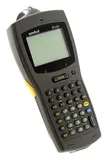 Symbol PDT-6100Portable batch data collection terminal from$695.00136 in stock Symbol PDT-6110900 MHz wireless portable data collection terminal from$795.0020 in stock
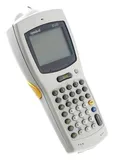 Symbol PDT-6146802.11b wireless portable data collection terminal from$895.008 in stock
Filed with · 1 model
Also filed with these models on the old site
Summary
What is in it
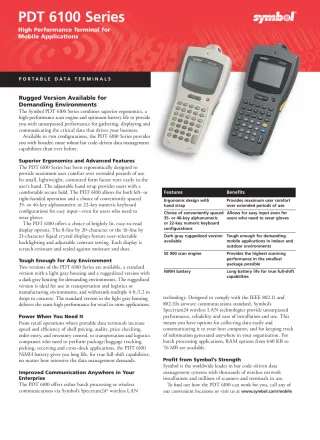
The product reference guide for the Symbol PDT 6100 Series, battery-powered hand-held data collection terminals with keyboard and integrated laser scanner that run DR DOS. It covers the batch PDT 6100, the Spectrum One PDT 6110 and the Spectrum24 PDT 6142 and 6146: parts and accessories, cradle and modem hookup, batch, Spectrum One and Spectrum24 setup, power, keyboard, scanning and printing, battery care, error recovery and self test, plus port pin-outs, keyboard layouts and specifications.
Its parts
- About This Guide
- Getting Started
- Installing the Hardware
- Batch and Spectrum One Terminal Setup
- Spectrum24 RF Terminal Setup
- Operating the PDT 6100 Series
- Maintaining the Terminal
- Error Recovery and Troubleshooting
- Port Pin-Outs
- Keyboard Layouts
- Communications Status Codes
- Specifications
From the manual
Key facts from this manual
Each line names its page in the PDF.
Symbol's product reference guide for the PDT 6100 Series hand-held terminals: the PDT 6100 batch terminal, the PDT 6110 (Spectrum One radio), and the PDT 6142 and PDT 6146 (Spectrum24 radio). It covers setting up the CRD 6100 cradle, loading software, operating and charging the terminal, error messages, self test, communications status codes and port pinouts.
- Device
- Battery-powered hand-held data collection terminal; data entered by keyboard or integrated laser scanner p. 14
- Series models
- PDT 6100 batch (no radio); PDT 6110 Spectrum One; PDT 6142 2 Mb Spectrum24; PDT 6146 11 Mb Spectrum24 p. 14
- Operating system
- DR DOS version 3.41, compatible with IBM PC-DOS p. 14
- Battery
- 1500 mAh NiMH pack, p/n 21-33061-01 p. 54
- Battery life
- Keyboard use about 50 hours (6100), 45 hours (6110), 48 hours (614X); varies with the application p. 53
- Charging accessories
- Single-slot cradle CRD 6100-1000; UBC 2000 (6004-xxx); charging and communications cable 25-33665-01; four-slot cradle CRD 6100-4000 p. 16
- Power supply
- 12V supply, p/n 50-14000-086, for the cradle and the CCC p. 20, 57
- Charge time
- About 2.5 hours, terminal or spare battery p. 56, 58
- Terminal port
- 10-pin RJ41 connector in the base: RS-232 signals plus +12VDC on pin 6 p. 76
- Cradle ports
- DB-25 RS-232 port; optional internal modem up to 14,400 bps on RJ-11 p. 21, 22
- Scanners
- Integrated standard-range 1-D scanner (SE 900), or an external scanner on the DB9 connector p. 16
- Flash disk
- Spectrum24 terminals add one megabyte of flash disk, seen as drive E: p. 32
- Memory backup
- Supercap keeps memory about 15 minutes while the battery is changed p. 54
- Environment
- Storage -40° to 60°C; humidity 5% to 95% non-condensing; altitude up to 10,000 feet p. 92
What this manual walks you through
- Connecting the CRD 6100 cradle to a host PC and power p. 22
- Connecting the cradle's internal modem to a phone line p. 22, 23
- Loading an application with SENDHEX and the Program Loader p. 25
- Using the Spectrum24 flash disk p. 32
- Installing and charging the battery, including a spare in the cradle p. 55, 56, 57, 58
- Reading error messages p. 63
- Troubleshooting start-up and Spectrum24 initialization p. 63, 64
- Running the self test p. 65
- Solving scanning problems p. 73, 74
- Decoding Program Loader communications status codes p. 90, 91
Good to know
- Writing the flash disk takes 3 to 4 seconds; write only on external power or a full battery, or the disk can be corrupted. p. 32
- At the LOW POWER warning there is probably less than 1 hour of power left; after DEAD BATTERY data may be lost. p. 53
- Batteries last 500 to 1000 charge cycles; replace one that holds less than 80% of rated capacity. p. 53
- Connect the modem phone line to the cradle first, then the wall jack, and remove it in the reverse order. p. 23
- Do not pour, spray or spill liquid on the terminal, especially the scanner. p. 59
Questions this manual answers
What is the part number of the PDT 6100 battery?
The rechargeable 1500 mAh NiMH battery pack is p/n 21-33061-01. p. 54
What does Program Loader status code 0100 mean on a PDT 6100?
0100 means there is not enough NVM for the image. The codes add together, and 0000 means the transfer worked. p. 90, 91
What is the difference between the PDT 6142 and PDT 6146?
Both use a Spectrum24 radio network; the guide lists the PDT 6142 as 2 Mb and the PDT 6146 as 11 Mb. p. 14
What operating system does the Symbol PDT 6100 run?
DR DOS version 3.41, which is compatible with IBM PC-DOS. p. 14
How long does the PDT 6100 battery last on a charge?
With typical applications about 50 hours of keyboard use on a PDT 6100 and about 6400 scans; radio use shortens this. p. 53
Contents
Chapters and sections
Each line opens the PDF at its page.
The whole text · 12 parts
Read the manual here as text
Its text as extracted from the PDF, unedited, in parts; each page opens the PDF at that page.
- Pages 1 to 71-7
- About This Guide8-13
- Chapter 1 Getting Started14-19
- Chapter 2 Installing the Hardware20-23
- Chapter 3 Batch and Spectrum One Terminal Setup24-31
- Pages 32 to 4132-41
- Pages 42 to 5142-51
- Chapter 6 Maintaining the Terminal52-61
- Chapter 7 Error Recovery and Troubleshooting62-75
- Pages 76 to 8976-89
- Pages 90 to 9390-93
- Glossary94-108
The file