Manual · Symbol
MiniScan MS-804FZY and MS-904HS Integration Guide
Manual184 pagesPDF 2.6 MB
Integration guide for the Symbol MiniScan MS-804FZY and MS-904HS fixed-mount laser scanners: mounting, specs and programming.
Covers · 2 models
The models it covers
Summary
What is in it
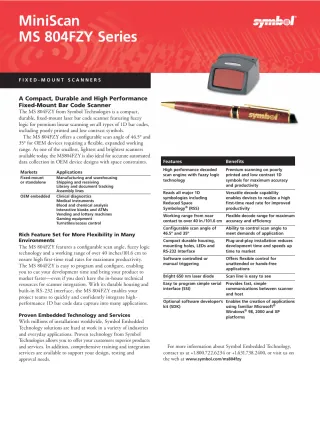
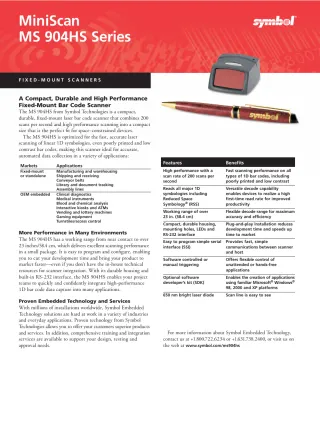
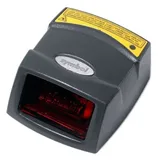
The integration guide for the Symbol MiniScan MS-804FZY and MS-904HS, compact fixed-mount laser scanners for stand-alone use or for building into OEM devices such as kiosks. It covers the theory of operation, mounting and connection, positioning for embedded and conveyor use, the technical specifications and decode zones of each model, trigger modes, maintenance and troubleshooting, the programming bar code menus, SSI (Simple Serial Interface) notes and a mounting template.
Its parts
- Introduction
- Installation
- MS-804FZY Specifications
- MS-904HS Specifications
- Scanning
- Maintenance and Troubleshooting
- Parameter Menus
- Simple Serial Interface (SSI)
- Mounting Template
From the manual
Key facts from this manual
Each line names its page in the PDF.
The Symbol MiniScan MS-804FZY and MS-904HS Integration Guide, covering both fixed-mount 1D laser scanners. It explains mounting, cabling, the DB9 pinout, specifications and decode ranges for each model, trigger modes, troubleshooting and the parameter menus used to program the scanners by bar code or over the serial line.
- Device
- Compact fixed-mount laser scanners for 1D bar codes, for stand-alone use or built into kiosks and other OEM devices p. 17, 18
- Interface
- RS-232 on a DB9 connector, using Symbol's Simple Serial Interface (SSI); pin compatible with LS 1220 host cables p. 20, 21
- Power
- 5.0 VDC ±10% on DB9 pin 6 p. 40, 48
- Scan rate
- MS-804FZY: 50 (±6) scans/sec; MS-904HS: 186 (±13) scans/sec; both bidirectional p. 41, 49
- Scan angle
- MS-804FZY: 46.5° default, 35° narrow; MS-904HS: 37° typical p. 41, 49
- Read range
- MS-804FZY: up to 33.4 in. typical on 55 mil Code 39; MS-904HS: up to 23.0 in. typical on 55 mil Code 39 p. 45, 53
- Symbologies
- UPC/EAN, Bookland EAN, Code 128, UCC/EAN-128, ISBT 128, Code 39, Trioptic Code 39, Code 32, Code 93, Interleaved 2 of 5, Discrete 2 of 5, Codabar, MSI Plessey; RSS on the MS-804FZY only p. 63, 64, 65, 66, 67
- Size and weight
- 1.02 in. H x 1.93 in. W x 2.31 in. D maximum; MS-804FZY: 1.67 oz. (47.34 g); MS-904HS: 1.70 oz. (48.20 g) p. 42, 50
- Operating temperature
- 32° to 104°F (0° to 40°C); storage MS-804FZY: -40° to 158°F, MS-904HS: -40° to 140°F p. 41, 49
- Power supplies
- 110V US p/n 50-14000-008; 220V Europe p/n 50-14000-009; 100V Asia p/n 50-14000-010; 264V universal p/n 50-14001-001; DC line cord p/n 50-16002-009; AC line cord p/n 23844-00-00 p. 37
- RS-232 cables
- Female DB9 host cables p/n 25-13227-XX (trigger jack, no beeper), 25-13228-XX (trigger jack and beeper), 25-58918-XX (straight), 25-58919-XX (right angle), 25-63736-XX (trigger jack, no hardware handshaking) p. 37
- Triggers and adapters
- Push button trigger cable p/n 25-04950-XX; photo sensor trigger cable p/n 25-13176-XX; 25 pin D adapters p/n 50-12100-377 to 50-12100-380 p. 37
- Serial defaults
- 9600 baud, no parity, 1 stop bit, software handshaking on, unpacketed data p. 67
- Programming
- Over 70 parameters, set by scanning bar code menus or over SSI; Software Developer's CD p/n SW-60371-XX; 123Scan not supported p. 37, 38
What this manual walks you through
- Mounting the scanner with its two M3 mounting holes p. 24
- Connecting the scanner, an optional beeper and a trigger or photo sensor to the host p. 25, 26
- DB9 connector pin functions p. 40, 48
- Choosing a trigger mode: level, continuous, pulse, blinking or host p. 56, 57
- Reading the beeper and LED signals p. 22
- Decode distances by bar code density for each model p. 45, 53
- Troubleshooting no power, no read and beep sequences after the laser fires p. 60
- Default parameter settings and restoring them p. 61, 62, 63
- Cleaning the exit window p. 59
- SSI specifics: scanner codes and unsupported commands p. 169, 170
Good to know
- Controls, adjustments or procedures other than those in the guide can cause hazardous laser light exposure. p. 17
- Mount the chassis only with non-magnetic M3 screws no longer than 3.6 mm. p. 24
- The MS-904HS does not decode 1 to 4 digit Code 39 bar codes by default. p. 53
- Continuous trigger mode is not recommended while programming the scanner from bar code menus. p. 56
- The guide recommends an opto-mechanical analysis by an engineer before integration. p. 11
Questions this manual answers
What is the difference between the MS-804FZY and the MS-904HS?
The MS-904HS scans much faster, 186 scans per second against 50, while the MS-804FZY reads farther and adds RSS codes. p. 41, 45, 49, 53, 67
What cable connects a MiniScan to an RS-232 host?
A female DB9 host cable such as p/n 25-58918-XX (straight) or 25-58919-XX (right angle); other versions add a trigger jack or beeper. p. 37
What power supply does the MiniScan MS-804FZY need?
It runs on 5.0 VDC ±10%; the US 110V supply is p/n 50-14000-008 with DC line cord p/n 50-16002-009. p. 37, 40
What is the default baud rate of the MS-904HS?
9600 baud, with no parity and 1 stop bit. p. 67
Does 123Scan work with the MS-804FZY or MS-904HS?
No. The guide says these scanners do not support 123Scan; use the bar code menus or the Software Developer's CD. p. 38
Contents
Chapters and sections
Each line opens the PDF at its page.
- About This Manual11
- Chapter 1 Introduction17
- Chapter 2 Installation23
- Chapter 3 MS-804FZY Specifications39
- Chapter 4 MS-904HS Specifications47
- Chapter 5 Scanning55
- Chapter 6 Maintenance and Troubleshooting59
- Chapter 7 Parameter Menus61
22 more lines, from page 62 on
The whole text · 23 parts
Read the manual here as text
Its text as extracted from the PDF, unedited, in parts; each page opens the PDF at that page.
- Pages 1 to 41-4
- Contents5-10
- About This Manual11-16
- Chapter 1 Introduction17-22
- Chapter 2 Installation, pages 23 to 3023-30
- Chapter 2 Installation, pages 31 to 3831-38
- Chapter 3 MS-804FZY Specifications39-46
- Chapter 4 MS-904HS Specifications47-54
- Chapter 5 Scanning55-58
- Pages 59 to 6859-68
- Pages 69 to 7869-78
- Pages 79 to 8879-88
- Pages 89 to 9889-98
- Pages 99 to 10899-108
- Pages 109 to 118109-118
- Pages 119 to 128119-128
- Pages 129 to 138129-138
- Pages 139 to 148139-148
- Pages 149 to 158149-158
- Pages 159 to 168159-168
- Pages 169 to 172169-172
- Glossary173-178
- Index179-184
The file