Manual · Symbol
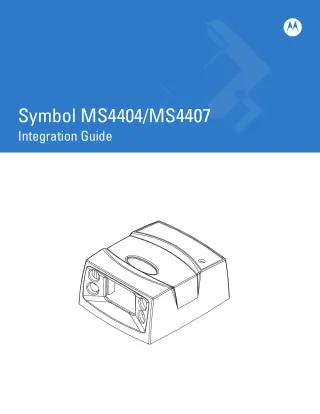
Symbol MS4404/MS4407 Integration Guide
Manual310 pagesPDF 5.2 MB
Integration guide for the Symbol MS4404 and MS4407 imagers: installation, specifications, programming bar codes and SSI, RS-232 and USB interfaces.
Covers · 1 model
The models it covers
Summary
What is in it
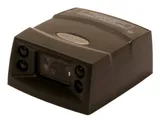
The integration guide for the Symbol MS4404 and MS4407 imagers. It covers theory of operation and block diagrams, unpacking and mounting (including embedded windows), aiming, illumination and focus, electrical interfaces, mechanical drawings, technical specifications and decode zones, maintenance and troubleshooting. Later chapters hold the programming bar codes for user and imager preferences, the SSI interface, the MS4404 RS-232 interface, the MS4407 USB interface and symbologies.
Its parts
- About This Guide
- Getting Started
- Installation
- Imaging
- Symbol MS4404/MS4407 Specifications
- Maintenance & Troubleshooting
- User Preferences
- Imager Preferences
- SSI Interface
- Symbol MS4404 - RS-232 (Serial) Interface
- Symbol MS4407 - USB Interface
- Symbologies
From the manual
Key facts from this manual
Each line names its page in the PDF.
Integration guide for the Symbol MS4404 and MS4407 MiniScan fixed-mount 1-D and 2-D imagers (printed as Symbol MS4404/MS4407); the MS4404 is the RS-232 model and the MS4407 the USB model. It covers mounting, cabling, specifications, accessories, maintenance and troubleshooting, and the bar code menus that set up the imager.
- Device type
- Compact fixed-mount imager for 1-D and 2-D bar codes, for stand-alone and OEM uses such as kiosks p. 19
- Interfaces
- MS4407: USB1.1 or 0 - 5 V serial (TTL 232); MS4404: True RS-232 p. 44, 46
- Power
- MS4407: 4.5 V to 5.5 V, 245 mA max, powered by the USB host; MS4404: 4.5 V to 13.2 V, 260 mA max p. 44, 46, 137
- Image sensor
- 640 (H) x 480 (V) pixels gray scale; images in BMP, TIFF or JPEG p. 46
- Aiming and illumination
- 650 nm laser aiming pattern; four red 635 nm LEDs for illumination p. 35, 36
- Field of view and focus
- 33.2 degrees horizontal, 24.5 degrees vertical; near focus 5 inches, far focus 9 inches p. 46
- Temperature
- Operating -4º to 122º F (-20º to 50º C) at 50% duty cycle; storage -40º to 158º F (-40º to 70º C) p. 47
- Size and weight
- Height 0.99 in. (25.2 mm), depth 2.18 in. (55.4 mm) maximum; 1.8 oz. (51.0 grams) p. 47
- Connector
- 9-pin male D-sub p. 47
- MS4407 symbologies
- MS4407: 1-D codes such as UPC/EAN, Code 128 and Code 39; 2-D codes PDF417, MicroPDF417, DataMatrix, Maxicode, QRCode and Aztec; postal codes; DPM on the DPM version only p. 47
- Power supplies
- 110V US 50-14000-008; 220V Europe 50-14000-009; 100V Asia 50-14000-010; 264V Universal 50-14001-001 (ROHS numbers end in R) p. 32
- USB cables
- Female DB9 straight to USB 25-58926-XX; with trigger jack and beeper to USB 25-58925-XX p. 32
- RS-232 and trigger cables
- Female DB9 to RS-232 host 25-58918-XX; push button trigger cable 25-04950-XX; photo sensor trigger cable 25-13176-XX p. 32, 33
- Guide part number
- 72E-79851-02 Revision A, August 2007 p. 3
What this manual walks you through
- Mounting the imager on its two threaded inserts p. 26
- Connecting the imager cables and wiring an optional trigger jack p. 27
- Positioning the imager and choosing a window to place in front of it p. 28, 29, 30, 31
- How aiming, illumination and focus work p. 35, 36
- Reading the beeper signals p. 37
- Decode, snapshot and video operating modes p. 38
- Connector pin functions for the MS4404 and MS4407 p. 40, 41
- Cleaning the exit window and troubleshooting read problems p. 57, 58
- Setting up the MS4407 with a USB host p. 137, 138
Good to know
- Mount the chassis only with non-magnetic M3x.5 screws no longer than 3.6mm. p. 26
- Do not use cables with a built-in beeper at 12 VDC. p. 32
- If a window is placed in front of the imager, do not use polycarbonate. p. 28
- Clean the exit window with a damp cloth and, if needed, a non-ammonia detergent; keep abrasives off it. p. 57
- Controls, adjustments or procedures other than those in the guide can cause hazardous laser light exposure. p. 19
Questions this manual answers
Does the Symbol MS4407 need a separate power supply?
No. Connected to a USB host or powered USB hub, it is powered by it and needs no additional power supply. p. 137
What is the difference between the Symbol MS4404 and MS4407?
The MS4404 has a True RS-232 interface; the MS4407 has USB1.1 and 0 - 5 V TTL serial and runs on 4.5 V to 5.5 V. p. 44, 46
What is the part number of the US power supply for the MS4407 MiniScan?
The 110V US power supply is 50-14000-008 (ROHS version 50-14000-008R). p. 32
What 2-D bar codes can the MS4407 read?
PDF417, MicroPDF417, DataMatrix, Maxicode, QRCode and Aztec, plus postal codes. p. 47
Contents
Chapters and sections
Each line opens the PDF at its page.
- Symbol MS4404/4407 Integration Guide1
- About This Guide15
- Getting Started19
- Installation25
- Imaging35
- Symbol MS4404/MS4407 Specifications39
91 more lines, from page 57 on
- Maintenance & Troubleshooting57
- User Preferences59
- Imager Preferences71
- SSI Interface93
- Symbol MS4404 - RS-232 (Serial) Interface115
- Symbol MS4407 - USB Interface137
- Symbologies159
- Overview159
- Imaging Sequence Examples160
- Errors While Imaging160
- Symbology Parameter Defaults160
- UPC/EAN165
- Code 128180
- Code 39183
- Code 93192
- Code 11194
- Interleaved 2 of 5 (ITF)197
- Discrete 2 of 5 (DTF)201
- Codabar (NW - 7)204
- MSI207
- Inverse 1D212
- Postal Codes213
- GS1 DataBar (Formerly RSS, Reduced Space Symbology)218
- Composite220
- 2-D Symbologies224
- Redundancy Level231
- Security Level233
- Report Version234
- Macro PDF Features235
- Miscellaneous Imager Options239
- Mounting Template247
- Standard Defaults249
- Programming Reference259
- Sample Bar Codes267
- Numeric Bar Codes273
- ASCII Character Sets277
- Glossary289
- Index301
- Tell Us What You Think...307
The whole text · 39 parts
Read the manual here as text
Its text as extracted from the PDF, unedited, in parts; each page opens the PDF at that page.
- Symbol MS4404/4407 Integration Guide1-6
- Table of Contents, pages 7 to 127-12
- Table of Contents, pages 13 to 1413-14
- About This Guide15-18
- Getting Started19-24
- Installation25-34
- Imaging35-38
- Symbol MS4404/MS4407 Specifications, pages 39 to 4739-47
- Symbol MS4404/MS4407 Specifications, pages 48 to 5648-56
- Pages 57 to 7057-70
- Imager Preferences, pages 71 to 7871-78
- Imager Preferences, pages 79 to 8679-86
- Imager Preferences, pages 87 to 9287-92
- SSI Interface, pages 93 to 10093-100
- SSI Interface, pages 101 to 108101-108
- SSI Interface, pages 109 to 114109-114
- Symbol MS4404 - RS-232 (Serial) Interface, pages 115 to 122115-122
- Symbol MS4404 - RS-232 (Serial) Interface, pages 123 to 130123-130
- Symbol MS4404 - RS-232 (Serial) Interface, pages 131 to 136131-136
- Symbol MS4407 - USB Interface, pages 137 to 144137-144
- Symbol MS4407 - USB Interface, pages 145 to 152145-152
- Symbol MS4407 - USB Interface, pages 153 to 158153-158
- Symbologies, pages 159 to 168159-168
- Symbologies, pages 169 to 178169-178
- Symbologies, pages 179 to 188179-188
- Symbologies, pages 189 to 198189-198
- Symbologies, pages 199 to 208199-208
- Symbologies, pages 209 to 218209-218
- Symbologies, pages 219 to 228219-228
- Symbologies, pages 229 to 238229-238
- Miscellaneous Imager Options239-246
- Pages 247 to 258247-258
- Programming Reference259-266
- Sample Bar Codes267-272
- Numeric Bar Codes273-276
- ASCII Character Sets277-288
- Glossary289-300
- Index301-306
- Tell Us What You Think307-310
The file