Manual · Symbol
Symbol DS6708 Digital Scanner Product Reference Guide
Manual458 pagesPDF 11 MB
Product reference guide for the Symbol DS6708 1D and 2D digital scanner: setup, host interfaces, programming bar codes and specs.
Covers · 1 model
The models it covers
Summary
What is in it
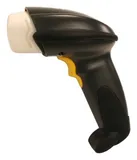
The full product reference guide for the Symbol DS6708 digital scanner, a hand-held imager that reads 1D and 2D bar codes and also works in presentation mode (Intellistand or the model with base). It covers unpacking, cabling and mounting, scanning, maintenance and troubleshooting, technical specifications, and the programming bar codes for user preferences, decoding, each host interface (USB, RS-232, IBM 468X/469X, wand, keyboard wedge, scanner emulation), symbologies, the DS6708-DL driver's license setup and advanced data formatting.
Its parts
- Getting Started
- Scanning
- Maintenance & Technical Specifications
- User Preferences & Miscellaneous Digital Scanner Options
- Decoding Preferences
- USB Interface
- RS-232 Interface
- IBM 468X / 469X Interface
- Wand Emulation Interface
- Keyboard Wedge Interface
- Scanner Emulation Interface
- 123Scan
- Symbologies
- Driver’s License Set Up (DS6708-DL)
- Advanced Data Formatting
From the manual
Key facts from this manual
Each line names its page in the PDF.
Product reference guide (72E-86039-06 Revision A, October 2009) for the Symbol DS6708 digital scanner, including the model with base and the DS6708-DL driver's license version. It covers setup and cabling for USB, RS-232, IBM 468X/469X, wand emulation, keyboard wedge, scanner emulation and Synapse hosts, along with scanning, troubleshooting and specifications. It also holds the bar code menus that program the scanner.
- Device
- 1D and 2D omnidirectional bar code scanner for hand-held or presentation mode p. 21
- Host interfaces
- USB, IBM 468X/469X, RS-232, wand emulation, keyboard wedge, scanner emulation, Synapse p. 22
- Synapse adapter cable
- p/n 25-32463-xx, used with a Synapse Smart Cable p. 24
- Power
- 5 +/-10% VDC at 350 mA p. 43
- Dimensions
- 6.55 in. x 4.72 in. x 2.82 in. (16.6 cm x 11.9 cm x 7.1 cm) H x L x W, scanner only, without base p. 43
- Weight
- 6.4 oz. (182 gm) p. 43
- Light source
- 650 nm laser diode aiming, 630 nm LED illumination p. 43
- Field of view
- 34º (V) x 43º (H) p. 43
- Symbologies
- 1D codes (UPC/EAN, Code 39, Code 128, Code 93, Codabar, Interleaved 2 of 5, GS1 DataBar and others), PDF417, MicroPDF417, postal codes, MaxiCode, Data Matrix, QR Code, Micro QR, Aztec p. 43
- Temperature
- Operating 32º F to 104º F (0º C to 40º C); storage -40º F to 158º F (-40º C to 70º C) p. 44
- Drop rating
- Scanner only: multiple 5 ft. (1.52 m) drops to concrete at operating temperature extremes; multiple 6 ft. (1.8 m) drops at room temperature p. 44
- Driver's licenses
- DS6708-DL: parses US driver's licenses and AAMVA compliant ID cards, by embedded algorithms or server based parsing with a .DLL p. 259
- USB operating systems
- Windows 98, 2000, ME, XP; MacOS 8.5 - MacOS 10.3; IBM 4690 OS p. 76
- Mounting accessories
- Intellistand with adjustable height 5-10 in. and angle 0º - 90º; desktop and wall-mount holders; power supplies p. 44
What this manual walks you through
- Installing and removing the interface cable p. 23
- Connecting a Synapse cable and an external power supply p. 24
- Changing the cable on the model with base p. 25
- Fitting the desk mount and wall mount p. 26, 27
- Cleaning the scan window p. 39
- Troubleshooting scanning, decoding and host transmission problems p. 40, 41, 42
- Cable connector pinouts for each host interface p. 45
- Connecting to an IBM 468X/469X host and setting the port address p. 124
- Programming the scanner with 123Scan p. 175
- Setting up driver's license parsing on the DS6708-DL p. 259, 260
Good to know
- Do not spray water or cleaning liquids directly into the scan window, and keep abrasives off it. p. 39
- On the model with base, run the cable through the opening at the back, not underneath the base. p. 25
- On an IBM 468X/469X host the only required setting is the port address. p. 124
- The 123Scan program talks to the scanner over an RS-232 cable. p. 175
Questions this manual answers
What cable connects a DS6708 to a Synapse Smart Cable?
The Synapse adapter cable, p/n 25-32463-xx, which plugs into the bottom of the scanner. p. 24
Which port does the DS6708 use on an IBM 468X/469X terminal?
Typically Port 9. Scan the matching port address bar code after connecting. p. 124
Can the DS6708-DL read driver's licenses?
Yes. It parses data from the 2D bar codes on US driver's licenses and AAMVA compliant ID cards, either inside the scanner or through server based parsing software. p. 259
Why does keyboard wedge data show up wrong on the host?
Program the system for the correct keyboard type and turn off the CAPS LOCK key. p. 41
Contents
Chapters and sections
Each line opens the PDF at its page.
- Symbol DS6708 Digital Scanner1
- Patents4
- Warranty4
- Revision History5
- About This Guide17
- Getting Started21
- Scanning29
- Maintenance & Technical Specifications39
- User Preferences & Miscellaneous Digital Scanner Options47
- Decoding Preferences69
106 more lines, from page 70 on
- Scanning Sequence Examples70
- USB Interface75
- RS-232 Interface99
- IBM 468X / 469X Interface123
- Wand Emulation Interface129
- Keyboard Wedge Interface139
- Scanner Emulation Interface163
- 123Scan175
- Symbologies177
- Introduction177
- Scanning Sequence Examples177
- Errors While Scanning178
- Symbology Parameter Defaults178
- UPC/EAN183
- Code 128199
- Code 39204
- Code 93212
- Code 11214
- Interleaved 2 of 5 (ITF)217
- Discrete 2 of 5 (DTF)221
- Codabar (NW - 7)224
- MSI227
- Chinese 2 of 5230
- Matrix 2 of 5231
- Inverse 1D235
- Postal Codes236
- GS1 DataBar (formerly Reduced Space Symbology)241
- Composite243
- 2D Symbologies246
- Redundancy Level253
- Security Level255
- Report Version256
- Macro PDF Features257
- Driver’s License Set Up (DS6708-DL)259
- Advanced Data Formatting299
- Standard Default Parameters403
- Programming Reference413
- Sample Bar Codes421
- Numeric Bar Codes425
- ASCII Character Sets427
- Glossary439
- Index449
- Tell Us What You Think...455
The whole text · 55 parts
Read the manual here as text
Its text as extracted from the PDF, unedited, in parts; each page opens the PDF at that page.
- Symbol DS6708 Digital Scanner1-3
- Pages 4 to 64-6
- Table of Contents, pages 7 to 137-13
- Table of Contents, pages 14 to 1614-16
- About This Guide17-20
- Getting Started21-28
- Scanning29-38
- Maintenance & Technical Specifications39-46
- User Preferences & Miscellaneous Digital Scanner Options, pages 47 to 5447-54
- User Preferences & Miscellaneous Digital Scanner Options, pages 55 to 6255-62
- User Preferences & Miscellaneous Digital Scanner Options, pages 63 to 6863-68
- Decoding Preferences69-74
- USB Interface, pages 75 to 8275-82
- USB Interface, pages 83 to 9083-90
- USB Interface, pages 91 to 9891-98
- RS-232 Interface, pages 99 to 10699-106
- RS-232 Interface, pages 107 to 114107-114
- RS-232 Interface, pages 115 to 122115-122
- IBM 468X / 469X Interface123-128
- Wand Emulation Interface129-138
- Keyboard Wedge Interface, pages 139 to 146139-146
- Keyboard Wedge Interface, pages 147 to 154147-154
- Keyboard Wedge Interface, pages 155 to 162155-162
- Scanner Emulation Interface163-174
- Pages 175 to 184175-184
- Pages 185 to 194185-194
- Pages 195 to 204195-204
- Pages 205 to 214205-214
- Pages 215 to 224215-224
- Pages 225 to 234225-234
- Pages 235 to 244235-244
- Pages 245 to 254245-254
- Pages 255 to 258255-258
- Driver’s License Set Up (DS6708-DL), pages 259 to 268259-268
- Driver’s License Set Up (DS6708-DL), pages 269 to 278269-278
- Driver’s License Set Up (DS6708-DL), pages 279 to 288279-288
- Driver’s License Set Up (DS6708-DL), pages 289 to 298289-298
- Advanced Data Formatting, pages 299 to 308299-308
- Advanced Data Formatting, pages 309 to 318309-318
- Advanced Data Formatting, pages 319 to 328319-328
- Advanced Data Formatting, pages 329 to 338329-338
- Advanced Data Formatting, pages 339 to 348339-348
- Advanced Data Formatting, pages 349 to 358349-358
- Advanced Data Formatting, pages 359 to 368359-368
- Advanced Data Formatting, pages 369 to 378369-378
- Advanced Data Formatting, pages 379 to 388379-388
- Advanced Data Formatting, pages 389 to 398389-398
- Advanced Data Formatting, pages 399 to 402399-402
- Standard Default Parameters403-412
- Programming Reference413-420
- Sample Bar Codes421-424
- Pages 425 to 438425-438
- Glossary439-448
- Index449-454
- Tell Us What You Think455-458
The file