Manual · PSC
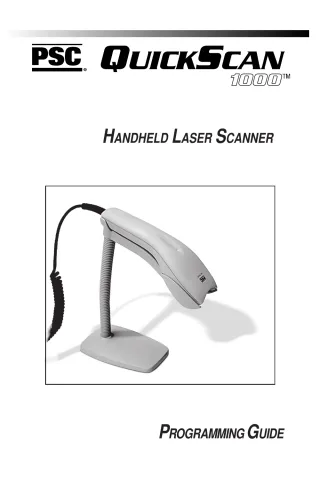
QuickScan 1000 Programming Guide
Manual97 pagesPDF 1.7 MB
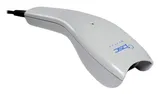
Programming guide with bar code labels for the PSC QuickScan 1000 hand-held scanner: interfaces, symbologies and general features.
Covers · 2 models
The models it covers
Summary
What is in it
Programming guide for the PSC QuickScan 1000 hand-held scanner. It explains how to change interfaces and how Programming Mode works with SET and END labels, then gives programming bar codes for IBM, wand emulation, RS-232, keyboard wedge and OCIA interfaces, prefix and suffix settings, symbology options for UPC/EAN, Code 39, Code 128, Interleaved and Standard 2 of 5, Codabar and MSI/Plessey, and general features such as the good read beeper, read verification and timeouts.
Its parts
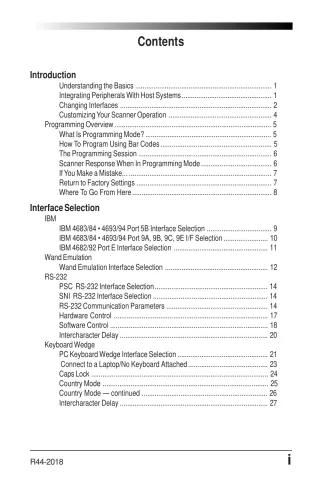
- Introduction
- Programming Overview
- Interface Selection
- Symbologies
From the manual
Key facts from this manual
Each line names its page in the PDF.
PSC programming guide (R44-2018, 1999) for the QuickScan 1000 handheld laser scanner. It explains how to change interfaces and set the scanner up by scanning programming bar codes: IBM, wand emulation, RS-232, keyboard wedge and OCIA interfaces, symbology options and general features such as the beeper, read verification and laser timeout.
- Device
- Handheld laser scanner configured by scanning programming bar codes or by host commands p. 1, 11
- Interfaces
- PSC and SNI RS-232; IBM 4683/84, 4693/94 Port 5B and Port 9A, 9B, 9C, 9E; IBM 4682/92 Port E; Wand Emulation; Keyboard Wedge; PSC, NCR 8 bit, NCR 9 bit and SNI OCIA p. 9
- Interface groups
- Each scanner ships able to use at least two interface types, such as Keyboard Wedge/RS-232 or Keyboard Wedge/Wand Emulation p. 8
- Interface selection
- Selected automatically when a new interface cable is connected, unless a sub-type such as SNI or IBM 4682/92 Port E is needed p. 14
- Keyboard wedge types
- Types A to J: PC/XT, AT and PS/2 with US or foreign keyboards, IBM 3xxx with 122 or 102 keyboard, PS/55 5530T, NEC 9801 p. 9
- RS-232 baud rates
- 1200, 2400, 4800, 9600, 19200, 38400 p. 21
- RS-232 data format
- Seven or eight data bits; parity none, even, odd, mark or space; one or two stop bits; CTS/RTS and Xon/Xoff handshaking; ACK/NAK options p. 20, 22
- Interface cable
- Released by pressing a .050” hex driver or bent paper clip into the CABLE RELEASE hole p. 8
- Programming
- Scan SET, then the feature labels, then END; a triple beep confirms each valid label p. 11
- Laser timeout
- 4, 6, 10 or 15 seconds of idle time p. 91
- Double read timeout
- 400, 600 or 800 milliseconds p. 92
- Beeper
- Volume normal or high; good read beep short (100msec), medium (250msec) or long (500msec); optional power-up beep p. 85
- Read verification
- One to four reads required before sending, set for all symbologies or per symbology p. 87, 88
- Symbologies
- UPC/EAN with add-ons, Code 39, PharmaCode 39, Code 128, Interleaved 2 of 5, Standard 2 of 5, Codabar, MSI/Plessey p. 4, 54
What this manual walks you through
- Changing the scanner's interface: cable and interface label p. 8, 9
- Entering Programming Mode and running a programming session p. 11, 12
- Returning the scanner to factory settings p. 13
- Selecting and setting the IBM interfaces p. 15, 16, 17
- Setting RS-232 baud rate, parity, data bits and stop bits p. 20, 21, 22
- Setting the good read beeper p. 85, 86
- Setting read verification by symbology or for all symbologies p. 87, 88, 89
- Using debug mode p. 90
- Setting laser timeout and double read timeout p. 91, 92
- Sample bar codes for testing p. 94, 95
Good to know
- Return to Factory Settings disables every feature programmed since the scanner was installed. p. 13
- Removing power before scanning END discards the changes made in that programming session. p. 12
- Features not valid for the current interface, such as baud rate outside RS-232, give an error tone of six rapid beeps. p. 10
- Error tones are always enabled and cannot be turned off. p. 85
- Disconnect power before plugging or unplugging cables. p. 8
Questions this manual answers
How do I reset a PSC QuickScan 1000 to factory settings?
Scan the Return to Factory Settings label; it restores the factory defaults for the scanner's original interface and removes all programmed changes. p. 13
How do I change the QuickScan 1000 baud rate?
Scan SET, then the baud rate label (1200 to 38400), then END; the last baud rate scanned is stored. p. 11, 21
What do six rapid beeps mean on the QuickScan 1000?
An error tone: a regular label scanned in Programming Mode, incorrect programming, or a feature not valid for the current interface. p. 12
How do I remove the QuickScan 1000 interface cable?
Press a .050 inch hex driver or bent paper clip into the CABLE RELEASE hole to unlock the connector. p. 8
How do I know the QuickScan 1000 is in Programming Mode?
The green LED flashes continuously at 1Hz, and regular bar codes are not decoded. p. 12
Contents
Chapters and sections
Each line opens the PDF at its page.
The whole text · 10 parts
Read the manual here as text
Its text as extracted from the PDF, unedited, in parts; each page opens the PDF at that page.
The file