Manual · Monarch
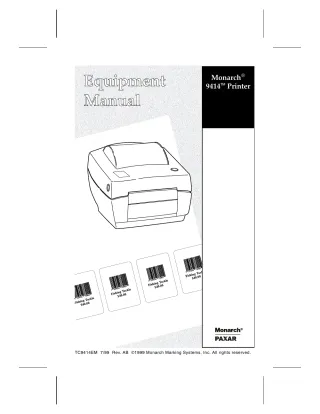
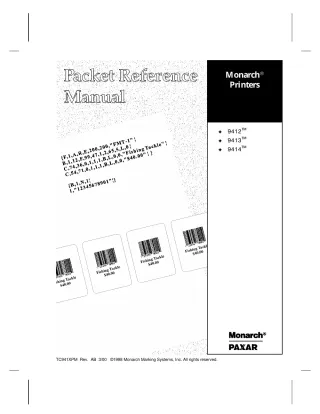
Monarch 9412, 9413, 9414 Printers
Manual184 pagesPDF 1.3 MB
Programming manual for Monarch 9412, 9413 and 9414 label printers: writing MPCLII format, batch and configuration packets.
Names · 2 models
The models it names
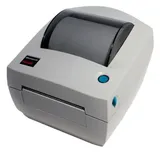 Monarch 9414Desktop label printer from$395.001 in stock Paxar 9414Desktop label printer Call for availability
Filed with · 1 model
Also filed with these models on the old site
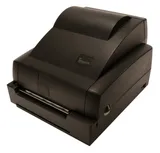
Summary
What is in it
Programming manual for the Monarch 9412, 9413 and 9414 tag and label printers. It explains how to design, write and print a Monarch Printer Control Language II (MPCLII) format: designing a label, configuring the printer with online configuration packets, defining text, bar code, line and box fields, field options, batch printing and downloading, status polling, diagnostics, error codes and print optimization, with sample packets, fonts, symbol sets and design worksheets.
Its parts
- Getting Started
- Designing a Format
- Configuring the Printer
- Defining Fields
- Defining Field Options
- Printing
- Status Polling
- Diagnostics
- Errors
- Printer Optimization
From the manual
Key facts from this manual
Each line names its page in the PDF.
This is the programming manual for writing MPCLII formats on the Monarch 9412, 9413 and 9414 printers. It covers format, batch and configuration packets, the serial and parallel settings, and the numbered error codes. Use it to build label formats on a host, set the printer up to match, and look up an error number.
- Printer language
- MPCLII (Monarch Printer Control Language II), for the 9412, 9413 and 9414 from V. 1.0 p. 9
- Print speed
- 9414: 2.5 ips maximum (9412 and 9413: 2.0 ips) p. 10
- Print area
- 9414: 4 in. x 6 in. maximum (9412: 2 in. x 6 in.; 9413: 4 in. x 4 in.) p. 10
- Print method
- 9414: direct thermal only, no ribbon (9412 and 9413 take a ribbon) p. 10
- Memory
- 9414: 512K Flash (9412 and 9413: 128K battery-backed RAM) p. 10
- Printhead
- 203 dots per inch p. 19
- Parallel port
- On all three models; Centronics-compatible, set up automatically p. 10, 24
- Baud rate
- 1200, 2400, 4800, 9600, 19200 or 38400; default 9600 p. 37
- Serial format
- 7 or 8 bit words (default 8), 1 or 2 stop bits (default 1), parity none, odd or even (default none) p. 37
- Flow control
- None, DTR, CTS or XON/XOFF; default DTR p. 37
- Supplies
- Tags or labels; black mark, die cut or non-indexed p. 10, 125
- Fields per format
- Field numbers 0 to 999; no more than 1000 fields in a format p. 10, 128
- Error code groups
- 001 to 499 data, 410 to 413 communication, 571 to 619 formatting, 700 to 793 machine faults, 900 to 999 hard failures p. 119, 120, 128, 130, 131
What this manual walks you through
- Creating and downloading a sample format and batch packet p. 11, 12, 13
- A daily startup checklist and print log for operators p. 13
- Choosing English, Metric or Dot units for a format p. 19
- Matching the serial settings to the host, including the DOS MODE command p. 24
- Setting baud, word length, stop bits, parity and flow control with the communication settings packet p. 37, 38
- Clearing data errors and resending the job p. 119, 120
- Fixing communication errors 410 to 413 p. 128, 129
- Clearing supply, black mark and printhead errors p. 131, 132, 133
- Reading power-up hardware failure codes 900 to 911 p. 134
Good to know
- Changing the communication settings takes about two seconds, and data sent in that time is lost. p. 37
- When downloading formats with the DOS COPY command, set flow control to DTR, not XON/XOFF. p. 37
- Switching between Windows and MS-DOS while using COPY causes a framing error. p. 128
- Errors 900 to 911 at power-up may point to a circuit board failure. p. 134
- Error 758 can appear if a label is taken too quickly in on-demand mode. p. 132
Questions this manual answers
What does error 756 mean on a Monarch 9414?
The printer is out of supplies; load supplies. p. 132
What does error 750 mean on a Monarch 9414?
The printhead is overheated; turn the printer off to let it cool, and call Technical Support if it persists. p. 131
What are the default serial settings of the 9412, 9413 and 9414?
9600 baud, 8-bit words, 1 stop bit, no parity and DTR flow control. p. 37, 38
Does the Monarch 9414 use a ribbon?
No. The features table lists the 9414 as direct thermal only. p. 10
What does error 411 mean on a Monarch printer?
A framing error: check that baud rate, word length and stop bits match the host, then send the data again. p. 128
The whole text · 19 parts
Read the manual here as text
Its text as extracted from the PDF, unedited, in parts; each page opens the PDF at that page.
- Pages 1 to 101-10
- Pages 11 to 2011-20
- Pages 21 to 3021-30
- Pages 31 to 4031-40
- Pages 41 to 5041-50
- Pages 51 to 6051-60
- Pages 61 to 7061-70
- Pages 71 to 8071-80
- Pages 81 to 9081-90
- Pages 91 to 10091-100
- Pages 101 to 110101-110
- Pages 111 to 120111-120
- Pages 121 to 130121-130
- Pages 131 to 140131-140
- Pages 141 to 150141-150
- Pages 151 to 160151-160
- Pages 161 to 170161-170
- Pages 171 to 180171-180
- Pages 181 to 184181-184
The file