Manual · Monarch
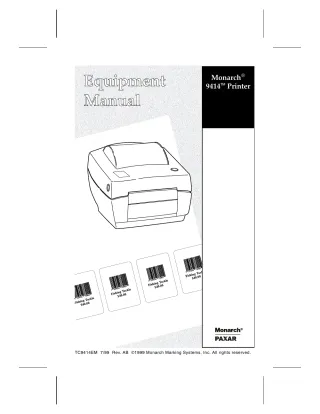
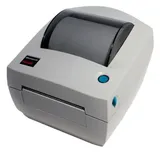
Monarch 9414 Printer
Manual36 pagesPDF 1.1 MB
Equipment manual for the Monarch 9414 desktop thermal direct label, tag and receipt printer: setup, loading supplies and care.
Covers · 2 models
The models it covers
Summary
What is in it
The equipment manual for the Monarch 9414, a desktop thermal direct printer for labels, tags or receipts, written for the person who prints and applies labels. It covers unpacking, connecting the power supply and the parallel or serial cable, reading the indicator light, loading labels, tags, peel mode and fan-fold supplies, clearing jams and cleaning the printhead, troubleshooting, specifications with accessory part numbers, and how the printer senses supplies.
Its parts
- Getting Started
- Loading Supplies
- Care & Maintenance
From the manual · read page by page
Key facts from this manual
Each line names its page in the PDF.
This is the Equipment Manual for the Monarch 9414, a desktop direct thermal printer for labels, tags and receipts. It covers connecting power and the host cable, loading roll, peel mode and fan-fold supplies, cleaning, troubleshooting, specifications and cable part numbers. It also shows how to switch between gap and black mark sensing.
- Device
- Desktop direct thermal printer for labels, tags or receipts from MS-DOS, Windows or ASCII-based computers p. 5
- Interfaces
- Centronics parallel port and DB-9 RS-232C serial port at the back p. 8, 9
- Power
- External power supply; U.S. 120 VAC ± 10%, 60Hz; International 220 VAC ± 10%, 50Hz p. 6, 29
- Printhead
- 4.09" (104 mm), 203 dpi (8.0 dots per mm) p. 29
- Supply widths
- 1" (25.4 mm) to 4.25" (108 mm) p. 29
- Supply lengths
- .38" (9.7 mm) to 6.0" (152 mm) p. 29
- Supplies
- Direct thermal labels, tags or receipt paper, on rolls or fan-fold; peel mode on some printers p. 13, 18, 29
- Dimensions
- 6.6" (167 mm) high, 6.7" (170 mm) wide, 8.5" (216 mm) deep p. 29
- Weight
- 3 lbs. (1.4 kg) without power supply, 6 lbs. (2.7 kg) with it p. 29
- Temperature
- Operating 40° to 105° F (5° to 40° C); storage -40° to 140° F (-40° to 60° C) p. 29
- Interface cables
- Parallel 6' and 10', serial DB-9 to DB-9 6' and 10', DB-25 to DB-9 6'; part numbers 300016-006, 300016-010, 300017-006, 300017-010, 300018-006 p. 30
- Label sensing
- Gap sensor or black mark sensor p. 31
- Command language
- EPL2; the Q command sets the form length p. 32
- In the box
- Printer, power supply, Equipment Manual and cleaning pen p. 6
What this manual walks you through
- Connecting the power supply p. 6, 7
- Connecting a parallel or serial cable to the host p. 8, 9
- Loading a roll of labels or tags p. 14, 15, 16, 17
- Loading labels for peel mode p. 18, 19, 20, 21, 22
- Loading fan-fold supplies p. 23, 24
- Clearing a label jam p. 25
- Cleaning the printhead p. 26
- Troubleshooting no print, faded print and skipped labels p. 27
- Adjusting the label gap sensor p. 28
- Switching between gap and black mark sensing with the Q command p. 31, 32, 33
Good to know
- Do not touch the electrical connectors during setup; static discharge can damage the printhead or electronics. p. 6
- Never run the printer on its side or upside down. p. 6
- Keep the printer and power supply where neither can get wet. p. 7
- If labels run out while printing, do not turn the printer off to reload, or data may be lost. p. 14
- Use direct thermal labels, not thermal transfer labels. p. 27
Questions this manual answers
What size labels does the Monarch 9414 take?
Supply from 1" to 4.25" wide and .38" to 6.0" long: direct thermal labels, tags or receipt paper. p. 29
How do I clean the 9414 printhead?
With the printer off and the cover open, rub the cleaning pen across the printhead, then let it dry 1 minute before closing the cover. p. 26
Why is my 9414 printing faded?
Check that the labels are direct thermal, clean the printhead, and adjust the print speed or darkness as the Programmer's Manual describes. p. 27
Contents
Chapters and sections
Each line opens the PDF at its page.
The whole text · 4 parts
Read the manual here as text
Its text as extracted from the PDF, unedited, in parts; each page opens the PDF at that page.
The file