Manual · Microscan
LVS 7500 Operations Manual, Version 20.2.X
Manual222 pagesPDF 9.6 MB
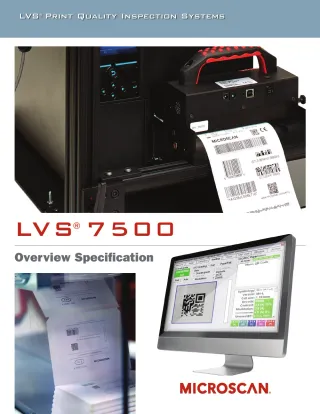
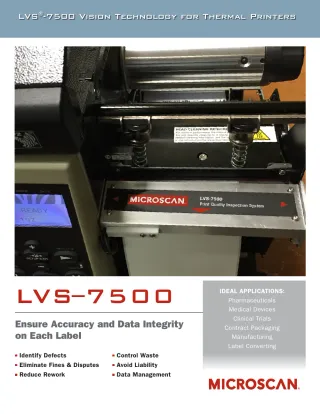
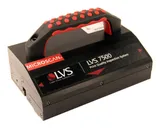
Operations manual for the Microscan LVS 7500 print quality inspection and barcode verification system for thermal label printers.
Covers · 1 model
The models it covers
Summary
What is in it
The operations manual for the Microscan LVS 7500, a modular system that inspects labels from thermal and thermal transfer printers. It describes the software modules (barcode validation and ISO verification, blemish detection, OCR, OCV, number validation and data matching), the functional specifications, Design and Production modes, logging in, creating templates, running jobs, error displays and reports, maintenance, troubleshooting and wiring diagrams, with appendices on settings, TCP/IP control, Active Directory and printer integration.
Its parts
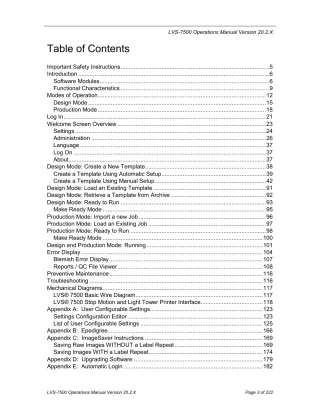
- Important Safety Instructions
- Introduction
- Modes of Operation
- Log In
- Welcome Screen Overview
- Design Mode: Create a New Template
- Design Mode: Load an Existing Template
- Design Mode: Retrieve a Template from Archive
- Design Mode: Ready to Run
- Production Mode: Import a new Job
- Production Mode: Load an Existing Job
- Production Mode: Ready to Run
- Design and Production Mode: Running
- Error Display
- Preventive Maintenance
From the manual
Key facts from this manual
Each line names its page in the PDF.
The Microscan operations manual for the LVS 7500 print quality inspection system, software version 20.2.X. The LVS 7500 reads, grades and compares labels from thermal and thermal transfer printers with a readhead and inspection software. The manual covers setup of templates and jobs, running and reports, maintenance, troubleshooting, the stop motion and light tower wiring, software upgrades and TCP/IP control.
- Device
- Print quality inspection and barcode verification for thermal and thermal transfer printers p. 6
- Readhead widths
- 5.4 in (137 mm) and 8.5 in (216 mm) p. 9
- Readhead
- 400 DPI floating sensor head; red light, 660 nm; USB 2.0 port; 5-Volt power supply p. 9
- Maximum speed
- 10 inches per second p. 6
- Camera
- Monochrome; images appear in black and white p. 6
- Smallest 1D bar
- 6.3 mils (.160 mm) to read; 8.8 mils (.223 mm) to verify p. 9
- Smallest 2D cell
- 10.0 mils (.254 mm) to read; 12.5 mils (.317 mm) to verify p. 9
- OCR and OCV
- Fonts as low as four points; OCR-B MT font 6 to 14 points for lowercase and some special characters p. 7, 8
- Blemish detection
- Smallest blemish 5 mils (.126 mm) with red light at 660 nm p. 10
- Standards
- ISO/IEC 15415, ISO/IEC 15416, ISO/IEC 15426 parts 1 and 2 p. 11
- Symbologies (some)
- Aztec, Codabar, Code 128, Code 39, Code 93, Data Matrix, EAN-13, EAN-8, GS1-128, GS1 Databar types, Interleaved 2 of 5, Laetus Pharmacode, PDF417, MicroPDF417, QR Code, Micro QR Code, UPC-A, UPC-E p. 11
- Light tower outputs
- Green on CN2-2, yellow on CN2-3, red on CN2-4; stop motion relay K1 on connector CN5; relay K2 on CN6 p. 118, 119
- Relay connector pins
- CN5 and CN6: pin 1 USB 5VDC, pin 2 normally open, pin 3 common, pin 4 normally closed, pin 5 signal ground p. 118, 119
- Signal level
- 5VDC or 24VDC, chosen with a jumper on the 3-pin X1 header p. 119
What this manual walks you through
- Choosing Design, Production or Dual mode and switching between them p. 12, 13
- Creating a template with automatic or manual setup p. 3
- Cleaning the sensor glass and replacing the calibration card p. 116
- Troubleshooting image capture problems p. 116
- Wiring the stop motion relay and light tower to a printer or rewinder p. 118, 119, 120
- Photo eye wiring for peel and present on Zebra Xi4 printers p. 122
- Upgrading the LVS 7500 software with the installer p. 179, 180, 181
- Setting up TCP/IP control and sending commands p. 195, 196, 197
- Managing operator permissions in Microsoft Active Directory p. 4
Good to know
- The LVS 7500 cannot stop, void or reprint labels; the printer must have those functions. p. 7
- Blemishes in red colors may not be detected, because the system inspects with red light. p. 7
- The software license codes stay with the system hardware and cannot be transferred. p. 12
- Never spray glass cleaner directly on the sensor glass, and do not use industrial-strength cleaner. p. 116
- The Calibrated Conformance Standard Test Card should be replaced every two years. p. 116
Questions this manual answers
Why does the LVS 7500 only capture every other label?
The manual gives the cause as a label repeat setting that is too large. p. 116
How do I make the LVS 7500 pause my printer on an error?
Use the Stop Motion signal (Line 4), which drives relay K1 on connector CN5 and gives normally open and normally closed contacts. p. 119
How often should the LVS 7500 calibration card be replaced?
Every two years. p. 116
How fast can the LVS 7500 inspect?
Up to 10 inches per second. p. 6
Can the LVS 7500 be controlled by another program?
Yes. Basic Production mode functions can be controlled with a TCP/IP command set after setting Mode to Remote and a port. p. 195
The whole text · 23 parts
Read the manual here as text
Its text as extracted from the PDF, unedited, in parts; each page opens the PDF at that page.
- Pages 1 to 101-10
- Pages 11 to 2011-20
- Pages 21 to 3021-30
- Pages 31 to 4031-40
- Pages 41 to 5041-50
- Pages 51 to 6051-60
- Pages 61 to 7061-70
- Pages 71 to 8071-80
- Pages 81 to 9081-90
- Pages 91 to 10091-100
- Pages 101 to 110101-110
- Pages 111 to 120111-120
- Pages 121 to 130121-130
- Pages 131 to 140131-140
- Pages 141 to 150141-150
- Pages 151 to 160151-160
- Pages 161 to 170161-170
- Pages 171 to 180171-180
- Pages 181 to 190181-190
- Pages 191 to 200191-200
- Pages 201 to 210201-210
- Pages 211 to 220211-220
- Pages 221 to 222221-222
The file