Manual · Microscan
LVS-7500 Overview Specification (LVS Print Quality Inspection Systems)
Manual20 pagesPDF 9.3 MB
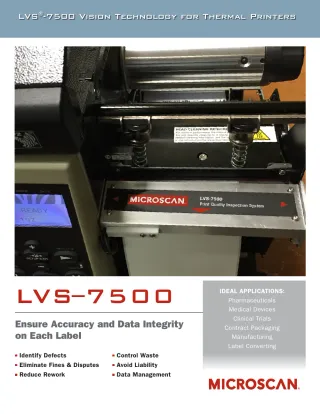
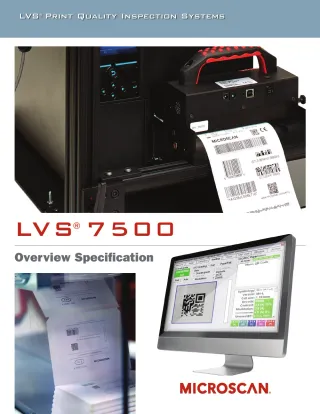
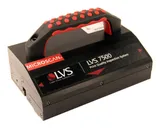
Overview specification of the Microscan LVS-7500 print quality inspection system for labels from thermal and thermal transfer printers.
Covers · 1 model
The models it covers
Summary
What is in it
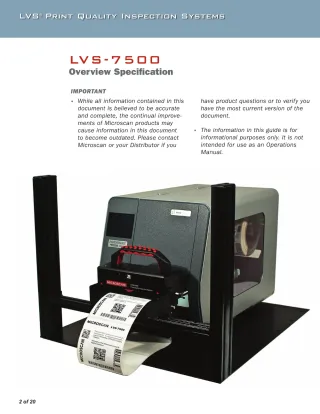
Overview specification of the Microscan LVS-7500, a system that inspects every label printed on thermal and thermal transfer printers. It explains Design mode, where job templates and inspection sectors are created, and Production mode, where jobs run, flag non-conforming labels and produce run logs, audit trails and output files. It also covers API control over TCP/IP, security through Microsoft Active Directory, the inspection functions (ISO verification, blemish detection, OCR, OCV, number validation, matching), supported symbologies and standards.
Its parts
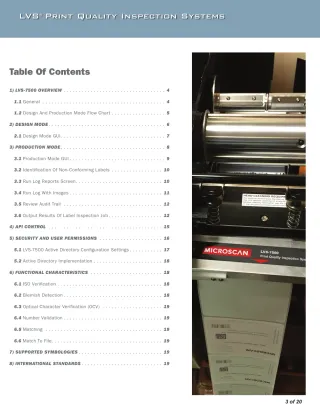
- LVS-7500 Overview
- Design Mode
- Production Mode
- API Control
- Security and User Permissions
- Functional Characteristics
- Supported Symbologies
- International Standards
From the manual
Key facts from this manual
Each line names its page in the PDF.
A 20-page overview specification for the Microscan LVS-7500, a print quality inspection system that reads and grades 1D and 2D barcodes on labels from thermal and thermal transfer printers. It explains the Design and Production modes, the job folders, the TCP/IP command set, user permissions with Active Directory, and the functional characteristics of the 5.4 inch and 8.5 inch readheads. The document says it is not meant as an operations manual.
- Device
- Print quality inspection and ISO verification of 1D and 2D barcodes for thermal and thermal transfer printers p. 4
- Readhead widths
- 5.4 in (137 mm) and 8.5 in (216 mm) p. 18
- Line scan camera
- 400 DPI, floating sensor head p. 18
- Light source
- Red light, 660 nm p. 18
- Inputs and outputs
- USB 2.0 port; 5-Volt power supply p. 18
- Maximum speed
- 10 inches (300 mm) per second p. 18
- Smallest 1D bar
- Narrow bar 6.3 mils (.160 mm) to read; 8.8 mils (.223 mm) to verify p. 18
- Smallest 2D cell
- 10.0 mils (.254 mm) to read; 12.5 mils (.317 mm) to verify p. 18
- Blemish detection
- Skew, smear, print registration, die-cut errors, missing information; smallest point 5 mils (.126 mm) p. 18
- OCV text size
- Smallest human readable .083 inches / 2.12 mm / 6 printer points p. 19
- Standards
- ISO/IEC 15415, ISO/IEC 15416, ISO/IEC 15426 parts 1 and 2 p. 19
- Symbologies (some)
- Aztec, Codabar, Code 128, Code 39, Code 93, Data Matrix, EAN-13, EAN-8, GS1-128, GS1 DataBar types, Interleaved 2 of 5, Laetus Pharmacode, PDF417, MicroPDF417, QR Code, Micro QR Code, UPC-A, UPC-E p. 19
- Remote control
- TCP/IP command set for basic Production mode functions: Load Job, Start and Stop Running, Make Ready, Bypass, Reset Alarms, Set Match To p. 15
- Reports
- Detailed data in .csv format p. 18
What this manual walks you through
- Creating, archiving and promoting job templates in Design mode p. 6, 7
- Importing a template and running a job in Production mode p. 8, 9
- Passing variable data by CSV file or over TCP/IP p. 6
- The Production mode job folders: Jobs, Import, Output and Archive p. 8
- Controlling the system with TCP/IP commands p. 15
- Setting operator permissions in the software or through Microsoft Active Directory p. 16, 17
- Matching decoded data to a user CSV file p. 19
Good to know
- Because the LVS-7500 uses red light, blemishes in red colors may not be detected properly. p. 18
- OCV tells lowercase letters apart only in the OCR-B MT font, and characters cannot touch or overlap. p. 19
- Using one system for both Design and Production mode needs a specific software license. p. 4
- The match-to file must be CSV and headers are not allowed. p. 19
- The document states the system is designed for FCC, CE and UL (pending) and is RoHS compliant. p. 20
Questions this manual answers
How fast can the LVS-7500 inspect labels?
The maximum system speed is 10 inches (300 mm) per second. p. 18
What is the smallest barcode the LVS-7500 can verify?
A 1D narrow bar of 8.8 mils (.223 mm) and a 2D cell of 12.5 mils (.317 mm); reading alone goes down to 6.3 and 10.0 mils. p. 18
How does the LVS-7500 readhead connect?
Its functional characteristics list a USB 2.0 port and a 5-Volt power supply. p. 18
Can other software control the LVS-7500?
Yes. Basic Production mode functions can be run with a TCP/IP command set, for example Load Job and Start Running. p. 15
What ISO standards does the LVS-7500 grade to?
It verifies 1D codes to ISO/IEC 15416 and 2D codes to ISO/IEC 15415. p. 18
The whole text · 2 parts
Read the manual here as text
Its text as extracted from the PDF, unedited, in parts; each page opens the PDF at that page.
The file