Manual · Microscan
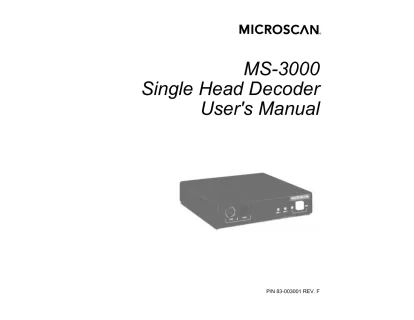
MS-3000 Single Head Decoder User's Manual
Manual126 pagesPDF 730 KB
User's manual for the Microscan MS-3000 single head bar code decoder: setup, configuration, commands and specifications.
What this file really is
The old site listed this file as a manual for the Intermec 2830 and Microscan MS-3000. The file is named as an Intermec 2830 manual but is the Microscan MS-3000 Single Head Decoder User's Manual.
Names · 1 model
The models it names
Filed with · 1 model
Also filed with these models on the old site
Summary
What is in it
The user's manual for the Microscan MS-3000 Single Head Decoder, a decoder that accepts high speed bar code data from a Microscan scan head, translates it into alphanumeric characters and sends it to a host or other terminal. It gives step by step setup and installation (planning the scanning system, cabling, positioning the scan head, a read rate test), then configuration by menu, by serial command and by profile card, and the operational commands. Appendices cover decoder specifications, defaulting, troubleshooting, bar code symbology, interface standards and multidrop communications.
Its parts
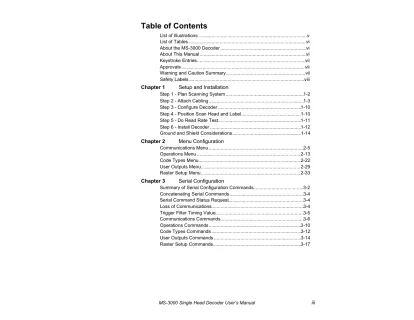
- Setup and Installation
- Menu Configuration
- Serial Configuration
- Profile Card Configuration
- Operational Commands
- Appendix A: Decoder Specifications
- Appendix B: ASCII Table
- Appendix C: Defaulting the Decoder
- Appendix D: Troubleshooting
- Appendix E: Interfacing with the MS Scan Head
- Appendix F: Bar Code Symbology
- Appendix G: Interface Standards
- Appendix H: Auxiliary Monitor
- Appendix I: Multidrop Communications
From the manual
Key facts from this manual
Some pages are scans or cannot be read; this says only what the readable text supports. Each line names its page in the PDF.
Microscan's MS-3000 Single Head Decoder User's Manual (P/N 83-003001 Rev. F, 1998). The site files it under the Intermec 2830, but the document itself covers only the Microscan MS-3000 decoder. It explains cabling, connector pinouts, configuration, mounting, resetting to defaults and troubleshooting.
- Device
- Single head bar code decoder: takes data from a scan head, turns it into characters and sends it to a host p. 6
- Scan heads
- Companion to the MS-520 and MS-1200 scan heads, which it powers; an MS-90 scan head needs MS-90 firmware 35-213034-XX for Label Speed p. 7, 103
- Connectors
- 25-pin host D-sub, 6-pin DIN trigger, 5-pin DIN power, RJ-45 scan head, RJ-11 LAN, 9-pin monitor D-sub p. 10
- Communications
- Host: RS-232 or RS-422/485; LAN port: RS-485 multidrop; monitor port: RS-232 only p. 15, 16, 17
- Default serial settings
- 9600 baud, 7 data bits, even parity, 1 stop bit p. 18
- Power
- +12 VDC at 40 mA max, -12 VDC at 40 mA max, +5 VDC at 300 mA max, from a listed Class 2 plug-in unit; 5-pin DIN, mating plug Switchcraft #05BL5M p. 7, 14
- Cable lengths
- RS-232 to host 50 ft. (15.2 m); RS-422 to host 4000 ft. (1219 m); to scan head 15 ft. (4.57 m); RS-485 trunk 4000 ft., drop 10 ft. p. 11
- Bar codes
- Code 39, Codabar, Interleaved 2 of 5, UPC and EAN, Code 128; other symbologies by custom firmware p. 105
- Host outputs
- 5V good-read signal on pin 6 and no-read signal on pin 8 of the host connector p. 16
- Relay driver
- Trigger connector pin 2, sources or sinks 4 mA max; set on good read, no read, match or mismatch p. 12
- Accessories
- Optical object detector P/N 99-440001-03; trigger port connector P/N 20-600090-02; profile card P/N 99-500011-01; MS-5000 multidrop concentrator (up to 50 decoders) p. 12, 15, 23
- Configuration
- Settings kept in non-volatile memory; set by on-screen menu, serial command or profile card p. 18
- Mounting
- Four 6-32 screws in 5/32 inch or 4 mm holes; 3 inch (76.2 mm) clearance front and rear p. 20
What this manual walks you through
- Planning a scanning system and attaching the cables p. 10, 11
- Wiring an object detector or other trigger to the trigger connector p. 12, 13
- Pin assignments of the power, LAN, host and monitor connectors p. 14, 15, 16, 17
- Connecting a terminal or PC to talk to the decoder p. 18
- Running a read rate test to position the scan head and label p. 19
- Mounting the decoder, with or without its housing p. 20, 21
- Grounding, shielding and avoiding ground loops p. 22
- Resetting the decoder to defaults with a profile card or by shorting host pins 7 and 11 p. 98, 99
- Troubleshooting power, menu, no-read and trigger problems p. 100, 101, 102
- Setting Label Speed for the MS-90 scan head p. 103, 104
Good to know
- The decoder has no user serviceable parts. p. 7
- Switching power supplies with 20 mV or more of switching noise are not recommended. p. 14
- Use a host cable with only the wires the application needs; extra connected outputs can cause damage. p. 15
- Mounting screws must not go more than .175 in. (4.4 mm) into the case. p. 20
- When resetting by shorting pins, shorting the wrong pins can seriously damage the unit. p. 99
Questions this manual answers
What are the default baud rate and serial settings of the MS-3000 decoder?
9600 baud, seven data bits, even parity and one stop bit; the terminal must match these before it can communicate. p. 18
How do I reset an MS-3000 decoder to factory defaults?
Use a profile card (all MODE switches off, DATA switch 3 on, press LOAD), or with power on short host pins 11 and 7 twice within 3 seconds. p. 98, 99
What power supply does the MS-3000 decoder need?
+12 VDC at 40 mA, -12 VDC at 40 mA and +5 VDC at 300 mA through the 5-pin DIN power connector. p. 7, 14
Why does my MS-3000 decoder send unreadable characters to the host?
The host and decoder baud rate or parity do not match; change them to match the host. p. 101
Which bar codes can the MS-3000 decoder read?
Its standard firmware reads Code 39, Codabar, Interleaved 2 of 5, UPC and EAN, and Code 128. p. 105
The whole text · 13 parts
Read the manual here as text
Its text as extracted from the PDF, unedited, in parts; each page opens the PDF at that page.
The file