Manual · Metrologic
ScanSelect Scanner Programming Guide
Manual164 pagesPDF 376 KB
Programming guide of bar codes for configuring Metrologic ScanSelect scanners, with a section of options for the MS6720.
Names · 1 model
The models it names
Filed with · 2 models
Also filed with these models on the old site
Summary
What is in it
The ScanSelect Scanner Programming Guide from Metrologic: a book of programming bar codes that set up a Metrologic laser scanner for its host. Scan the Enter/Exit Program Mode code, then the codes for the options you want. Sections cover code types, communication protocol, scanner operation, format options, RS-232 and keyboard wedge parameters, supplemental and UCC codes, and code bytes. Section J holds options for the 6720, and the wedge section names MS700i/860i country code tables. It also explains cloning one scanner's settings to another.
Its parts
- Introduction
- Code Types
- Communication Protocol
- Scanner Operation
- General Format Options
- RS-232 Parameters
- Keyboard Wedge Parameters
- Reserved Features
- Supplemental/UCC Codes
- Code Bytes
- 6720 Specific Codes
From the manual
Key facts from this manual
Each line names its page in the PDF.
A Metrologic programming guide (MLPN 2186) for ScanSelect scanners: you set the scanner up by scanning the bar codes printed in it. It covers the host interface, which bar code types are read, output format, beeper and time-outs, RS-232 settings, keyboard wedge settings and custom prefixes and suffixes. A final section holds options specific to the MS6720, and the keyboard section also names country code tables for the MS700i and MS860i.
- Document
- ScanSelect Scanner Programming Guide, Metrologic part MLPN 2186, made of setup bar codes p. 1
- Host interfaces
- RS-232, IBM 4680 (RS-485), cash register parallel, light pen emulation, OCIA, multi-drop RS-422, keyboard wedge p. 22, 23, 24
- Keyboard wedge
- PC keyboard emulation on a version 17 scanner; XT, AT, PS/2 and IBM 4700 Financial keyboards; USA, Spain, Italy, Germany, France, UK and Belgium (Swiss) layouts p. 69, 72, 73
- Bar code types
- UPC/EAN, Code 128, Code 93, Codabar, Interleaved 2 of 5, Code 11, Code 39 and Full ASCII Code 39, MSI and UK Plessey, Airline 2 of 5, Telepen, MECCA, Matrix 2 of 5 p. 8
- Baud rates
- 300, 600, 1200, 2400, 4800, 9600 (default), 19200 and 38400 p. 52, 54
- Serial defaults
- RS-232, 9600 baud, 7 data bits, space parity, carriage return and line feed after each bar code p. 53, 54, 56, 62, 63
- MS6720 modes
- Projection mode (default, acts like an MS700) or hand-held mode (acts like an MS951, reads after the IR sensor triggers) p. 153, 154
- MS6720 depth of field
- 0"-8" with normal, extended and close settings, set separately in and out of the stand p. 155
- IBM 468X/469X
- MS6720 with 4680 IO Processor emulates IBM 1520/Port 5b, IBM 4500/Port 9b CCD and IBM 3687-2/Port 17 p. 158, 159
- Light pen speed
- Selectable from MS6720 revision D: 10x or 50x border, narrow element .15, 0.3, 0.5 or 1.0 ms p. 160, 161, 162
- RS-232 level
- RS-232 +-12V serial output p. 23
- Handshaking
- DTR, RTS/CTS (per character or per message), XON/XOFF, ACK/NAK p. 52, 65, 66, 67
- Idle standby
- After 2, 10 (default) or 30 minutes without a scan, or never; woken by the touchplate or IR sensor p. 33, 34
- Supplements
- 2 and 5 digit add-ons, Bookland, 977 requirement, Code 128 coupon codes; need UPC/EAN on and special scanner software p. 107
What this manual walks you through
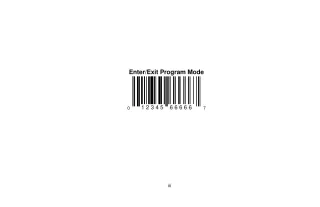
- Entering program mode and restoring factory defaults p. 6
- Copying settings to another scanner with a cloning cable p. 7
- Choosing the host interface p. 22, 23, 24
- Setting RS-232 parity, baud rate, data bits, prefixes, suffixes and handshaking p. 52, 53, 54, 55, 56, 66, 67
- Setting up keyboard wedge output and the keyboard country p. 69, 70, 71, 72, 73, 76
- Beeper tone and volume, time-outs and rescan delays p. 28, 29, 30, 33, 35
- Turning bar code types on or off and setting length limits p. 8, 9, 21
- Formatting UPC/EAN output and check digits p. 42, 43, 44, 45
- Adding custom prefix or suffix characters, including function keys p. 115, 148, 150, 151
- MS6720 projection or hand-held mode, IR range and IBM 4680 setup p. 152, 153, 155, 158, 159
Good to know
- The parallel output is for cash registers and is not Centronics parallel; it must not be connected to a Centronics interface. p. 23
- Stand-alone (single ended) keyboard wedge mode was not available for the MS6720 when the guide was printed. p. 78
- If the host software uses the Alt key as a hot key, Alt mode must be disabled. p. 74
- For IBM 4680 use, power the terminal down and up between scanner configuration sequences. p. 158
- Reserved feature codes should not be scanned without written instructions from Metrologic. p. 79
Questions this manual answers
How do I reset a Metrologic MS6720 to factory defaults?
Scan Enter/Exit Program Mode, then Load Defaults, then Enter/Exit again. All saved settings are lost and the scanner returns to RS-232. p. 6
Can the MS6720 work as a keyboard wedge scanner?
Yes. The guide has keyboard wedge settings for XT, AT, PS/2 and IBM 4700 keyboards, and states the protocol needs a version 17 scanner. p. 69
What baud rate does the scanner use by default?
9600 baud. The scanner's baud rate must match the host's, and the guide offers 300 to 38400. p. 54
How do I switch the MS6720 to hand-held mode?
Scan the Hand Held Scanner Operation Mode code. The scanner then acts like an MS951 and reads only after its IR sensor is triggered. p. 154
How do I stop the scanner sending a line feed after each bar code?
Scan Disable Line Feed in the RS-232 section; line feed is on by default. p. 63
The whole text · 17 parts
Read the manual here as text
Its text as extracted from the PDF, unedited, in parts; each page opens the PDF at that page.
- Pages 1 to 101-10
- Pages 11 to 2011-20
- Pages 21 to 3021-30
- Pages 31 to 4031-40
- Pages 41 to 5041-50
- Pages 51 to 6051-60
- Pages 61 to 7061-70
- Pages 71 to 8071-80
- Pages 81 to 9081-90
- Pages 91 to 10091-100
- Pages 101 to 110101-110
- Pages 111 to 120111-120
- Pages 121 to 130121-130
- Pages 131 to 140131-140
- Pages 141 to 150141-150
- Pages 151 to 160151-160
- Pages 161 to 164161-164
The file