Manual · Metrologic
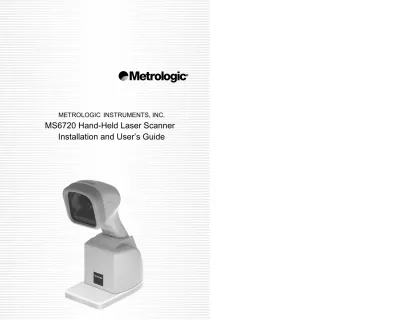
MS6720 Hand-Held Laser Scanner Installation and User's Guide
Manual52 pagesPDF 2.3 MB
Installation and user's guide for the Metrologic MS6720 omnidirectional hand-held laser scanner: setup, interfaces, stands and specifications.
Covers · 1 model
The models it covers
Summary
What is in it
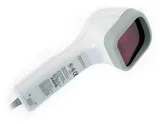
The Metrologic installation and user's guide for the MS6720, a hand-held laser scanner with a 20-line omnidirectional scan pattern and an infrared sensor for hands-free projection scanning. It lists the kit parts and interface versions, then covers quick start, operational test, installation with an external power supply, host power or keyboard wedge, optional stands, scanner parts, audible and visual indicators, maintenance, depth of field and scan pattern specifications, troubleshooting, design specifications, default settings, pin assignments and warranty.
Its parts
- Introduction
- Scanner and Accessories
- Quick Start
- Operational Test
- MS6720 Installation
- MS6720 Optional Stands
- Scanner Parts
- Audible Indicators
- Failure Modes
- Visual Indicators
- Scanner Labels
- Maintenance
- Depth of Field Specifications
- Automatic Turn-On Specifications (IR Sensor)
- Scan Pattern Specifications
From the manual
Key facts from this manual
Each line names its page in the PDF.
The installation and user's guide for the Metrologic MS6720 hand-held laser scanner, in its OCIA, IBM 46XX, RS-232, light pen and keyboard wedge versions. It explains setup on an external transformer or on host power, the beeps and LEDs, failure modes, troubleshooting, specifications and cable pin assignments.
- Type
- Laser bar code scanner for hand-held or hands-free (fixed projection) use, with a 20-line scan pattern p. 7
- Interfaces
- Keyboard wedge, RS-232, OCIA, light pen, IBM 46xx p. 35
- Versions
- Version 9 OCIA, 11 IBM 46XX, 14 RS-232, 15 light pen (LTPN); MS6720-47 keyboard wedge p. 14, 41
- Power
- 5VDC, from a regulated 5VDC 300 mA AC to DC transformer or from the host p. 8, 12
- Standby current
- 74 mA (468x: 165 mA) p. 36
- Laser
- VLD 640-660nm, 0.681 milliwatt (peak) p. 35
- Scan pattern
- 20 lines in 5 fields of 4 parallel lines p. 35
- Minimum bar width
- 5.2 mil p. 35
- Transformers
- 120V United States 46-46010; 220V Continental European 46-46009; 240V United Kingdom 46-46008 p. 8
- Stands
- Stationary stand 45-45429; adjustable stand 45-45967; wall mounting kit 45-45968 p. 8
- Connector adapter
- MCA951 (RS-232, light pen, some OCIA and some 46xx); 4 position MCA ground jumper 51-51191 for direct connect p. 8
- Keyboard wedge parts
- Adapter cable 45-45927 (5-pin DIN male to 6-pin mini DIN female); 4 position direct power jumper 52-52332 p. 8
- Coil cable
- MLPN 44-44780, ending in a 10 position shielded modular connector p. 41
- Programming
- ScanSelect Programming Guide 00-02186 or the MetroSet2 help files p. 9
What this manual walks you through
- Testing the scanner before connecting it to the host p. 10
- Installing the scanner on an external power supply p. 11
- Powering the scanner from the host by moving MCA jumper JP1 p. 12, 13
- Connecting the MS6720-47 keyboard wedge to a PC p. 14
- Reading the beeps and LED indicators p. 18, 20
- Recognizing laser, motor, electronic and memory failures p. 19
- Troubleshooting power, scanning, keyboard wedge and RS-232 problems p. 29, 30, 31, 32, 33
- Testing an RS-232 link with a BASIC demonstration program p. 33
- Choosing the keyboard type and keyboard country p. 34
- Pin assignments of the coil cable, MCA951 and keyboard wedge cables p. 41, 42, 43
Good to know
- An external power supply is recommended for the MS6720-47; powering it from the keyboard port could interfere with the scanner or the computer. p. 14
- Scanning the Load Defaults bar code sets the scanner to RS-232; other interfaces need at least one more bar code. p. 9
- Jumper JP2 in the MCA must always stay in place for OCIA. p. 12
- Plugging into a PC serial port is not enough: a software driver and correct settings are also needed. p. 11
- Laser, motor, electronic and memory failures call for repair at an authorized service center. p. 19
Questions this manual answers
What do three beeps on power up mean on the MS6720?
The non-volatile memory that holds the scanner configuration has failed, and the unit should go to an authorized service center. p. 19
What power supply does the MS6720 use?
A regulated 5VDC, 300 mA AC to DC transformer; the 120V United States version is MLPN 46-46010. p. 8
How do I power the MS6720 from the host instead of a transformer?
Move jumper JP1 inside the MCA to pins 1 and 2, and plug the 4 position ground jumper into the power supply connector on the side of the MCA. p. 12
Which bar codes does the MS6720 read by default?
UPC/EAN, Code 39, Interleaved 2 of 5, Code 93, Code 128 and Codabar are enabled by default. p. 31
What are the MS6720 default RS-232 data settings?
7 data bits with space parity. p. 33
Contents
Chapters and sections
Each line opens the PDF at its page.
The whole text · 6 parts
Read the manual here as text
Its text as extracted from the PDF, unedited, in parts; each page opens the PDF at that page.
The file