Manual · Metrologic
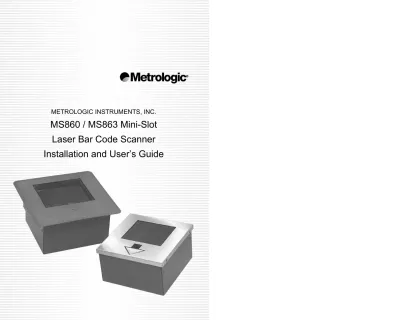
MS860 / MS863 Mini-Slot Laser Bar Code Scanner Installation and User's Guide
Manual52 pagesPDF 1.1 MB
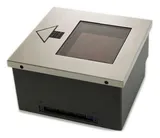
Installation and user's guide for the Metrologic MS860 and MS863 Mini-Slot in-counter laser barcode scanners.
Covers · 1 model
The models it covers
Summary
What is in it
The installation and user's guide for the Metrologic MS860 and MS863 Mini-Slot in-counter laser barcode scanners. It covers the scanner and accessories, connecting to the host, configuring with ScanSelect barcodes or ScanSet software, cloning settings between scanners, the Version 11 IBM 46XX and Version 17 keyboard wedge models, in-counter and vertical mounting, indicators and volume, depth of field, maintenance, specifications, default settings and pinouts for each interface version.
Its parts
- Introduction
- Scanner and Accessories
- Scanner Connections to the Host
- Configuration of the Scanner to the Host System
- Cloning Feature
- Version 11 IBM 46xx Scanner
- Configuring the MS860-11/MS863-11 Scanner
- Configuring the IBM 46xx
- Version 17 Keyboard Wedge Scanner
- Connection of an MS860-17 Scanner to a PC
- Optional In-Counter Mounting Options for the MS860
- Vertical Stand Kit
- Scanner Parts
- The MS860 Touch Plate
- Visual Indicators
From the manual
Key facts from this manual
Some pages are scans or cannot be read; this says only what the readable text supports. Each line names its page in the PDF.
Installation and user's guide for the Metrologic MS860 and MS863 Mini-Slot in-counter laser bar code scanners. It shows how to connect and configure each interface version (-1, -2, -11 and -17), read the LED indicators and clean the window. It also gives the specifications and the connector pin assignments for every version.
- Device
- In-counter laser bar code scanner that autodiscriminates all standard bar codes p. 30, 31
- Interface versions
- -1: RS-232, OCIA, Light Pen Emulation; -2: Parallel Output (OCR A/B); -11: IBM 46XX RS-485, RS-232, OCIA; -17: Keyboard Wedge, RS-232, Light Pen p. 5
- Connector
- Head cable 1.8 m (6') ending in a male 25-pin D-type connector p. 30, 39
- Power
- 11-30VDC ± 0.50VDC, 8.4 W, from the host system or a desk transformer; 350 mA operating, 175 mA standby @ 20VDC p. 30
- Power supply
- Optional power supply MLPN 00-6114A; DC transformers Class 2, 20VDC @ 750 mA p. 6, 30
- Scan pattern
- 5 fields of 4 parallel lines (omnidirectional), 2000 scan lines per second p. 31
- Depth of field
- 0 mm - 203 mm (0" - 8"), programmable; minimum bar width 0.191 mm (7.5 mil) p. 31
- Size and weight
- 175 mm (6.9") L x 173 mm (6.8") W x 97 mm (3.8") H; 2.45 kg (5.4 lbs.) p. 30
- Operating temperature
- 0°C - 40°C (32°F - 104°F); humidity 5% - 95% non-condensing p. 31
- Cables
- Version 1 communication cable MLPN 51-51505; keyboard wedge and adapter cable for MS860-17/MS863-17 MLPN 45-45927; cloning cable MLPN 51-51544 p. 6, 9
- Mounting parts
- Vertical stand MLPN 45-45472; MS860 only: installation plate MLPN 45-45471, universal plate MLPN 45-45474 p. 6
- Indicators and beeper
- Green LED = laser on, ready to scan; red LED = good read; 3 tones or no beep, 3 volume settings p. 31
- Programming
- Bar code menus in the ScanSelect Programming Guide or the ScanSet software p. 5
- Touch plate
- MS860: touching the plate wakes it from standby; timeout ten minutes by default, or two minutes, thirty minutes or none p. 18
What this manual walks you through
- Connecting the scanner and transformer to the host p. 7
- Configuring the scanner with program mode bar codes p. 8
- Copying settings to another scanner with the cloning cable p. 9
- Setting the Version 11 interface board DIP switches for IBM 46XX emulation modes p. 11
- Configuring IBM 4683, 4684, 4693 and 4694 terminals for the scanner p. 12
- Changing the touch plate standby timeout p. 18
- Reading the red and green LED indicators p. 19
- Cleaning the output window p. 29
- Pin assignments for the Version 1, 2, 11 and 17 head cables p. 39, 40, 41, 42
Good to know
- Do not power up the scanner until the communication cable is secured to the host. p. 7
- All circuits connected to the scanner must meet the SELV requirements of EN 60950. p. 7
- With an IBM 4694 terminal, an external power supply for the scanner is recommended. p. 10
- On the Version 11 interface board, DIP switches 4, 5, 6 and 7 must be ON. p. 11
- A flashing red LED means a laser subsystem failure; the unit must go to an authorized service center. p. 19
Questions this manual answers
What voltage does the Metrologic MS860 need?
11 to 30 VDC (± 0.50VDC), from the host system or a desk transformer; it draws 350 mA operating at 20VDC. p. 30
What does a flashing red LED mean on the MS860?
The scanner has had a laser subsystem failure and should be returned for repair at an authorized service center. p. 19
Which MS860 version connects to IBM 4680 and 4690 terminals?
Version 11 (MS860-11), which uses IBM RS-485 serial input/output for the 46XX point-of-sale terminals. p. 10
How do I copy settings from one MS860 to another?
Power both scanners off, join them with cloning cable MLPN 51-51544, power them on, then scan the cloning bar code with the scanner whose settings you want to copy. p. 9
Contents
Chapters and sections
Each line opens the PDF at its page.
The whole text · 6 parts
Read the manual here as text
Its text as extracted from the PDF, unedited, in parts; each page opens the PDF at that page.
The file