Manual · Keyence
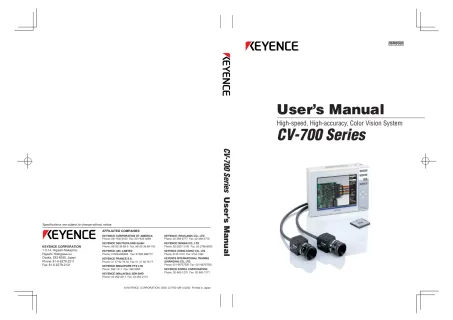
CV-700 Series User's Manual: High-speed, High-accuracy, Color Vision System
Manual232 pagesPDF 2.6 MB
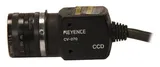
User's manual for the Keyence CV-700 Series color vision system: CV-701 and CV-751 controllers with the CV-070 camera.
Covers · 1 model
The models it covers
Summary
What is in it
Keyence's user's manual for the CV-700(P) Series color vision system, built around the CV-701(P) and CV-751(P) controllers and the CV-070 camera. It covers package contents, mounting, lens selection and illumination, the five measurement modes (area, inspection, inspection plus position, absolute and relative position), setting procedures from the panel keys or remote console, RUN mode, I/O timing and analog output, CompactFlash memory, the RS-232C interface and specifications, with troubleshooting and optional parts in the appendices.
Its parts
- Overview
- Preparation
- Mode Selection
- Setting Procedure
- Operation
- I/O Timing and Analog Output
- CompactFlash Memory
- RS-232C Interface
- Specifications
From the manual
Key facts from this manual
Some pages are scans or cannot be read; this says only what the readable text supports. Each line names its page in the PDF.
User's manual for the KEYENCE CV-700 Series color vision system, covering the CV-701(P) and CV-751(P) controllers and the CV-070 color camera. It explains mounting and wiring, lens choice, the measurement modes, I/O timing, CompactFlash use, RS-232C commands, specifications and troubleshooting.
- Camera sensor
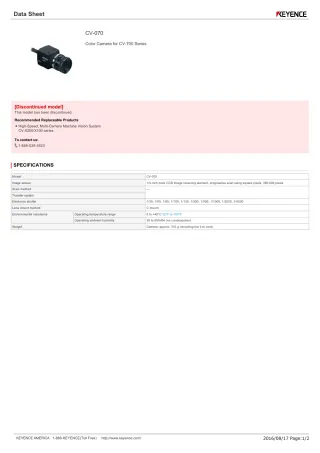
- CV-070: 1/3 inch inter-line transfer color CCD, progressive (all reading), 350,000 square pixels with RGB filter p. 211
- Shutter speeds
- CV-070: electronic shutter, 1/30, 1/50, 1/60, 1/100, 1/125, 1/250, 1/500, 1/1000, 1/2000, 1/4000, 1/10000 sec. p. 211
- Lens mount
- CV-070: C mount; any commercially available C-mount lens can be used p. 4, 211
- Camera weight
- CV-070: approx. 310 g including its 3 m cable p. 211
- Camera environment
- CV-070: 0 to +40 C (32 to 104 F), 35 to 85% relative humidity, no condensation p. 211
- Used with
- CV-701(P) and CV-751(P) controllers, as Camera 1 or Camera 2 p. 13, 14
- Controller power
- 24 VDC; CV-751(P) 1.4 A, CV-701(P) 700 mA p. 13, 14
- Controller image
- 508 (H) x 480 (V), 240,000 pixels; 30 c/s, varies with the setting p. 210
- Programs
- 16 programs (8 when two cameras are used), externally selectable p. 210
- Control outputs
- NPN open-collector (x9) / PNP open-collector (x9), 50 mA max. (30 V max.); analog output 0 to 4 V p. 210
- RS-232C
- 9600/19200/38400 bps, ASCII, 8 data bits, 1 stop bit, no parity, CR delimiter p. 190
- Lenses
- CV-L3 3.5 mm, CV-L6 6 mm, CV-L16 16 mm, CV-L50 50 mm; close-up adapter set OP-35406 p. 222
- Power and monitor
- Power supply KV-U3 (24 VDC, 1.4 A) or KV-U6W (0.8 A); CV-M30 5.5-inch color LCD monitor; CV-R11 ring lamp p. 222
- Cables and memory
- I/O cable OP-35341 (3 m); analog output cable OP-41420 (2 m); NR-M32 32-MB CompactFlash; C-A1 PCMCIA adapter p. 223
What this manual walks you through
- Checking the package contents of the controllers and camera p. 12
- Identifying controller connectors and building a basic system p. 13, 14
- Setting up RS-232C communication with a PC p. 190, 191
- Mounting dimensions and panel cutouts p. 212, 213, 214
- Choosing a lens by focal length and working distance p. 215
- Troubleshooting power, image, console and output problems p. 220
- Reading the error messages p. 221
Good to know
- Use the controllers only on 24 VDC; another voltage may cause fire, electric shock or failure. p. 3
- Turn off power to the controller and connected devices before connecting or disconnecting cables. p. 3
- Do not turn off the power while setting a parameter, or settings may be lost. p. 3
- The system uses a specially designed camera; a commercially available camera should not be substituted. p. 4
- The manual states CE conformity only when power and I/O wiring stay within 30 m. p. 3
Questions this manual answers
What lens mount does the Keyence CV-070 camera use?
The CV-070 has a C mount, and the manual says any commercially available C-mount lens can be used. p. 4, 211
Which controllers work with the CV-070 camera?
The manual shows the CV-070 connected as Camera 1 or Camera 2 on the CV-701(P) and CV-751(P) controllers. p. 13, 14
What does the USE CAM1 message mean on a CV-700 controller?
Only Camera 2 is connected. With one camera, turn off the power, connect it to CAM1 and power up again. p. 221
What power supply does the CV-700 series need?
24 VDC. The optional KV-U3 supplies 24 VDC at 1.4 A and the KV-U6W supplies 0.8 A. p. 222
What RS-232C baud rates does the CV-701 support?
9600, 19200 or 38400 bps, with 8 data bits, 1 stop bit and no parity. p. 190
The whole text · 24 parts
Read the manual here as text
Its text as extracted from the PDF, unedited, in parts; each page opens the PDF at that page.
- Pages 1 to 101-10
- Pages 11 to 2011-20
- Pages 21 to 3021-30
- Pages 31 to 4031-40
- Pages 41 to 5041-50
- Pages 51 to 6051-60
- Pages 61 to 7061-70
- Pages 71 to 8071-80
- Pages 81 to 9081-90
- Pages 91 to 10091-100
- Pages 101 to 110101-110
- Pages 111 to 120111-120
- Pages 121 to 130121-130
- Pages 131 to 140131-140
- Pages 141 to 150141-150
- Pages 151 to 160151-160
- Pages 161 to 170161-170
- Pages 171 to 180171-180
- Pages 181 to 190181-190
- Pages 191 to 200191-200
- Pages 201 to 210201-210
- Pages 211 to 220211-220
- Pages 221 to 230221-230
- Pages 231 to 232231-232
The file