Manual · Intermec
TE 2000 VT/ANSI Terminal Emulation Programmer's Guide
Manual278 pagesPDF 4.0 MB
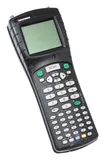
Programmer's guide to Intermec TE 2000 VT/ANSI terminal emulation on the 6400 computer and other Intermec terminals.
Covers · 1 model
The models it covers
Summary
What is in it
Programmer's guide for the Intermec TE 2000 VT/ANSI terminal emulation application. It covers network protocol options, starting and configuring TE 2000, and the keyboard layouts and key functions of each supported terminal, including the 2415, 2425, 2435A, 2455, 248X, 6400 computer, 5020 and 5055 data collection PCs, 59XX, 17XX and 11XX. Later sections cover the configuration menus, auto-login, programming with VT/ANSI codes and extended commands, with bar codes for commands and a full ASCII table in the appendixes.
Its parts
- Getting Started
- Using Terminal Emulation Applications
- Using the Terminal's Keyboard
- Using the Terminal Emulation Menus
- Customizing Your Configuration
- Programming
- Extended Commands
From the manual
Key facts from this manual
Some pages are scans or cannot be read; this says only what the readable text supports. Each line names its page in the PDF.
Intermec programmer's guide for TE 2000 VT/ANSI terminal emulation, version 6.30 or greater. Besides the 6400 Computer it covers the 2415, 2425, 2435A, 2455, 248X, 5020, 5055, 59XX, 17XX and 11XX terminals. It explains how to start and configure the emulation, which keys give each VT/ANSI function, what the display symbols mean, and the programming codes and extended commands.
- What it is
- Guide to TE 2000 VT/ANSI terminal emulation, version 6.30 or greater, for Intermec terminals p. 17
- Emulations
- VT100, VT220, VT320, VT340 and ANSI p. 17
- 6400 keyboards
- 6400: 51-key or 41-key keyboard, with green, gold and blue shift keys p. 43
- 6400 TE options
- 6400: TE/WTP over 2.4 GHz OpenAir, 802.11 or 900 MHz Falcon; TE/IP over 2.4 GHz OpenAir or 802.11 p. 25
- 6400 menu access
- 6400: [GOLD] [BLUE] opens the TE configuration menus p. 48
- 6400 battery gauge
- 6400: up to four battery icons show charge; below 20% they become Ls and the unit beeps at low levels p. 75
- Network protocols
- UDP Plus, TCP/IP or WTP, through a DCS 300, access point or other Intermec gateway p. 21
- Unsupported radios
- TE 2000 does not support SST (Spread Spectrum Transmission) or regular UHF p. 25
- Communication loss
- Annunciator shows when there has been no communication with the host for at least 60 seconds p. 73
- 41-key alpha lock
- 6400 41-key keyboard: [BLUE] [GOLD] turns alpha lock on and off, moving lowercase letters to the primary plane p. 44
- Transmission mode
- 6400: [GOLD] [1] toggles Line Edit (block) mode and Character mode p. 47
- Bar code options
- Scanner type, redundancy (two identical scans), MOD 10 check, concatenation and per-symbology lengths p. 86
- Document
- P/N 977-055-005, Revision D, November 2001 p. 1
What this manual walks you through
- Setting up the terminal and network before starting terminal emulation p. 21
- Starting the TE 2000 application p. 22
- Entering VT/ANSI keys on the 6400 51-key and 41-key keyboards p. 43, 44, 45, 46, 47, 48
- Typing letters on the 41-key keyboard with alpha lock p. 44
- Reading the display annunciators and battery gauge p. 73, 74, 75
- Setting the scanner type and scan options p. 86
- Opening the 6400 Main Menu and exiting emulation to DOS p. 125
Good to know
- Put a fully charged battery pack in the 6400 before setting parameters. p. 125
- DCS controllers do not support the F5 (Break) function. p. 46
- With the beeper turned off, the low battery beep warnings are not heard. p. 75
- The 902--928 MHz SST radio mentioned in the guide is not available for sale or use in Europe. p. 2
Questions this manual answers
Which keyboards does the Intermec 6400 have for terminal emulation?
The 6400 Computer has either a 51-key or a 41-key keyboard. p. 43
How do I open the TE configuration menus on a 6400?
Press [GOLD] [BLUE]. p. 48
How do I type letters on a 6400 with the 41-key keyboard?
Press [BLUE] [GOLD] to engage alpha lock, which moves lowercase letters to the primary plane; press it again to unlock. p. 44
What do the Ls on the 6400 battery gauge mean?
Below 20% charge the battery icons are replaced by Ls; one L means 0--5%, and the unit beeps three times. p. 75
How do I switch the 6400 between block mode and character mode?
Press [GOLD] [1] on either the 51-key or 41-key keyboard. p. 47
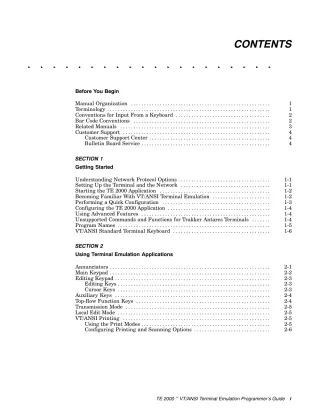
Contents
Chapters and sections
Each line opens the PDF at its page.
- Title1
- Before You Begin17
- Section 1: Getting Started21
- Understanding Network Protocol Options21
- Setting Up the Terminal and the Network21
- Starting the TE 2000 Application22
- Becoming Familiar With VT/ANSI Terminal Emulation22
- Performing a Quick Configuration23
- Configuring the TE 2000 Application24
- Using Advanced Features24
- Unsupported Commands and Functions for Trakker Antares Terminals24
- Program Names25
- VT/ANSI Standard Terminal Keyboard26
- Section 2: Using Terminal Emulation Applications27
- Section 3: Using the Terminal's Keyboard33
- Section 4: Using the Terminal Emulation Menus71
81 more lines, from page 71 on
- Function Keys71
- Section 5: Customizing Your Configuration129
- Section 6: Programming175
- Character Encoding175
- Character Sets175
- Received Codes183
- Select C1 Controls183
- Terminal Modes184
- Cursor Programming186
- Tab Stops187
- Character Rendition and Attributes187
- Line Attributes188
- Erasure Mode189
- Editing190
- Erasing191
- Scrolling Margins (Top and Bottom)192
- Printing192
- User-Defined Keys (DECUDK)193
- Down-Line Loadable Character Set196
- Reports197
- Terminal Reset198
- Tests and Adjustments200
- VT52 Mode Escape Sequence200
- Define Area Qualification200
- Private Sequences201
- Proprietary Sequences201
- VT340 Applications202
- ANSI Mode Sequences204
- Transmitted Keyboard Codes205
- Transmitted Keyboard Keys206
- Local Edit Mode208
- Section 7: Extended Commands215
- Appendix A: Bar Code Scanning239
- Appendix B: Bar Code Symbologies251
- Appendix C: Full ASCII Table259
- General Index261
- Files Index277
The whole text · 33 parts
Read the manual here as text
Its text as extracted from the PDF, unedited, in parts; each page opens the PDF at that page.
- Pages 1 to 71-7
- Pages 8 to 138-13
- Pages 14 to 1614-16
- Before You Begin17-20
- Section 1: Getting Started21-26
- Section 2: Using Terminal Emulation Applications27-32
- Section 3: Using the Terminal's Keyboard, pages 33 to 4233-42
- Section 3: Using the Terminal's Keyboard, pages 43 to 5243-52
- Section 3: Using the Terminal's Keyboard, pages 53 to 6253-62
- Section 3: Using the Terminal's Keyboard, pages 63 to 7063-70
- Section 4: Using the Terminal Emulation Menus, pages 71 to 8071-80
- Section 4: Using the Terminal Emulation Menus, pages 81 to 9081-90
- Section 4: Using the Terminal Emulation Menus, pages 91 to 10091-100
- Section 4: Using the Terminal Emulation Menus, pages 101 to 110101-110
- Section 4: Using the Terminal Emulation Menus, pages 111 to 120111-120
- Section 4: Using the Terminal Emulation Menus, pages 121 to 128121-128
- Section 5: Customizing Your Configuration, pages 129 to 138129-138
- Section 5: Customizing Your Configuration, pages 139 to 148139-148
- Section 5: Customizing Your Configuration, pages 149 to 158149-158
- Section 5: Customizing Your Configuration, pages 159 to 168159-168
- Section 5: Customizing Your Configuration, pages 169 to 174169-174
- Section 6: Programming, pages 175 to 184175-184
- Section 6: Programming, pages 185 to 194185-194
- Section 6: Programming, pages 195 to 204195-204
- Section 6: Programming, pages 205 to 214205-214
- Section 7: Extended Commands, pages 215 to 222215-222
- Section 7: Extended Commands, pages 223 to 230223-230
- Section 7: Extended Commands, pages 231 to 238231-238
- Appendix A: Bar Code Scanning239-250
- Appendix B: Bar Code Symbologies251-258
- Pages 259 to 267259-267
- Pages 268 to 277268-277
- Page 278278
The file