Manual · Intermec
6400 Single and Multidock Installation Instructions
Manual28 pagesPDF 466 KB
Installation instructions for the Intermec 6400 single dock and multidock: features, specifications, connector pin-outs and mounting.
Names · 1 model
The models it names
Filed with · 1 model
Also filed with these models on the old site
Summary
What is in it
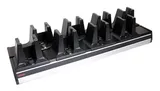
Installation instructions for the single dock and multidock used with the Intermec 6400 hand-held computer. It describes what each dock provides (charging and operating power, network and printer connection, latch and optional keylock), gives weights, dimensions and shelf spacing, lists pin-outs for the 8-pin interface, 9-pin and 25-pin serial ports and the multidock RS-485 connector, and explains electrical requirements, mounting brackets, dock preparation and inserting and removing the computer.
Its parts
- General Information
- Single and Multidock Installation
From the manual · read page by page
Key facts from this manual
Each line names its page in the PDF.
Installation instructions (PN 962-020-004, Revision A, September 1998) for the 6400 single dock and multidock, the charging and communication docks for the 6400 hand-held computer. They give the dock sizes and weights, the pin-outs of every dock connector, and the power and network hookup. They also walk through mounting either dock on a wall and seating or removing the computer.
- Dock types
- Single dock for a desk or shelf; multidock for a countertop or wall, holding up to eight computers; both charge and power the computer p. 7, 9
- Dock power
- Autosensing 90-240 volt ac power supply with a six foot universal power cord; grounded three-prong outlet p. 17, 18
- Single dock ports
- 25-pin RS-232 or RS-485 serial port (DB25 male), 9-pin RS-232 port (DB9 male) driven by the computer's IrDA, ac connector p. 8, 13
- Multidock ports
- 9-pin female RS-485 connectors on the back panel; ac connector on the side panel p. 10, 16
- RS-485 adapter cable
- Norand part number 226-231-001, for RS-485 from the single dock 25-pin port; gives two 9-pin connectors p. 14
- RS-485 cables
- Norand part number 226-103-xxx (xxx is the length) p. 14
- RS-485 terminator
- Powered RS-485 terminator, NPN: 226-257-001 p. 14
- Single dock weight
- 3.65 lbs. (1.66 kg) p. 11
- Single dock size
- Length 8 inches (20.32 cm); width 6 inches (15.24 cm) without cables; height 8 inches (20.32 cm) dock only p. 11
- Multidock weight
- 22.25 lbs. (10.09 kg) p. 11
- Multidock size
- Length 37 inches (93.98 cm); width 10.75 inches (27.31 cm) without cables; height 8 inches (20.32 cm) dock only p. 11
- Shelf spacing
- At least 17 inches (43.18 cm) between shelves, for either dock p. 11
- IrDA port speed
- 9600 baud as standard; 19.2 K or 115.2 K set with DSR (pin 6) and CTS (pin 8) on the single dock 9-pin port p. 13, 14
- Charging indicator
- Red = charging; green = fully charged p. 8, 10
What this manual walks you through
- Choosing a place for the dock p. 17
- Planning power outlets and data jacks p. 17, 18
- Identifying the dock connectors and their pin-outs p. 12, 13, 14, 15, 16, 19
- Setting the baud rate of the single dock IrDA serial port p. 13, 14
- Choosing wall anchors for wood, concrete or cinder block p. 20
- Installing the single dock mounting brackets p. 21
- Installing the multidock mounting brackets p. 22
- Fitting the mounting clips and fastening the dock to the brackets p. 23, 24
- Inserting and removing the hand-held computer p. 26
Good to know
- The docks are not designed for outdoor loading docks, refrigerated storage, overheated or humid areas, closets, or places with chemical dust or fumes. p. 17
- Communication cables are not provided in the installation kit. p. 18
- The single dock 9-pin RS-232 port has no hardware handshake. p. 13
- Concrete needs metal expansion anchors; plastic anchors or dowels will not hold. p. 20
- Multidock brackets take three fasteners each and sit 24 to 34 inches apart; leave room between multidocks for power cables. p. 22
Questions this manual answers
How many computers does the 6400 multidock hold?
Up to eight hand-held computers, each in its own cup with a latch and charging indicator. p. 9, 10
What power does the 6400 dock need?
A grounded three-prong ac outlet within reach of its six foot cord; the built-in supply autosenses 90-240 volts. p. 17, 18
How do I connect the 6400 single dock to an RS-485 network?
Use cable 226-231-001 on the 25-pin port; it gives two 9-pin connectors for RS-485 cables 226-103-xxx and a powered terminator 226-257-001. p. 14
How do I change the baud rate of the 6400 single dock 9-pin port?
Set DSR (pin 6) and CTS (pin 8): both at 0 gives 115.2 K, DSR 0 with CTS 1 gives 19.2 K, and DSR 1 gives 9600. p. 13, 14
What does the light on the 6400 dock mean?
Red means the computer is charging; green means it is fully charged. p. 8
The whole text · 3 parts
Read the manual here as text
Its text as extracted from the PDF, unedited, in parts; each page opens the PDF at that page.
The file