Manual · HHP
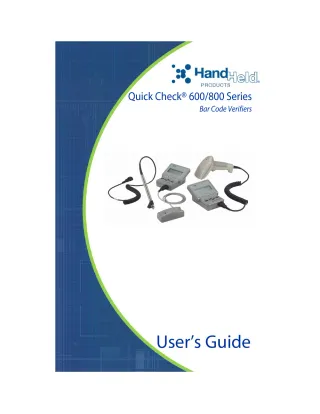
Quick Check 600/800 Series Bar Code Verifiers User's Guide
Manual120 pagesPDF 1.2 MB
User's guide for the Hand Held Products Quick Check 600/800 Series bar code verifiers: setup, settings, scan grades and printing.
Names · 4 models
The models it names
 PSC QC-800Portable barcode verifier from$1,495.001 in stock
 PSC QC-600Portable barcode verifier Call for availability Datalogic QC-800Portable barcode verifier Call for availability
 HHP QC-800Portable barcode verifier Call for availability
Filed with · 5 models
Also filed with these models on the old site
Summary
What is in it
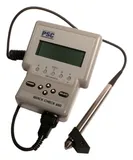
The user's guide for the Quick Check 600/800 Series bar code verifiers from Hand Held Products: the QC600 series with a wand scanner and the QC800 series with a linear imager. It covers unpacking, batteries, calibration and scanning technique, changing specifications, test criteria and output options, reading scan grades and ISO/IEC results, saving and printing to the QCP or QCHSP printers, the DataMatch database feature, error messages, SSTR and special codes, and customer support.
Its parts
- Getting Started
- Quick Start Guide
- Changing the Settings
- Reviewing Scan Data
- Saving and Printing
- Background Information
- Using DataMatch
- Using a Quick Check 800 Verifier
- Error, Application, and Type Messages
- Flow Charts
- SSTR Codes
- Special Codes
- Unrecognized Symbols
- Customer Support
From the manual
Key facts from this manual
Some pages are scans or cannot be read; this says only what the readable text supports. Each line names its page in the PDF.
A Hand Held Products user's guide for the Quick Check 600/800 Series bar code verifiers, with a chapter on the Quick Check 800 and its QC3800V linear imager. It covers setup, batteries and charging, scanning, settings, reviewing scan data, printing, DataMatch and the error and application messages. It also lists accessories with their order codes.
- Device
- Bar code verifier for all major linear symbologies; quick pass/fail tester and detailed measuring tool, desktop or portable p. 9
- Scan input
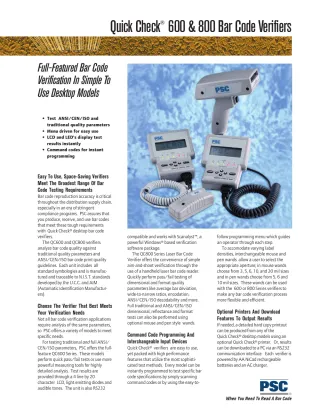
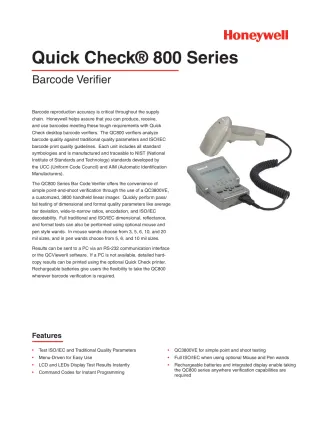
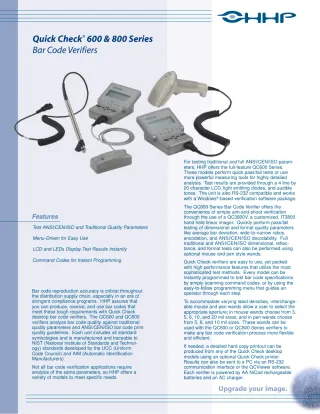
- QC-600: pen or mouse wand scanner; QC-800: QC3800V linear imager for non-contact verification, or a pen or mouse wand p. 8, 89, 90
- Display
- LCD, 4 lines of 20 characters; five tri-colored LEDs p. 13
- Batteries
- Four AA NiCad rechargeable (set order code QCB); at least 1.5 hours of continuous use; charge a minimum of 12 hours when fully discharged p. 13, 14, 20
- Ports
- Back: small charging port and larger RS-232 port for QCP and QCHSP printers; front: wand scanner port p. 12
- Size and weight
- 4.30 in. W x 2.75 in. H x 5.25 in. D (10.9 x 7.0 x 13.3 cm); 1.0 lb. (454 g) with wand and batteries p. 13
- Environment
- Operating 0 to 50 C, storage -20 to 70 C; 5% to 95% RH non condensing p. 13
- Memory
- 32 KB data buffer for data and scan profiles p. 13
- Keypad
- 6 buttons: POWER, SELECT and four arrows p. 13
- AC charger
- QCAC (110 VAC), QCAC 220B (220 VAC UK), QCAC 220A (220 VAC Europe) p. 20
- Printers
- QCP68-USA/QCP68-EURO standard speed and QCHSP68-USA/QCHSP68-EURO high speed dot matrix; cable QCPC, power supply QCPAC, ribbon QCPR, paper QCPP p. 21
- Wands
- Pen wands QCIW05V, QCIW06V, QCIW10V (5, 6, 10 mil visible red); mouse wands QCMWI/QCMWV in 3, 5, 6, 10 and 20 mil, infrared or visible red p. 21
- Symbologies
- EAN/UPC, Code 39, Interleaved 2 of 5, Code 128, Code 93, Codabar, Code 11, Code 16K, Code 49, MSI, IATA 2 of 5 p. 10
- QC-800 reading
- QC-800: optimum QC3800V position 6 inches (152.4 mm) at 15 degrees from perpendicular p. 89
What this manual walks you through
- Unpacking and checking the package contents p. 8, 9
- Installing the NiCad batteries p. 13, 14
- Charging the batteries and handling the Low Battery message p. 14
- Turning the verifier on and reading the opening display p. 15
- Scanning a bar code with the mouse wand p. 20
- Cleaning the wand tip p. 20
- Using a Quick Check 800 with the QC3800V linear imager p. 89
- Reading the QC-800 Percent Decoded/Scanned results p. 90, 91
- Looking up error, application and type messages p. 93, 94, 95, 96, 97
Good to know
- Install the supplied NiCad batteries before connecting the charger or a printer, or the unit may be damaged. p. 13
- Use only the supplied batteries; trying to recharge other types such as alkaline could make them explode. p. 13
- The verifier is meant to run from its batteries, not directly from an adapter or AC outlet. p. 14
- Only the QC3800V works as the non-contact input on a Series 800 unit, and it should not be used with other decoders or terminals. p. 89
- With the QC3800V, no reflectance values or ScanProfile output are given; reflectance calibration is needed again when a wand is reconnected. p. 90
Questions this manual answers
What batteries does the Quick Check 600/800 verifier use?
Four AA NiCad rechargeable batteries (order code QCB), good for at least 1.5 hours of continuous use per charge. p. 13, 14, 20
What is the difference between the Quick Check 600 and 800?
The 600 series comes with a wand scanner; the 800 series adds non-contact verification with the QC3800V linear imager while keeping the Series 600 features. p. 8, 89
Which printers work with the Quick Check verifier?
The QC standard speed (QCP68) and high speed (QCHSP68) dot matrix printers, connected to the RS-232 port with cable QCPC. p. 12, 21
Why can't my Quick Check scan when it shows Low Battery?
While Low Battery shows, scanning is blocked but settings can still be changed; if it reappears right after power up, recharge the batteries. p. 14
What bar codes can the Quick Check 600/800 verify?
EAN/UPC, Code 39, Interleaved 2 of 5, Code 128, Code 93, Codabar, Code 11, Code 16K, Code 49, MSI and IATA 2 of 5. p. 10
Contents
Chapters and sections
Each line opens the PDF at its page.
The whole text · 12 parts
Read the manual here as text
Its text as extracted from the PDF, unedited, in parts; each page opens the PDF at that page.
The file