Manual · Datalogic
QuickScan Mobile Reference Manual
Manual176 pagesPDF 1.2 MB
Reference manual for the Datalogic QuickScan Mobile cordless reader and cradle: installation, interfaces and bar code configuration.
Names · 1 model
The models it names
Filed with · 1 model
Also filed with these models on the old site
Summary
What is in it
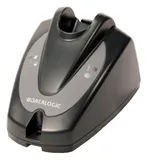
The reference manual for the Datalogic QuickScan Mobile cordless reading system, a hand-held reader with a charging cradle, including the QuickScan M2 Type:130 wedge version. It covers battery charging and replacement, connecting the cradle by RS-232, USB, IBM USB POS, keyboard wedge, IBM port or pen emulation, configuration by bar codes, Datalogic Aladdin or host strings, interface, data format, reading, decoding, code selection and radio parameters, plus technical features and reading diagrams.
Its parts
- Introduction
- Installation
- Configuration
- References
- Technical Features
- Host Configuration Strings
- Code Identifier Table
- Hex and Numeric Table
From the manual
Key facts from this manual
Some pages are scans or cannot be read; this says only what the readable text supports. Each line names its page in the PDF.
Reference Manual (Rev. A, 2008) for the Datalogic QuickScan Mobile cordless reading system: the reader and its cradle, in the QuickScan M2 Type:130 (wedge) and Type:110 (IBM 46XX) versions. It covers battery charging and replacement, cradle cables, binding the reader to the cradle, interface selection, configuration by barcodes or host strings, status signals and technical features.
- What it is
- Battery-powered handheld barcode reader that sends codes by radio to its cradle, which connects to the host p. 11, 146
- Host interfaces
- RS-232 (Standard and POS terminals), USB, Pen Emulation; Wedge on Type:130 only; IBM 46xx on Type:110 only p. 18, 24, 25
- Battery
- 1 Lithium battery 700 mAh; full charge 3.5 to 6 hours; typical 20000 reads p. 9, 151
- Cradle power
- 5 VDC ± 5%, max. 4 W while charging p. 151
- Scan engine
- CCD solid state (2088 pixels) with LED array, 630 ~ 670 nm; 235 scans/sec p. 151
- Radio
- FSK radio; European and USA models differ, with 433.92 MHz and 910 MHz listed p. 152
- Radio address
- Four digits, 0000 to 1999; every reader in the same area needs its own p. 16
- Cables
- IBM USB POS: CAB-413; Wedge (Type:130): CAB-391, or CAB-321 + CAB-431; IBM Port 9B / 5B (Type:110): CAB-445, CAB-446 p. 12, 13
- USB hosts
- Windows 98 and later, Mac OS 8.0 and later, IBM POS for Windows, 4690 Operating System p. 23
- Size and weight
- Reader 171 x 90 x 68 mm (6.72 x 3.54 x 2.80 in), about 189 g without batteries; cradle 80 x 130 x 90 mm, 181 gr p. 152
- Protection
- IP30; reader drop test IEC 68-2-32 Test ED 1.5 m (4 ft 9 in) p. 151
- Configuration
- Barcodes in the manual, Datalogic Aladdin on a PC, copy from a master device, or strings from the host p. 15, 16
- Batch mode
- Stores read codes in reader RAM and sends them to the base station later p. 147
What this manual walks you through
- Starting up and charging the reading system p. 9
- Changing the reader battery p. 9, 10
- Connecting and disconnecting the cradle interface cable p. 11
- Setting the radio address and binding the reader to its cradle p. 16, 17
- Selecting the host interface with barcodes p. 18, 19, 20, 21, 22
- USB start-up and drivers p. 23, 24
- Configuring the reader with barcodes p. 15
- Radio settings: timeouts, beeps, single store and batch mode p. 146, 147
- Reading the reader beeps and cradle LEDs p. 153, 154, 155
- Sending configuration strings from the host p. 156, 157
Good to know
- Make cable connections with the power off. p. 11
- Binding a reader to a cradle drops any reader bound to it before. p. 16
- If the USB host cannot power the reader, it stays blocked; unplug it and try a different USB port. p. 23
- The reader buffer holds about 400 characters of host strings; longer strings must be split and sent at least 3 seconds apart. p. 156
Questions this manual answers
How do I pair a QuickScan Mobile M2130 with its cradle?
Read the Bind code, then set the reader firmly on the cradle within 10 seconds; a beep confirms the pairing. p. 16, 17
How long does the QuickScan Mobile battery take to charge?
A full charge of the lithium battery takes 3.5 to 6 hours in the cradle. p. 9
What battery does the QuickScan Mobile reader use?
One 700 mAh lithium battery. p. 151
What do 10 short beeps mean on a QuickScan Mobile?
Ten short high beeps with ten short LED blinks mean the battery is low. p. 154
Which cable connects the M2130 cradle as a keyboard wedge?
CAB-391, or CAB-321 with CAB-431; the wedge connection is only for the Type:130 model. p. 12
Contents
Chapters and sections
Each line opens the PDF at its page.
- GENERAL VIEW6
- 1 INTRODUCTION7
- 2 INSTALLATION9
- 2.1 USING YOUR QUICKSCAN® MOBILE READING SYSTEM9
- 2.2 CHANGING THE BATTERIES9
- 2.3 SYSTEM CONNECTIONS11
- 2.4 RS-232 CONNECTION12
- 2.5 USB12
- 2.6 IBM USB POS12
- 2.7 WEDGE CONNECTION (only for Quickscan M2 Type:130)12
- 2.8 IBM PORT9B / IBM PORT 5B (only for Quickscan M2 Type:110)13
- 2.9 PEN EMULATION CONNECTION13
- 2.10 SINGLE READER LAYOUT14
- 3 CONFIGURATION15
- 4 REFERENCES128
- 5 TECHNICAL FEATURES151
The whole text · 21 parts
Read the manual here as text
Its text as extracted from the PDF, unedited, in parts; each page opens the PDF at that page.
- Pages 1 to 51-5
- Pages 6 to 86-8
- 2 INSTALLATION9-14
- 3 CONFIGURATION, pages 15 to 2415-24
- 3 CONFIGURATION, pages 25 to 3425-34
- 3 CONFIGURATION, pages 35 to 4435-44
- 3 CONFIGURATION, pages 45 to 5445-54
- 3 CONFIGURATION, pages 55 to 6455-64
- 3 CONFIGURATION, pages 65 to 7465-74
- 3 CONFIGURATION, pages 75 to 8475-84
- 3 CONFIGURATION, pages 85 to 9485-94
- 3 CONFIGURATION, pages 95 to 10495-104
- 3 CONFIGURATION, pages 105 to 114105-114
- 3 CONFIGURATION, pages 115 to 124115-124
- 3 CONFIGURATION, pages 125 to 127125-127
- 4 REFERENCES, pages 128 to 135128-135
- 4 REFERENCES, pages 136 to 143136-143
- 4 REFERENCES, pages 144 to 150144-150
- 5 TECHNICAL FEATURES, pages 151 to 159151-159
- 5 TECHNICAL FEATURES, pages 160 to 168160-168
- 5 TECHNICAL FEATURES, pages 169 to 176169-176
The file