Manual · Allen-Bradley
Bulletin 2755 Single and Dual-Head Bar Code Decoders with Pharma-Code Option Product Data
Manual5 pagesPDF 33 KB
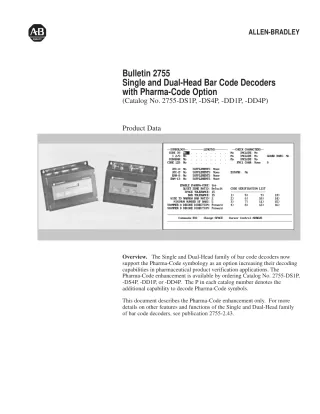
Product data for the Pharma-Code option on Allen-Bradley Bulletin 2755 single and dual-head bar code decoders (2755-DS1P, -DS4P, -DD1P, -DD4P).
Covers · 1 model
The models it covers

Summary
What is in it
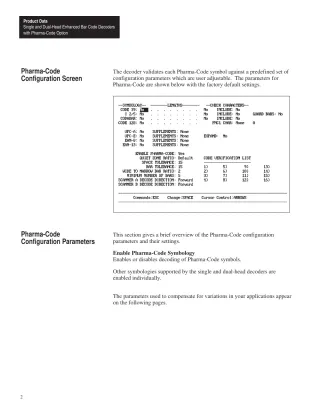
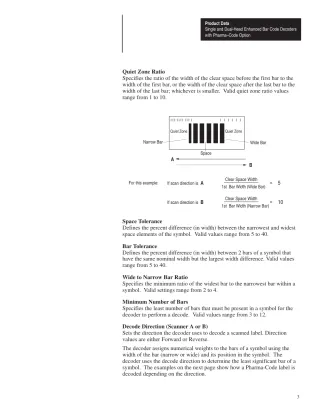
A short product data sheet describing the Pharma-Code option for the Allen-Bradley Bulletin 2755 single and dual-head bar code decoders, catalog numbers 2755-DS1P, -DS4P, -DD1P and -DD4P. It covers only the Pharma-Code enhancement: the configuration screen, each configuration parameter and its valid range (quiet zone ratio, space and bar tolerance, wide to narrow bar ratio, minimum number of bars, decode direction with examples, code verification list), match string symbology and host commands.
Its parts
- Overview
- Pharma-Code Configuration Screen
- Pharma-Code Configuration Parameters
- Match String Symbology
- Host Commands
From the manual · read page by page
Key facts from this manual
Each line names its page in the PDF.
This is Allen-Bradley product data (Publication 2755-2.47, October 1993) for the Pharma-Code option of the Bulletin 2755 Single and Dual-Head Bar Code Decoders, 2755-DS1P, -DS4P, -DD1P and -DD4P. It covers only the Pharma-Code enhancement: the configuration parameters and their ranges, how decode direction sets the decoded value, and match table and host command support.
- Option
- Pharma-Code symbology decoding for single and dual-head decoders 2755-DS1P, -DS4P, -DD1P, -DD4P p. 1
- Catalog suffix
- The P in the catalog number marks Pharma-Code capability p. 1
- Quiet zone ratio
- 1 to 10 p. 3
- Space tolerance
- 5 to 40 percent p. 3
- Bar tolerance
- 5 to 40 percent p. 3
- Wide to narrow ratio
- Minimum 2 to 4 p. 3
- Minimum bars
- 3 to 12 bars per symbol p. 3
- Decode direction
- Forward or Reverse, set for Scanner A or B p. 3
- Code verification
- List of numeric values used to validate decoded symbols p. 4
- Match code table
- Pharma-Code can be assigned to a match string, listed as PHARMA p. 4
- Host control
- New ASCII commands and PCCC addresses configure Pharma-Code from a host p. 4
- Main manual
- Publication 2755-2.43 for the other decoder features p. 1
What this manual walks you through
- Enabling Pharma-Code decoding p. 2
- Understanding how decode direction changes the decoded value p. 3, 4
- Using Pharma-Code strings in the match code table p. 4
Good to know
- The document covers the Pharma-Code enhancement only; other decoder features are in publication 2755-2.43. p. 1
- The decode direction fixes the least significant bar regardless of scan direction, so the same label reads 94 forward and 125 reverse in the examples. p. 4
Questions this manual answers
Which 2755 decoders read Pharma-Code?
The versions whose catalog number ends in P: 2755-DS1P, -DS4P, -DD1P and -DD4P. p. 1
What is the minimum number of bars for a Pharma-Code decode?
It is adjustable from 3 to 12 bars. p. 3
Why does a Pharma-Code label decode to a different number?
The decode direction setting (Forward or Reverse) decides which bar is least significant, so one label can give different values, such as 94 or 125 in the examples. p. 4
Can Pharma-Code be configured from a PLC or host?
Yes. The decoders support new ASCII commands and PCCC addresses for enabling and configuring Pharma-Code. p. 4
Contents
Chapters and sections
Each line opens the PDF at its page.
The whole text · 1 part
Read the manual here as text
Its text as extracted from the PDF, unedited, in parts; each page opens the PDF at that page.
The file