Manual · Symbol
VRC 6940 Terminal Quick Reference
Manual24 pagesPDF 789 KB
Quick reference guide for the Symbol VRC 6940 vehicle-mount terminal: operation, keys, reset, internal battery, troubleshooting and installation.
Names · 1 model
The models it names
Filed with · 1 model
Also filed with these models on the old site
Summary
What is in it
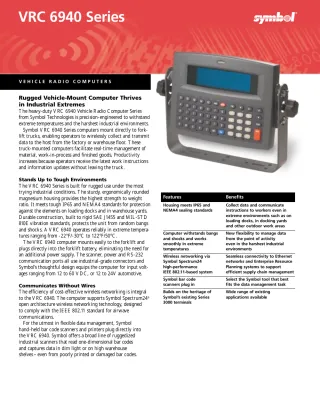
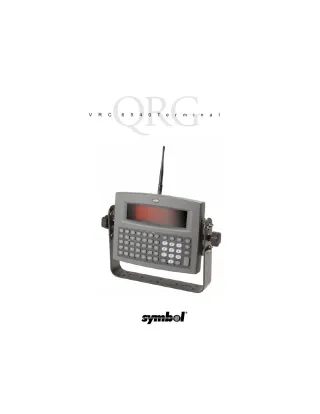
The quick reference guide for the Symbol VRC 6940, a rugged terminal that mounts in a vehicle or on a wall or workbench and sends data to a host through a Spectrum24 radio network. It shows the parts and accessories, turning the terminal on and suspending it, modifier keys and brightness, resetting, entering data and attaching a scanner, the internal backup battery, moving to another power source, troubleshooting, installing the hardware and power for vehicle or wall use, and regulatory information.
Its parts
- Introduction
- Parts of a VRC 6940 Terminal
- Basic Operation
- Resetting the Terminal
- Entering Data
- Charging the Internal Battery
- Moving to a Different Power Source
- Troubleshooting
- Installing a VRC 6940 Terminal
- Ergonomic Recommendations
- Regulatory Information
From the manual · read page by page
Key facts from this manual
Some pages are scans or cannot be read; this says only what the readable text supports. Each line names its page in the PDF.
Symbol's quick reference guide (72-37640-02, Revision C, October 2002) for the VRC 6940, a rugged terminal mounted in a vehicle or on a wall or workbench that sends data over a Spectrum24 radio network. It covers the parts and accessories, daily operation, resetting, attaching a scanner, troubleshooting, and the full mounting and power installation.
- Device
- Rugged terminal for a vehicle, wall or workbench; data by keyboard or attached scanner p. 3
- Radio
- Symbol Spectrum24 network to an Access Point; Spectrum24 PCMCIA radio card is an option p. 3, 5
- Connectors
- Antenna, scanner, RS-232 and power connectors p. 4
- Vehicle power
- 12V or 24V gas-powered vehicles; battery-powered vehicles up to 60 volts p. 15
- AC power parts
- AC universal power supply p/n 50-14001-006; AC line cable p/n 23844-00-00; DC power cable p/n 25-39385-01 p. 11
- Internal battery
- Backup only: 48 hours to charge fully, keeps data up to 72 hours off main power p. 19
- In the box
- Attached vehicle-mount bracket, 2 bracket knobs, External DC power cable p. 4
- Options
- Scanner cable, RS-232 cable, primary antenna, vehicle-mounted antenna, Spectrum24 PCMCIA radio card, AC universal power supply, AC cable p. 5
- Keyboard
- F1 to F5 function keys, alpha and numeric keys, SHIFT, FUNC and CTRL modifiers p. 4, 6
- Display
- Seven brightness levels (FUNC, J and FUNC, I); keyboard backlight FUNC, K on some units p. 6
- Vehicle fuse
- In-line fuse holder with 5A slow-blow fuse if no fused source is available p. 15
- Reference guide
- VRC 6940 Product Reference Guide, Symbol part number 72-37641-XX p. 3
- Guide part number
- 72-37640-02, Revision C, October 2002 p. 24
What this manual walks you through
- Turning on, suspending and forcing the terminal into suspend p. 5
- Resetting a terminal that stops responding p. 6
- Adjusting display brightness and keyboard backlight p. 6
- Attaching a scanner to the Scanner Connector p. 7, 8
- Moving the terminal to a different power source p. 8
- Troubleshooting start-up, scanner and power fault problems p. 9, 10
- Bolting the terminal to a vehicle, wall or workbench p. 11, 12
- Wiring vehicle power with an in-line fuse p. 15, 16
- Powering the terminal from the AC universal power supply p. 18
- Ergonomic recommendations for the work area p. 19
Good to know
- Resetting the terminal may lose unsaved data. p. 7
- If the power cable is unplugged while the internal battery is not charged, the terminal may shut off. p. 9
- On unstable power, let a new installation charge for two hours before use to avoid resets. p. 18
- Externally mounted antennas must stay at least 20 cm from all persons. p. 21
- A properly trained technician must do the installation. p. 10
Questions this manual answers
How do I reset a Symbol VRC 6940 terminal?
Hold SHIFT and L, press and release ON/OFF, then release SHIFT and L. Unsaved data may be lost. p. 6, 7
What does the Power fault message on a VRC 6940 mean?
The last shutdown was caused by a power failure. A charged internal battery keeps session data for up to 72 hours; recharging takes 48 hours on main power. p. 10
What comes with a VRC 6940 terminal?
An attached vehicle-mount bracket, two bracket knobs and an External DC power cable. p. 4
How do I brighten the VRC 6940 display?
Press FUNC then J; repeat to step through seven levels. FUNC then I darkens it. p. 6
What radio network does the VRC 6940 use?
A Symbol Spectrum24 radio network, sending data to an Access Point that passes it to a host computer. p. 3
Contents
Chapters and sections
Each line opens the PDF at its page.
The whole text · 3 parts
Read the manual here as text
Its text as extracted from the PDF, unedited, in parts; each page opens the PDF at that page.
The file