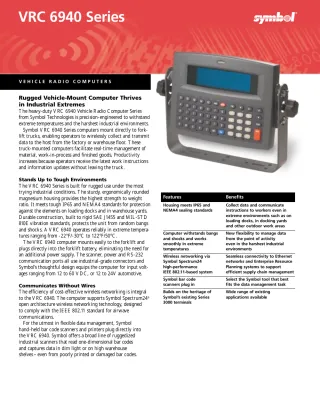
Manual · Symbol
VRC 6940 Installation Guide
Manual19 pagesPDF 535 KB
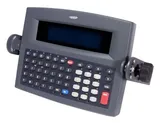
Installation guide for mounting and powering the Symbol VRC 6940 vehicle-mount terminal on a vehicle, wall or workbench.
Names · 1 model
The models it names
Filed with · 1 model
Also filed with these models on the old site
Summary
What is in it
A short installation guide for the Symbol VRC 6940 terminal, mounted on a vehicle or on a wall or workbench. It lists the equipment needed for each type of installation, walks through bolting down the bracket, fitting the bracket knobs and attaching a primary or vehicle-mounted antenna, and explains how to wire DC power from the vehicle (with an in-line fuse) or use the AC universal power supply. It also covers the internal backup battery, service contacts, warranty and regulatory information.
Its parts
- Installing a VRC 6940 Terminal
- Equipment Required
- Hardware Installation
- Providing Power: Vehicle Installations
- Providing Power: Wall or Workbench Installations
- Installation and the Internal Battery
- Service Information
- Regulatory Information
From the manual · read page by page
Key facts from this manual
Each line names its page in the PDF.
Symbol's installation guide (72E-41229-02, Revision A, May 2000) for the VRC 6940 vehicle-mount terminal. It covers bolting the terminal to a vehicle, wall or workbench, fitting antennas, wiring it to vehicle DC power or an AC supply, and how its internal backup battery behaves after installation.
- Vehicle power
- 12V or 24V gas-powered vehicles; battery-powered vehicles up to 60 volts p. 9
- AC power supply
- AC universal power supply, Symbol p/n 50-14001-006 p. 5
- AC line cable
- Symbol p/n 23844-00-00 p. 5
- DC power cable
- Symbol p/n 25-39385-01 (for AC supply installs) p. 5
- Vehicle cable
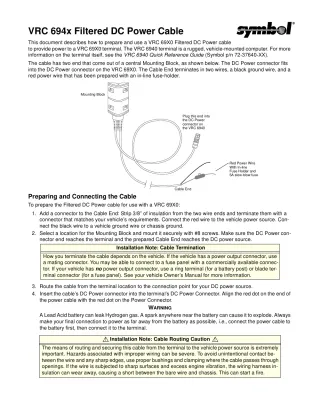
- External DC power cable, supplied with the terminal; bare end terminated to suit the vehicle p. 5, 9
- Fuse
- In-line fuse holder with 5A slow-blow fuse when no fused source is available p. 9
- Mounting
- At least two 3/8" bolts with self-locking nylon nuts; 7/16" drill bit and hex wrench p. 5
- Internal battery
- Backup only: 48 hours to charge fully, keeps data up to 72 hours off main power p. 12
- Antenna
- Primary antenna on the connector at the top; optional external vehicle-mounted antenna by coaxial cable p. 8
- Bracket
- Bracket Knobs replace the shipping hex bolts and set the display angle p. 7
- Guide part number
- 72E-41229-02, Revision A, May 2000 p. 3
What this manual walks you through
- Bolting the terminal to a vehicle, wall or workbench p. 6
- Attaching the primary antenna p. 8
- Connecting an external vehicle-mounted antenna p. 8
- Adding an in-line fuse holder to the External DC power cable p. 9, 10
- Powering the terminal from the AC universal power supply p. 11
- Charging the internal battery when first installed p. 12
Good to know
- A properly trained technician must do the installation; improper installation can damage the vehicle. p. 5
- Always connect the terminal to a continuous or unswitched power source. p. 9
- Near a lead acid battery, connect the cable to the battery first, then to the terminal, to avoid a spark. p. 11
- Protect the power cable with bushings and clamping where it passes through openings; a worn cable can start a fire. p. 10
- For European compliance the power cable must stay under 3 meters; do not extend the supplied cable. p. 15
Questions this manual answers
What vehicle voltage does the Symbol VRC 6940 accept?
12V or 24V gas-powered vehicles, and battery-powered vehicles up to 60 volts. p. 9
What parts are needed to run a VRC 6940 on AC power?
The AC universal power supply (p/n 50-14001-006), AC line cable (p/n 23844-00-00) and DC power cable (p/n 25-39385-01). p. 5
What fuse should be used when wiring a VRC 6940 to a vehicle battery?
A 5A slow-blow fuse in an in-line fuse holder, if no fused power source is available. p. 9
Can the VRC 6940 run on its internal battery?
No. The internal battery only covers short power interruptions; fully charged it keeps data for up to 72 hours. p. 12
Contents
Chapters and sections
Each line opens the PDF at its page.
The whole text · 4 parts
Read the manual here as text
Its text as extracted from the PDF, unedited, in parts; each page opens the PDF at that page.
The file