Spec sheet · Sick
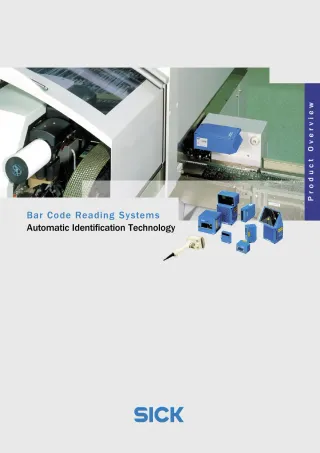
Automatic Identification Technology: Bar Code Reading Systems
Spec sheet14 pagesPDF 1.9 MB
SICK product overview of bar code reading systems: fixed-mount CLV scanners, omnidirectional systems, connection modules, software and hand-helds.
What this file really is
The old site listed this file as “AutoID Products” for the Sick 9000E, AMV10 and 25 more models. The file is named for the SICK 9000E, but it is a general SICK auto-ID product overview that does not mention the 9000E.
Names · 14 models
The models it names
Filed with · 13 models
Also filed with these models on the old site
Summary
What is in it
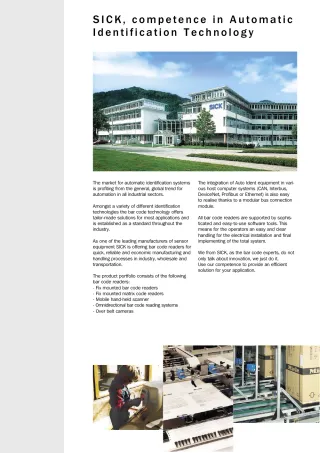
SICK product brochure for its automatic identification range. It gives optical, mechanical and operating features with key technical data (reading range, scanning frequency, interfaces, dimensions) for fixed-mount bar code scanners from the CLP 100 and CLV 410 to the CLV 490, the omnidirectional CLX 490, OPS 400, OMNI 2110 and ALIS 400 systems, the ICR 850 and MHV 2020 code readers, AMV and BMV connection modules, setup and diagnostic software, and hand-held scanners with the ST 2070 base station.
Its parts
- Bar code scanners – fix mounted
- Bar code scanners/Matrix code scanners – fix mounted
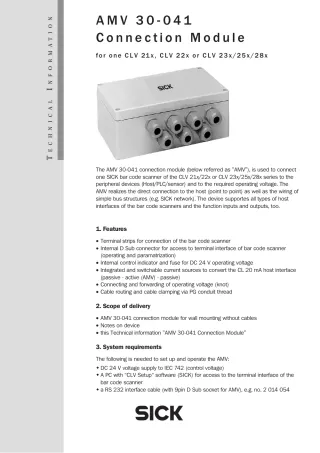
- Connection modules
- SICK Software
- Mobile hand-held scanners
- Software for hand-held scanners
From the sheet · read page by page
Key facts from this sheet
Each line names its page in the PDF.
A SICK product catalog of bar code reading systems from 2002, comparing its fixed-mount laser scanners, omnidirectional and camera systems, connection modules, hand-held scanners and setup software. It covers the CLP 100, CLV 410 to CLV 490 families, CLX 490, OPS 400, OMNI 2110, ALIS 400, ICR 850, MHV 2020, the AMV/S 40/60, AMV 70/71 and BMV/BMH modules, and the VT 3060B/3080B, IT 3220, IT 3800, IT 4410, ST 5700/5750, ST 5770, IT 3870, IT 3875 and ST 2070 hand-helds. The 9000E, CLV 210 to 265, CLX 200, LSI-101 and PS52/PS53 are not in it.
- Document
- SICK catalog of bar code readers: fixed-mount laser scanners (CLV 410 to CLV 490), omnidirectional systems, matrix code readers, connection modules, hand-held scanners and software p. 2, 3, 4, 5
- Connection modules
- AMV/S 40 connects CLV 410/420/430/440/450, ICR 850 and OPS 400; AMV/S 60 connects CLV 490 and CLX 490 p. 8
- CLV data interfaces
- RS 232, RS 422, RS 485 on CLV 410 to CLV 490; CANopen on CLV 420 to CLV 450; Profibus, Interbus, Ethernet TCP/IP optional p. 3, 4, 5
- CLV power
- 4.5 ... 30 V DC (CLV 410); 10 ... 30 V DC (CLV 420, 430, 440, 450); 18 ... 30 V DC (CLV 490) p. 3, 4, 5
- AMV/S 40/60 module
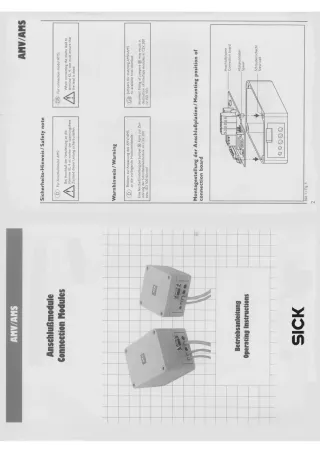
- 24 V DC/230 V AC/115 V AC; polycarbonate housing, IP 54; 173/117/70 mm p. 8
- Setup software
- Windows-based CLV Setup supports all CLV and ICR scanners; scanners also take host commands and profile bar codes p. 3, 9
- CLV reading range
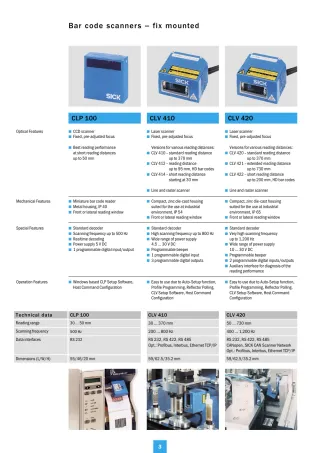
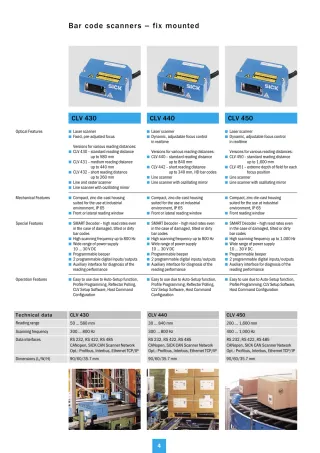
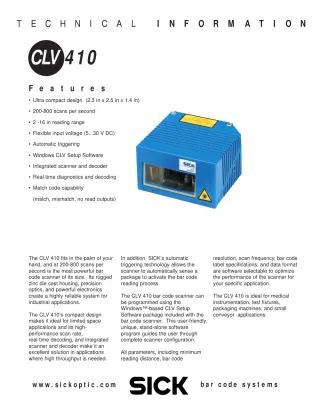
- CLV 410: 30 ... 370 mm; CLV 420: 50 ... 730 mm; CLV 430: 50 ... 580 mm; CLV 440: 30 ... 840 mm; CLV 450: 200 ... 1,600 mm; CLV 490: 500 ... 2,100 mm p. 3, 4, 5
- CLV scan rate
- CLV 410: 200 ... 800 Hz; CLV 420: 400 ... 1,200 Hz; CLV 430 and 440: 300 ... 800 Hz; CLV 450: 400 ... 1,000 Hz; CLV 490: 600 ... 1,200 Hz p. 3, 4, 5
- CLV dimensions
- L/W/H: 59/62.5/35.2 mm (CLV 410, 420); 90/60/35.7 mm (CLV 430, 440, 450); 117/117/94 mm (CLV 490) p. 3, 4, 5
- CLV enclosure
- IP 54 (CLV 410); IP 65 (CLV 420 to CLV 490) p. 3, 4, 5
- CLV 490 extras
- Auto focus; cloning plug restores parameters when a unit is exchanged; optional heating for deep-frozen sites p. 5
- ST 5770 cordless scanner
- Battery 4.8 V DC/min. 1,000 mAh, about 25 hours or 18,000 scans, about 6 hours to charge; 2.4 GHz frequency hopping radio to the ST 2070 base p. 11
- ST 2070 base station
- 4 ... 14 V DC; up to 9 hand-helds at once; range up to 15 m (ST 5770, IT 3870) or 30 m (IT 3875) p. 12
- Hand-held power
- 5 V DC ± 5 % (VT 3060B/3080B, IT 3220, IT 3800, IT 4410, ST 5700/5750) p. 10, 11
What this sheet walks you through
- Comparing the CLP 100, CLV 410 and CLV 420 compact scanners p. 3
- Comparing the CLV 430, CLV 440 and CLV 450 scanners p. 4
- Long-range and omnidirectional readers: CLV 490, CLX 490, OPS 400 p. 5
- Conveyor and tunnel systems: OMNI 2110, OPS with OTS, ALIS 400 luggage system p. 6
- Matrix code readers: ICR 850 and MHV 2020 over-belt camera p. 7
- Connection modules for fieldbus and CAN networks: AMV/S 40/60, AMV 70/71, BMV/BMH p. 8
- Scanner software: CLV Setup, CLV Connect wiring diagrams, RDT 400 remote diagnostics p. 9
- Hand-held scanners VT 3060B/3080B, IT 3220 and IT 3800 p. 10
- Hand-held and cordless scanners IT 4410, ST 5700/5750, ST 5770, IT 3870, IT 3875 and the ST 2070 base p. 11, 12
- Setup software for hand-held scanners: Setup, Visual Menue, Quick View p. 13
Good to know
- Profibus, Interbus and Ethernet TCP/IP on the CLV scanners are options, not standard. p. 3
- The catalog is dated 03-02 and says its contents are subject to change. p. 14
Questions this sheet answers
What voltage does a SICK CLV 490 need?
The catalog gives 18 to 30 V DC for the CLV 490. p. 5
What is the reading range of the SICK CLV 450?
200 to 1,600 mm, with dynamic focus adjusted in real time. p. 4
Which connection module goes with a CLV 490?
The AMV/S 60, made for the CLV 490 and CLX 490; the AMV/S 40 serves the CLV 410 to 450. p. 8
What interfaces does the SICK CLV 420 have?
RS 232, RS 422 and RS 485, plus CANopen and the SICK CAN Scanner Network; Profibus, Interbus and Ethernet TCP/IP are optional. p. 3
How is a SICK CLV scanner configured?
With the Windows CLV Setup software, Auto-Setup, profile bar codes, reflector polling or host commands. p. 3
The whole text · 2 parts
Read the sheet here as text
Its text as extracted from the PDF, unedited, in parts; each page opens the PDF at that page.
The file