Manual · PSC
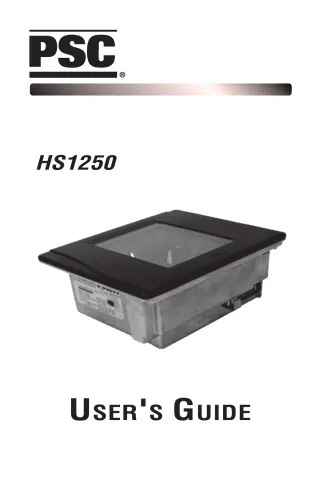
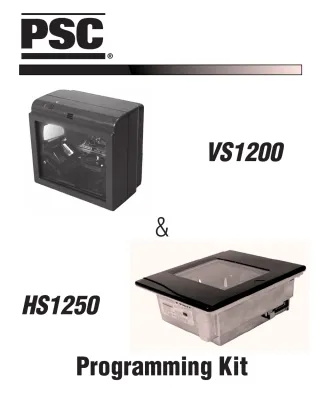
VS1200 & HS1250 Programming Kit
Manual193 pagesPDF 1.2 MB
Programming guide with bar code labels for setting the features of the PSC VS1200 and HS1250 in-counter scanners.
Covers · 2 models
The models it covers
Summary
What is in it
Programming kit for the PSC VS1200 and HS1250 scanners. It explains how the scanner stores settings in RAM, default memory and permanent memory, how to enter Programming Mode with the Switch Label, and gives the EAN-13 programming labels for speaker volume and tone, laser, motor and double read timeouts, the peripheral port, UPC/EAN price/weight check digits, symbology selection (UPC/EAN, Code 39, Code 128, Interleaved 2 of 5) and RS-232, OCIA and multidrop interface settings.
Its parts
- About Programming
- Special Labels
- Programmable Speaker Features
- UPC/EAN Price/Weight Check Digit Selections
- Timeouts
- Peripheral Port
- Changing Barcode Types
- Interface Selections
From the manual
Key facts from this manual
Each line names its page in the PDF.
The PSC programming kit R44-1340 for the VS1200 and HS1250 scanners: a book of bar code labels that change the scanner's settings when scanned in Programming Mode. It covers the speaker, laser and motor timeouts, the handheld peripheral port, symbologies and check digits, and the RS-232, OCIA and multidrop interface settings.
- Programming method
- Scanning the EAN-13 programming labels in the manual; the Switch label enters and leaves Programming Mode p. 9, 18
- Interfaces
- RS-232, OCIA and Multidrop, each with programmable settings p. 143
- RS-232 baud rates
- 300, 1200, 2400, 4800, 9600 or 19200 p. 145, 146, 147, 148, 149, 150
- RS-232 data format
- 7 or 8 data bits; 1 or 2 stop bits p. 151, 152, 162, 163
- RS-232 parity
- Space, Even, Mark, Odd or None p. 155, 156, 157, 158, 159
- OCIA types
- S-P OCIA, NCR 8 Bit, NCR 9 Bit, Nixdorf OCIA; intercharacter delay on or off p. 166
- Symbologies
- UPC/EAN plus one industrial code: Code 39, Interleaved 2 of 5, Code 128, Codabar or Code 93 p. 60
- Laser timeout
- 5, 10 or 15 minutes p. 39
- Motor timeout
- 5, 15, 30 or 60 minutes; never shorter than the laser p. 43
- Double read timeout
- 600 milliseconds, 800 milliseconds or 1 second; 600ms is typical p. 48
- Peripheral port
- Accepts an undecoded handheld (HHLC) scanner; speeds 5 to 9, default 7 (SP400, Caere or PSC undecoded), 5 for Symbol Technology p. 52, 54, 55, 57
- Speaker
- Good Read tone on or off; three volume levels, set by the switch on top, the Increment Volume label or programming labels p. 20
- Settings memory
- Programmed settings are kept in EEPROM default memory through power-off; factory settings sit in permanent memory p. 9, 10
- Label IDs
- RS-232 symbology identifiers, for example Code 39 '*', UPC-A 'A', UPC-E 'E0', EAN-8 'FF', EAN-13 'F' p. 164
What this manual walks you through
- Entering and leaving Programming Mode with the Switch label p. 11, 12, 18
- Returning the scanner to its factory default settings p. 19
- Changing the speaker volume and tone p. 16, 17, 25
- Setting the laser, motor and double read timeouts p. 38, 39, 43, 48
- Connecting an undecoded handheld scanner to the peripheral port and choosing its speed p. 52, 54
- Enabling bar code symbologies and the Edge or Adaptive decoding software p. 60, 61
- Setting Interleaved 2 of 5 fixed label lengths p. 101
- Matching the RS-232 baud rate, parity, data bits, stop bits and flow control to the POS terminal p. 143, 144
- Selecting the OCIA interface type and intercharacter delay p. 166
- Setting the scanner address on a multidrop system p. 182
Good to know
- Do not enable CTS/RTS hardware flow control and Xon/Xoff software flow control together; the result is unpredictable. p. 144
- The VS1200 Class 39 scanners do not support Increment Tone, the OCIA interface selections or multidrop addressing. p. 17, 166, 182
- The laser must switch off before the motor, so a motor timeout shorter than the laser timeout also turns the laser off. p. 38
- The Edge software reads only UPC/EAN; enabling an industrial code turns it off, and only the Return to Default label turns it back on. p. 61
- The UPC and EAN check digit transmission settings do not apply to the IBM 46xx interface. p. 68
Questions this manual answers
How do I put the PSC HS1250 into programming mode?
Scan the Switch label; the green LED flashes continuously while in Programming Mode. Leave it by scanning the Switch label again or pressing the Operator switch. p. 11, 12
How do I reset the HS1250 to factory defaults?
Scan the Return to Factory Default label; any options programmed before it must be selected again. p. 7, 19
What baud rates can the HS1250 RS-232 interface use?
300, 1200, 2400, 4800, 9600 or 19200, each set with its own programming label. p. 145, 146, 147, 148, 149, 150
Can I connect a handheld scanner to the HS1250?
Yes. Once enabled, the peripheral port accepts an undecoded handheld (HHLC) scanner; the default speed 7 suits SP400, Caere or PSC undecoded scanners. p. 52, 57
Why does the volume switch on my HS1250 not work?
The switch may have been disabled; enable it with its programming label and try again. p. 25
Contents
Chapters and sections
Each line opens the PDF at its page.
The whole text · 20 parts
Read the manual here as text
Its text as extracted from the PDF, unedited, in parts; each page opens the PDF at that page.
- Pages 1 to 101-10
- Pages 11 to 2011-20
- Pages 21 to 3021-30
- Pages 31 to 4031-40
- Pages 41 to 5041-50
- Pages 51 to 6051-60
- Pages 61 to 7061-70
- Pages 71 to 8071-80
- Pages 81 to 9081-90
- Pages 91 to 10091-100
- Pages 101 to 110101-110
- Pages 111 to 120111-120
- Pages 121 to 130121-130
- Pages 131 to 140131-140
- Pages 141 to 150141-150
- Pages 151 to 160151-160
- Pages 161 to 170161-170
- Pages 171 to 180171-180
- Pages 181 to 190181-190
- Pages 191 to 193191-193
The file