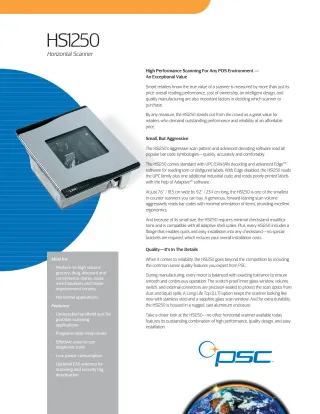
Spec sheet · PSC
HS1250 Scanner Quick Reference Guide
Spec sheet44 pagesPDF 7.3 MB
Multilingual quick reference guide for the PSC HS1250 horizontal in-counter barcode scanner: scanning, controls and indicators.
Covers · 2 models
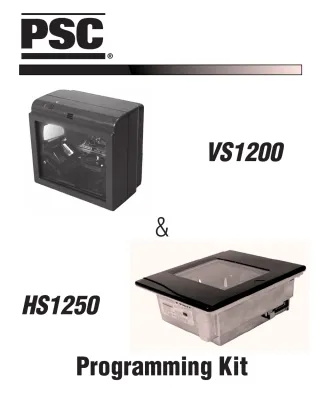
The models it covers
Summary
What is in it
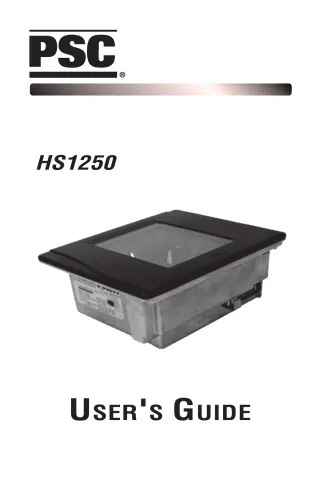
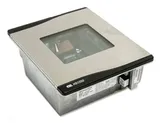
A short quick reference guide for the PSC HS1250, a compact horizontal scanner for slide-through scanning at a counter. It explains the read zone and how to sweep barcodes, the volume switch, the indicator lamp states and the speaker tones, and where to find the full User's Guide and Programming Guide. The same pages repeat in French, German, Italian, Spanish, Portuguese, Japanese and Chinese, followed by product labeling and laser safety appendices.
Its parts
- English
- Francais
- Deutsch
- Italiano
- Espanol
- Portugues
- Japanese
- Chinese
From the sheet
Key facts from this sheet
Some pages are scans or cannot be read; this says only what the readable text supports. Each line names its page in the PDF.
The PSC HS1250 Scanner Quick Reference Guide (R44-2222 Rev A, 10/01) for the HS1250 compact horizontal slide-through scanner. It explains how to scan, the volume switch, the indicator lamp and the speaker tones, then repeats that text in other languages, with a product label appendix and laser safety statements.
- Device
- Compact horizontal scanner; items slide through without being lifted p. 5
- Read zone
- About 6" (15.24 cm) above the window, angled about 40° from the counter, widening away from the window p. 5
- Controls
- Volume switch, speaker and indicator light; speaker and volume switch sit beneath the top cover p. 6
- Volume
- Three settings, stepped with the volume switch or the Increment Volume label p. 6
- Indicator lamp
- Off: no power or not operational; on dim: ready; flashes once: good read; once per second: Sleep Mode; twice per second: Programming Mode; repeatedly with tones: failure p. 7
- Speaker tones
- Normal tone on a decoded and sent label; lower alternate tone on a failed read or a symbology not set to transmit; repeating error tones on a problem p. 7
- Laser
- Visible Laser Diode (VLD); the guide states the scanner is certified to DHHS/CDRH 21CFR Subchapter J and IEC 825-1:1993 p. 38
- Manuals
- A CD packed with the scanner holds PDF copies of the User's Guide and Programming Guide p. 5
What this sheet walks you through
- Scanning by sweeping the bar code over the window in the direction of the arrow p. 5
- Changing the speaker volume with the switch or the Increment Volume label p. 6
- Reading the indicator lamp p. 7
- Telling the normal, alternate and error tones apart p. 7
- Where the product labels sit on the scanner p. 37
- Laser safety cautions p. 38
Good to know
- A volume set with the switch or label is lost when the scanner is turned off; the Programming Guide bar codes change it permanently. p. 6
- In Programming Mode the scanner does not read or send data to the host. p. 7
- Do not open or service the optics cavity; the optics system is a factory-only repair. p. 38
- Controls, adjustments or procedures other than those specified may result in hazardous laser light. p. 38
- The Appendix A sample label reads Use ONLY PSC AC/DC Power Supply P/N 8-0133; the artwork shows label placement only. p. 37
Questions this sheet answers
How high above the window does the HS1250 read?
The read zone reaches about 6" (15.24 cm) above the window, angled about 40° from the counter. p. 5
What does a flashing light on the HS1250 mean?
One flash is a good read, once per second is Sleep Mode, twice per second is Programming Mode, and repeated flashing with tones means scanner failure. p. 7
How do I change the volume on the HS1250?
Press the volume switch beneath the top cover or scan the Increment Volume label; this setting is lost at power-off unless set with the Programming Guide bar codes. p. 6
Why does my HS1250 beep with a low tone?
That is the alternate tone: the scanner could not read the label, or read it but is not set to send that symbology; in Programming Mode it means a label was rejected. p. 7
Contents
Chapters and sections
Each line opens the PDF at its page.
The whole text · 10 parts
Read the sheet here as text
Its text as extracted from the PDF, unedited, in parts; each page opens the PDF at that page.
The file