Manual · PSC
HS1250 User's Guide
Manual48 pagesPDF 3.6 MB
User's guide for the PSC HS1250 in-counter horizontal bar code scanner: controls, installation, troubleshooting and maintenance.
Covers · 2 models
The models it covers
Summary
What is in it
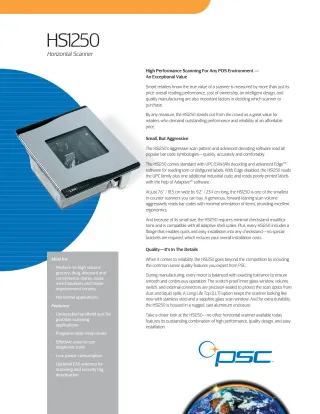
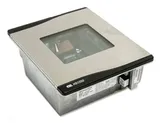
The user's guide for the PSC HS1250, a compact scanner that mounts flush and horizontal in a checkout counter for grocery, hypermarket, drug, variety and convenience stores. It explains the operating modes, volume switch, indicator lamp and tones, connectors and motion sensor, unpacking, counter modification and hookup, troubleshooting, how to scan, changing tone and volume, programming, cleaning and window replacement, with symbol definitions, specifications and regulatory information in the appendices.
Its parts
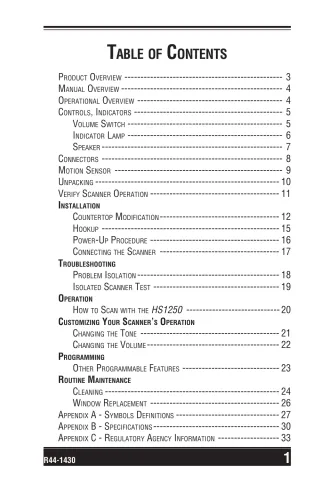
- Product Overview
- Manual Overview
- Operational Overview
- Controls, Indicators
- Connectors
- Motion Sensor
- Unpacking
- Verify Scanner Operation
- Installation
- Troubleshooting
- Operation
- Customizing Your Scanner's Operation
- Programming
- Routine Maintenance
From the manual
Key facts from this manual
Some pages are scans or cannot be read; this says only what the readable text supports. Each line names its page in the PDF.
The PSC HS1250 User's Guide (R44-1430) for the HS1250 horizontal in-counter scanner. It explains the controls, indicators and connectors, unpacking, counter mounting, hookup and power-up, troubleshooting, scanning, cleaning and window replacement, and gives the physical, environmental and electrical specifications.
- Device
- Compact horizontal scanner that mounts flush in the counter for slide-through scanning; cast aluminum construction p. 5
- Connectors
- Interface connector to the host, undecoded handheld (HHLC) scanner port, DC power connector p. 10
- Power supply
- P/N 8-0133 or another PSC approved supply, giving +12, -12 and +5 volts DC; IEC cord to suit the country p. 34
- Input power
- 90-265 VAC, 47-63 Hz, under 10.0 Watts p. 34
- Power consumption
- About 5.5 watts operating, 9.7 watts at start-up, 4.4 watts in Sleep Mode; +12vdc 315mA (665mA at start-up), -12vdc 45mA, +5vdc 230mA p. 34
- Read zone
- About 6" (15.24 cm) above the window, angled about 40° from the counter p. 22
- Scanner size
- Depth 3.45" (8.76cm), length 7.6" (19.3cm), width 9.0" (22.9cm); weight 4 lb 11oz (2.13 kg) p. 32
- Power supply size
- Length 5.0" (12.7 cm), width 3.0" (7.6 cm), height 1.5" (3.8 cm); weight 1.0 lb (.6 kg) p. 32
- Temperature
- Operating 10°C (50°F) to 40°C (104°F); storage -40°C (-40°F) to 70°C (158°F) p. 33
- Humidity and light
- Operating 5 - 90 % and storage 5 - 95 % (non-condensing); ambient light 200 footcandles (2150 Lux) maximum p. 33
- Error tones
- 1 tone: Digital Board; 2: VLD (Visible Laser Diode) Module; 3: Motor; 4: Digital Board; 7: VLD (End of life) p. 9
- In the box
- User's Guide, HS1250 scanner, AC/DC Power Supply, IEC power cord, interface cable (if ordered) p. 12
- Programming kit
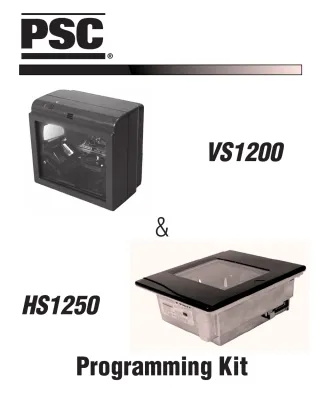
- HS1250/VS1200 Programming Kit, part number R44-1340 p. 6, 18
- Mounting
- On a shelf 3.45" (8.76cm) below the counter top, or by its wings on a routed ledge in a counter at least 19mm thick; 6.35mm corner radius p. 14, 15, 16
What this manual walks you through
- Unpacking the scanner and checking the carton contents p. 12
- Checking the scanner works before installing it p. 13
- Cutting the counter for bottom-supported or ledge-mounted installation p. 14, 15, 16
- Connecting the interface cable and power supply p. 17
- Powering up the scanner with the POS terminal p. 18, 19
- Finding a fault with the problem isolation flowchart p. 20
- Running the isolated scanner self-test p. 21
- Scanning items by sweeping them over the window p. 22
- Changing the tone and volume with the Increment labels p. 23, 24
- Cleaning the windows and replacing a scratched upper window p. 26, 28
Good to know
- Use only AC/DC power supplies approved by and ordered from PSC. p. 11, 34
- Do not clean the windows with abrasive cleaners or pads, alcohol or acetone. p. 26
- Without a host connection, the scanner may read only one or two labels before it must be reset; this is normal. p. 13
- In low light the motion sensor may not wake the scanner; remove the top cover and press the volume switch. p. 11
- Enabling an industrial code (Code 39, Codabar, Interleaved 2 of 5, Code 128) disables the Edge label assembly software. p. 25
Questions this manual answers
What do the error beeps on a PSC HS1250 mean?
The number of tones points to the failed part: 1 or 4 the digital board, 2 the VLD module, 3 the motor, 7 a VLD at end of life. p. 9
What power supply does the HS1250 scanner use?
Power supply P/N 8-0133 or another PSC approved supply, which gives the scanner +12, -12 and +5 volts DC. p. 34
How do I wake the HS1250 from sleep mode?
Wave a hand or an item in front of the window; in low light, lift the top cover with a coin and press the volume switch. p. 11
Why does my HS1250 read only one or two labels and then stop?
Without a host connected, some terminal interfaces make the scanner hold label data until the terminal is ready, so it must be reset; the guide calls this normal. p. 13
How do I clean the HS1250 scanner window?
Pry off the top cover with a coin, spray glass cleaner on a lint free nonabrasive cloth, and wipe the underside of the upper window and the top of the lower one. p. 26
Contents
Chapters and sections
Each line opens the PDF at its page.
- Product Overview5
- Manual Overview6
- Operational Overview6
- Controls, Indicators7
- Connectors10
- Motion Sensor11
- Unpacking12
- Verify Scanner Operation13
- Installation14
- Troubleshooting20
- Operation22
- Customizing Your Scanner's Operation23
- Programming25
- Routine Maintenance26
- Appendix A - Symbols Definitions29
- Appendix B - Specifications32
- Appendix C - Regulatory Agency Information35
The whole text · 10 parts
Read the manual here as text
Its text as extracted from the PDF, unedited, in parts; each page opens the PDF at that page.
The file