Manual · Metrologic
MetroSelect Configuration Guide
Manual200 pagesPDF 1.7 MB
Bar code configuration guide (MetroSelect) for Metrologic scanners, with a section for the IS3480, MS3580 and MS3780.
Names · 1 model
The models it names
Filed with · 1 model
Also filed with these models on the old site
Summary
What is in it
Metrologic's MetroSelect Configuration Guide: a book of programming bar codes that change a Metrologic scanner's settings, saved in nonvolatile memory. It explains the Single-Code and Multi-Code configuration methods and how to recall defaults, then covers code types and decode rules, supplements, communications, scanner operation, prefixes and suffixes, code formatting, RS-232, keyboard emulation, OCIA, light pen emulation, IBM 46xx, USB, auxiliary port controls and a section for the IS3480, MS3580 and MS3780.
Its parts
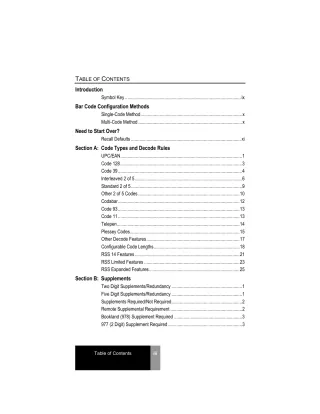
- Section A: Code Types and Decode Rules
- Section B: Supplements
- Section C: Communications
- Section D: Scanner Operation
- Section E: Prefixes/Suffixes
- Section F: Code Formatting
- Section G: RS-232
- Section H: Keyboard
- Section I: OCIA
- Section J: Light Pen/Laser Emulation
- Section K: IBM 46xx Configuration
- Section M: Code Bytes
- Section N: Miscellaneous Features
- Section O: Auxiliary Port Controls
- Section P: USB
From the manual
Key facts from this manual
Each line names its page in the PDF.
The MetroSelect Configuration Guide is a book of programming bar codes for Metrologic scanners. Scanning its codes sets symbologies, interfaces, power save, prefixes and suffixes, RS-232, keyboard, USB and auxiliary port options. Its model-specific section covers the IS3480, MS3580 and MS3780.
- Document
- Bar code configuration guide for Metrologic scanners; settings are kept in nonvolatile memory (NOVRAM) p. 9
- IS3480 options
- IS3480: button modes, button click delay, primary and secondary scan patterns, Sweet Spot mode, CodeGate, depth of field, IR activation p. 193, 194, 195, 196
- Scan patterns
- IS3480, MS3580, MS3780: omnidirectional, horizontal raster or single-line, as primary or secondary pattern p. 194
- Sweet Spot mode
- IS3480 only: locates the maximum read rate point for a bar code type p. 195
- Configuration methods
- Single-Code Method for most features; Multi-Code Method for all features p. 10
- Recall defaults
- Keyboard wedge scanners load keyboard wedge defaults; all others load RS-232 defaults p. 11
- Interfaces covered
- RS-232, keyboard wedge, light pen/wand, stand-alone keyboard, OCIA, IBM 46xx, low and full speed USB p. 4, 5, 8
- Symbologies covered
- UPC/EAN, Code 128, Code 39, Interleaved 2 of 5, Standard 2 of 5, Codabar, Code 93, Code 11, Telepen, Plessey, RSS 14, RSS Limited, RSS Expanded p. 3
- RS-232 baud rates
- 300 to 115200 baud; default 9600 p. 127, 128
- Power save timeouts
- Omnidirectional scanners: always, never, or after 1, 2, 5, 10, 20 or 30 minutes idle p. 80, 81
- AUX port
- Accepts a Metrologic or non-Metrologic RS-232 secondary device; general RS-232 format default 38400 baud, 7 data bits, 2 stop bits, space parity p. 173, 175
- TTL RS232
- TTL RS232 Quantum series (IS/MS3x80-102) only: enable TTL RS232 and choose standard or inverted RxD and TxD p. 196
- Serial programming
- Commands sent through the serial port, framed by STX (02 Hex) and ETX (03 Hex) p. 172
- Scanner information
- Bar codes make the scanner transmit its software revision, coprocessor software number and serial number p. 172
What this manual walks you through
- Configuring with the Single-Code or Multi-Code method p. 10
- Recalling the default settings p. 11
- Enabling or disabling bar code types p. 13, 14, 15
- Choosing power save timeouts and modes p. 80, 81, 82, 83
- Setting the RS-232 baud rate to match the host p. 127, 128
- Recalling defaults through the serial port p. 172
- Reading the software revision and serial number p. 172
- Setting up a secondary scanner on the auxiliary port p. 173, 175
- Enabling full speed USB p. 189
- IS3480 button modes, scan patterns, CodeGate and IR activation p. 193, 194, 195, 196
Good to know
- To abort a configuration change, power off the scanner before scanning the Enter/Exit Configuration Mode bar code. p. 10
- Recall Defaults erases all earlier settings. p. 11
- Sweet Spot mode is not available on the MS3580 or MS3780. p. 195
- A non-Metrologic secondary device needs RTS/CTS handshaking and a carriage return terminator on its data. p. 175
- The timed power save settings are for omnidirectional scanners only. p. 80
Questions this manual answers
How do I reset a Metrologic scanner to its default settings?
Scan the Recall Defaults bar code; keyboard wedge scanners load keyboard wedge defaults and all others load RS-232 defaults. p. 11
What is the default RS-232 baud rate in the MetroSelect guide?
9600 baud is the default; bar codes set rates from 300 to 115200. p. 127, 128
How do I find the software version of a Metrologic scanner?
Scan the Software Number bar code and the scanner transmits its software revision. p. 172
What does Sweet Spot mode do on the IS3480?
It finds where the maximum read rate point is for a specific bar code type; the IS3480 Installation and User's Guide (MLPN 00-02026) describes it fully. p. 195
How do I cancel a configuration change in progress?
Power off the scanner before scanning the Enter/Exit Configuration Mode bar code again. p. 10
Contents
Chapters and sections
Each line opens the PDF at its page.
The whole text · 20 parts
Read the manual here as text
Its text as extracted from the PDF, unedited, in parts; each page opens the PDF at that page.
- Pages 1 to 101-10
- Pages 11 to 2011-20
- Pages 21 to 3021-30
- Pages 31 to 4031-40
- Pages 41 to 5041-50
- Pages 51 to 6051-60
- Pages 61 to 7061-70
- Pages 71 to 8071-80
- Pages 81 to 9081-90
- Pages 91 to 10091-100
- Pages 101 to 110101-110
- Pages 111 to 120111-120
- Pages 121 to 130121-130
- Pages 131 to 140131-140
- Pages 141 to 150141-150
- Pages 151 to 160151-160
- Pages 161 to 170161-170
- Pages 171 to 180171-180
- Pages 181 to 190181-190
- Pages 191 to 200191-200
The file