Manual · Metrologic
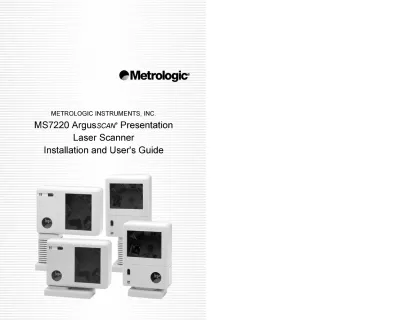
MS7220 ArgusScan Presentation Laser Scanner Installation and User's Guide
Manual56 pagesPDF 3.8 MB
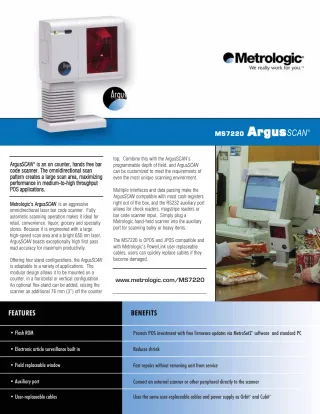
Installation and user's guide for the Metrologic MS7220 ArgusScan omnidirectional presentation laser bar code scanner.
Covers · 1 model
The models it covers
Summary
What is in it
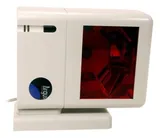
The installation and user's guide for the Metrologic MS7220 ArgusScan, an omnidirectional presentation laser bar code scanner for retail and specialty store counters. It lists the kit and accessories, shows how to mount the scanner and connect it for OCIA, keyboard wedge, stand-alone keyboard, USB, RS232 or light pen and an auxiliary scanner, and explains the multi-function button, indicators, scan volume, depth of field, EAS antenna, maintenance, troubleshooting, specifications, default settings, stands and cable pinouts.
Its parts
- Introduction
- Scanner and Accessories
- Getting Started
- Installation
- Scanner Parts
- Power Save Modes and the Multi-Function Button
- Indicators
- Labels
- Scan Volume (Default)
- Depth of Field Minimum Bar Code Element Width
- EAS Deativation Antenna
- Maintenance
- Troubleshooting Guide
- RS232 Demonstration Program
- Applications and Protocols
From the manual
Key facts from this manual
Some pages are scans or cannot be read; this says only what the readable text supports. Each line names its page in the PDF.
Installation and user's guide for the Metrologic MS7220 ArgusScan, an omnidirectional laser presentation scanner for store counters, in its MS7220-13 and MS7220-37 versions. It shows how to mount the scanner, connect it and an auxiliary scanner, use the power save modes, read the beeps and lights, troubleshoot, and fit the stands. It also lists the accessories with part numbers, the specifications and the connector pinouts.
- Device
- Omnidirectional laser presentation scanner for retail counters p. 5, 6
- Versions
- MS7220-13: RS232, IBM 46xx, OCIA, Aux; MS7220-37: RS232, Light Pen, Keyboard Wedge, Stand-Alone Keyboard, USB, Aux p. 5
- Laser
- VLD 650 ± 10 nm, 0.678 mW maximum p. 35
- Depth of field
- 0 mm to 215 mm (8.5") at default, programmable p. 35
- Scan pattern
- 5 fields of 4 parallel lines (omnidirectional), 20 scan lines, 2000 scans/second p. 35
- Size and weight
- 123 mm (4.8") high, 65mm (2.6") deep, 168 mm (6.6") wide; 0.91 Kg (2 lbs) p. 35
- Power
- 5.2VDC ± 0.25V, 1.9 W, 360 mA; Class II transformer, 5.2 V @ 1A p. 36
- Temperature
- Operating 0°C to 40°C (32°F to 104°F); storage -40°C to 60°C (-40°F to 140°F) p. 36
- Connectors
- Four 10-pin modular RJ45 jacks on the back, one of them an RS232 auxiliary input p. 35, 46, 47
- Power transformers
- 5.2V @ 1 A: 46-46759 (120V US), 46-46616 (Europe), 46-46615 (UK), 46-46984 (China), 46-46985 (Australia) p. 6
- Cables
- 54-54xxx straight 2.1 m PowerLink; 53-53xxx coiled 2.7 m; 54-54002 keyboard wedge; 54-54020 stand alone keyboard; 54-54667 RS232 AUX; 54-54165 USB p. 6, 48
- Stands
- 46-46406 standard horizontal stand; 46-46405 standard vertical stand p. 6
- Auxiliary scanners
- MS9520, MS9540, MS6220, MS7120, MS6520, MS6720, MS7320 or another MS7220 p. 15
- Default symbologies
- UPC/EAN, Code 39, interleaved 2 of 5, Code 93, Code 128 and Codabar p. 29
What this manual walks you through
- Mounting the scanner base on a countertop p. 7, 8
- Installing an auxiliary scanner on the Aux port p. 15, 16
- Using the power save modes and the multi-function button p. 18, 19
- Reading the beeps and LED indicators p. 20, 22
- Recognizing failure modes at power up p. 21
- Troubleshooting by interface p. 28, 29, 30, 31, 32
- Checking depth of field by bar code element width p. 25, 26
- Installing the vertical stand p. 43, 44
- Installing the optional flexible stand p. 43, 45
- Scanner and cable pinouts p. 46, 47, 48, 49
Good to know
- Plugging a cable into the wrong jack can cause communication problems or damage the scanner. p. 8
- Some hosts cannot supply enough current; use the power supply included with the scanner. p. 28
- The aux port needs transmit, receive, RTS and CTS from the auxiliary scanner. p. 15
- Laser, motor, electronic and memory failures shown at power up need repair at an authorized service center. p. 21
- Circuits connected to the scanner must meet SELV requirements per EN 60950. p. 15
Questions this manual answers
What does it mean when the MS7220 beeps three times on power up?
The nonvolatile memory that holds the scanner configuration has failed, and the unit needs repair. p. 21
Which scanners can plug into the MS7220 Aux port?
The MS9520, MS9540, MS6220, MS7120, MS6520, MS6720, MS7320 or another MS7220, using the RS232 AUX PowerLink cable. p. 15
What power supply does the MS7220 use?
A regulated AC to DC transformer with 5.2V @ 1 A output, such as 46-46759 for 120V United States. p. 6
How do I change the MS7220 beeper tone?
Press the multi-function button briefly (under 3 seconds); each press changes the tone, and no beep is also selectable. p. 19
Why does the MS7220 lock up after the first scan with the red LED on?
The scanner is set for host handshaking it is not receiving; check that the host cable and host support it. p. 29
Contents
Chapters and sections
Each line opens the PDF at its page.
The whole text · 6 parts
Read the manual here as text
Its text as extracted from the PDF, unedited, in parts; each page opens the PDF at that page.
The file