Manual · Metrologic
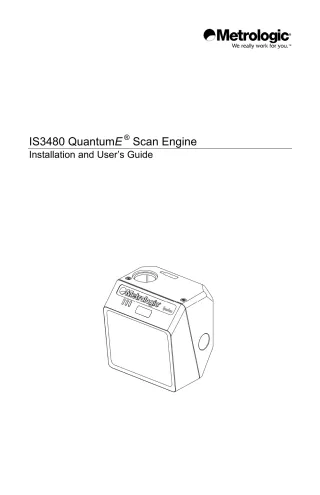
IS3480 QuantumE Scan Engine Installation and User's Guide
Manual56 pagesPDF 2.3 MB
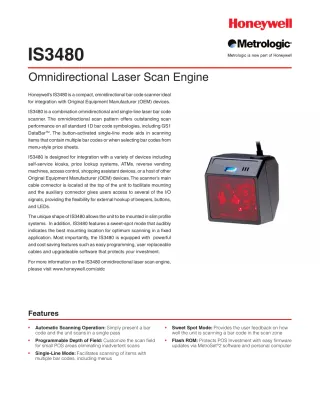
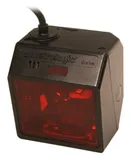
Installation and user's guide for the Metrologic IS3480 QuantumE, a miniature omni-directional scan engine for kiosks and OEM equipment.
Covers · 1 model
The models it covers
Summary
What is in it
The installation and user's guide for the Metrologic IS3480 QuantumE scan engine, a miniature, fully enclosed omni-directional scanner built into OEM equipment such as price lookup systems and kiosks. It lists the interface versions, kit parts and accessories, then gives installation steps for RS232, RS485 or OCIA, keyboard wedge, stand-alone keyboard and low speed USB hosts. It also covers scan pattern modes, button functions, indicators, depth of field, troubleshooting, design specifications, default settings, firmware upgrades, cable terminations and regulatory compliance.
Its parts
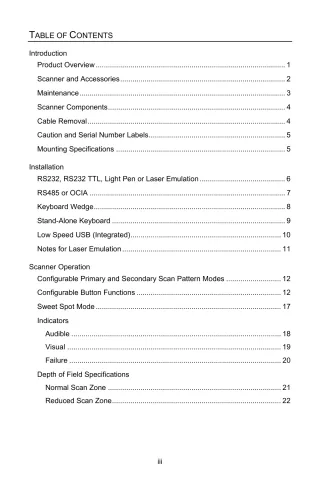
- Introduction
- Installation
- Scanner Operation
- Troubleshooting Guide
- Design Specifications
- Applications and Protocols
- Default Settings - Communication Parameters
- Upgrading the Firmware
- Scanner and Cable Terminations
- Regulatory Compliance
- Limited Warranty
- Patents
From the manual
Key facts from this manual
Some pages are scans or cannot be read; this says only what the readable text supports. Each line names its page in the PDF.
Installation and user's guide for the Metrologic IS3480 QuantumE, a miniature omnidirectional laser scan engine for OEM equipment such as price lookup systems and kiosks, in its interface versions IS3480-9, -11, -38, -41, -47 and -104. It shows how to connect it to a host, set the scan patterns and button, use Sweet Spot mode, read the indicators, troubleshoot and upgrade the firmware. It also lists accessories with part numbers, the specifications and the pinouts.
- Device
- Miniature, fully enclosed omnidirectional scan engine with optional single-line scanning, for OEM equipment such as price lookup systems and kiosks p. 5
- Versions
- IS3480-9: OCIA and RS232; -11: RS485 and full RS232; -38: RS232 and low speed USB; -41: RS232/light pen; -47: keyboard wedge, stand-alone keyboard and RS232; -104: RS232 TTL, laser emulation p. 5
- Depth of field
- 13 mil bar code: normal 25 mm - 280 mm (1"- 11"); reduced 25 mm - 150 mm (1"- 6") p. 33
- Scan speed
- Omnidirectional 1650 scan lines per second; single-line 80 scan lines per second; motor 5000 RPM p. 33
- Laser
- Visible Laser Diode (VLD) @ 650 nm, 1.1 mW p. 33
- Size and weight
- 63 mm wide, 50 mm deep, 68 mm high; 6 oz (170 g) p. 34
- Power
- 5VDC ± 0.25V; 275 mA operating, 200 mA standby (typical); Class II transformer 5.2VDC @ 1A p. 34
- Temperature
- Operating -20°C to 40°C (-4°F to 104°F); storage -40°C to 60°C (-40°F to 140°F) p. 34
- Power transformers
- 5.2VDC @ 1A: 46-00525 (US, Canada, Japan), 46-00526 (Continental European), 46-00527 (UK), 46-00528 (Australia), 46-00529 (China), 46-00530 (India) p. 6
- Cables
- PowerLink 59-59000-3 straight (default) or 53-53000-3 coiled; 59-59002x-3 keyboard wedge; 59-59020x-3 stand alone keyboard; 59-59235x-N-3 low speed USB; MVC ±12VDC to +5.2VDC converter p. 6, 7
- Connectors
- 10-pin RJ45 female socket; 6-pin ZIF utility connector under a rubber seal for aux +5V (up to 100mA), good read, beeper and trigger p. 8, 44
- Mounting
- Three plus two M2.5 x 0.45 threaded mounting points p. 8
- Indicators
- Blue = laser on, ready to scan; White = good read; 7 tones or no beep p. 33
- Firmware
- Flash upgradeable with MetroSet2 on a PC with Windows 95 or greater and an RS232 or USB port p. 41
What this manual walks you through
- Removing the cable with a paperclip p. 8
- Connecting an RS232, RS232 TTL, light pen or laser emulation version p. 10
- Setting primary and secondary scan patterns and the button mode p. 16
- Using Sweet Spot mode to find the best read rate area p. 21
- Reading the beeps and LED indicators p. 22, 23
- Recognizing failure indicators p. 24
- Troubleshooting by interface p. 30, 31, 32
- Upgrading the firmware with MetroSet2 p. 41
- Scanner pinouts and the utility connector p. 42, 43, 44
Good to know
- Do not use the standard Keyboard Wedge or RS485 kit cable for firmware upgrades. p. 41
- Remove the rubber seal over the utility connector only if that connector is used. p. 8
- Clean the window only with a mild glass cleaner containing no ammonia. p. 7
- A serial connection alone is not enough: a software driver and correct configuration are also needed. p. 10
- Some hosts cannot supply enough current; use the power supply included with the scanner. p. 30
Questions this manual answers
What does it mean when the IS3480 beeps three times on power up?
The nonvolatile memory holding the configuration has failed; the guide says to return the unit to an authorized service center. p. 24
How do I remove the cable from an IS3480?
Push a bent paperclip into the pinhole near the cable until the lock clicks, then pull gently on the strain relief. p. 8
How do I upgrade the IS3480 firmware?
Use MetroSet2 and its Flash Utility with a firmware file from Metrologic, on a PC with Windows 95 or greater and an RS232 or USB port. p. 41
Which IS3480 version has USB?
The IS3480-38, which offers RS232 and low speed USB with keyboard or serial emulation. p. 5
What do the IS3480 LED colors mean?
Steady blue means the laser is on and ready; a white flash means a good read. p. 23
Contents
Chapters and sections
Each line opens the PDF at its page.
The whole text · 6 parts
Read the manual here as text
Its text as extracted from the PDF, unedited, in parts; each page opens the PDF at that page.
The file