Manual · Intermec
IPL Programming Reference Manual
Manual298 pagesPDF 1.4 MB
Programming reference for IPL, the Intermec Printer Language, used by Intermec 3600, 4400 and other bar code label printers.
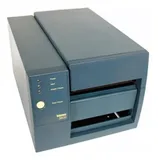
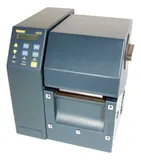
Covers · 2 models
The models it covers
Summary
What is in it
The reference manual for IPL (Intermec Printer Language), the command language used to design bar code label formats and control Intermec printers including the 3240, 3400, 3440, 3600, 4100, 4400, 4420, 4440, 4630, 4830, 7421 and EasyCoder F4. It explains IPL command structure and how to send commands, downloading fonts, designing label formats with a tutorial and example, troubleshooting error codes, advanced programming for memory and throughput, and a full command reference with commands listed by name, syntax and task.
Its parts
- Before You Begin
- Introduction to IPL Commands
- Downloading Fonts to the Printer
- Designing Bar Code Labels
- Troubleshooting
- Advanced Printer Programming
- How to Find IPL Commands in This Manual
- IPL Command Reference
From the manual
Key facts from this manual
Each line names its page in the PDF.
Intermec's IPL Programming Reference Manual (revision 005, 12/01) for the Intermec Printer Language. It covers the 3240, 3400, 3440, 3600, 4100, 4400, 4420, 4440, 4630, 4830, 7421 and EasyCoder F4 bar code printers and explains how to send commands, design label formats, read error codes and use each IPL command.
- Document
- Programming reference for the Intermec Printer Language (IPL) command set p. 19
- Command types
- Immediate, Print, Configuration, Program, and Test and Service commands, tied to Print, Program, and Test and Service modes p. 19
- Default serial settings
- 9600 bits per second, 7 data bits, even parity, 1 stop bit, XON/XOFF flow control p. 23, 24
- Stored formats
- Many Intermec printers store up to 19 formats; some, such as the 3240 and 3440, up to 99; format 0 is the default p. 20
- Format limits
- Up to 200 fields in a format, each up to 250 characters p. 68
- Error codes
- Two-digit codes sent to the host, such as 11 invalid bar code data, 37 insufficient room in RAM to print format, 43 too many fields in label format p. 67, 68
- 3600 media sensitivity
- 3600: direct thermal by default; 420 direct thermal, 567 thermal transfer; media type set only with the DIP switches p. 159
- 4400 media sensitivity
- 4400: direct thermal by default; 420 direct thermal, 567 thermal transfer; takes effect after cycling printer power p. 159
- 3600 print speed
- 3600: Print Speed values 20, 30, 40 or 50, default 30 p. 164
- 4400 print speed
- 4400: default 35; 5 mil printhead 25 to 100, 6.5 mil printhead 25 to 85, in multiples of 5 p. 164
- Program mode
- Enter Program mode by sending <STX><ESC>P<ETX> p. 25
What this manual walks you through
- Connecting a PC and sending IPL command files from DOS or HyperTerminal p. 23, 24
- Designing a format and then sending data to print labels p. 20
- Switching between Print mode and Program mode p. 25
- Working through the troubleshooting checklist p. 65
- Understanding syntax, parameter, image overrun and memory errors p. 65, 66
- Interpreting error codes and solving the problems p. 67, 68
- Checking which IPL commands each printer supports p. 109, 110, 111, 112, 113
Good to know
- The printer ignores a command that does not match its current operating mode. p. 20
- A write fault error means the wrong COM port or a cable without hardware flow control. p. 23
- Image overrun is most common on labels over 5 inches long; optional memory expansion may reduce it. p. 66
- If storage memory runs short, the printer ignores the last editing session and keeps existing data. p. 66
Questions this manual answers
How do I set up a PC serial port to send IPL commands to an Intermec 3600?
At the DOS prompt type MODE COM1 96,E,7,1,N (the printer's default settings) and make sure the printer uses XON/XOFF. p. 23
What does IPL error code 37 mean?
Insufficient room in RAM to print the format; reduce the number of data fields or add more DRAM. p. 68
What are the media sensitivity defaults on the Intermec 3600 and 4400?
420 for direct thermal and 567 for thermal transfer on both printers. p. 159
How do I put an Intermec printer into Program mode?
Send <STX><ESC>P<ETX> every time you download formats. p. 25
How many fields can an IPL label format have?
Up to 200 fields, each using up to 250 characters. p. 68
Contents
Chapters and sections
Each line opens the PDF at its page.
The whole text · 33 parts
Read the manual here as text
Its text as extracted from the PDF, unedited, in parts; each page opens the PDF at that page.
- Pages 1 to 41-4
- Contents5-14
- Pages 15 to 2615-26
- Chapter 2: Downloading Fonts to the Printer27-38
- Chapter 3: Designing Bar Code Labels, pages 39 to 4639-46
- Chapter 3: Designing Bar Code Labels, pages 47 to 5447-54
- Chapter 3: Designing Bar Code Labels, pages 55 to 6255-62
- Chapter 4: Troubleshooting63-68
- Chapter 5: Advanced Printer Programming, pages 69 to 7669-76
- Chapter 5: Advanced Printer Programming, pages 77 to 8477-84
- Chapter 6: How to Find IPL Commands in This Manual, pages 85 to 9285-92
- Chapter 6: How to Find IPL Commands in This Manual, pages 93 to 10093-100
- Chapter 6: How to Find IPL Commands in This Manual, pages 101 to 106101-106
- Chapter 7: IPL Command Reference, pages 107 to 116107-116
- Chapter 7: IPL Command Reference, pages 117 to 126117-126
- Chapter 7: IPL Command Reference, pages 127 to 136127-136
- Chapter 7: IPL Command Reference, pages 137 to 146137-146
- Chapter 7: IPL Command Reference, pages 147 to 156147-156
- Chapter 7: IPL Command Reference, pages 157 to 166157-166
- Chapter 7: IPL Command Reference, pages 167 to 176167-176
- Chapter 7: IPL Command Reference, pages 177 to 186177-186
- Chapter 7: IPL Command Reference, pages 187 to 196187-196
- Chapter 7: IPL Command Reference, pages 197 to 206197-206
- Chapter 7: IPL Command Reference, pages 207 to 216207-216
- Chapter 7: IPL Command Reference, pages 217 to 226217-226
- Chapter 7: IPL Command Reference, pages 227 to 236227-236
- Chapter 7: IPL Command Reference, pages 237 to 238237-238
- Appendix A: Full ASCII Table239-244
- Appendix B: Character Sets245-254
- Appendix C: Creating User-Defined Bitmap Fonts and Graphics255-268
- Appendix D: User-Defined Interface Tables269-276
- Appendix E: Using Direct Graphics Mode277-286
- Index287-298
The file