Manual · Intermec
Intermec Ethernet Adapter User's Manual
Manual132 pagesPDF 402 KB
User's manual for the Intermec external and internal Ethernet adapters that put Intermec label printers on a network.
Names · 1 model
The models it names
Filed with · 3 models
Also filed with these models on the old site
Summary
What is in it
Intermec's manual for its Ethernet adapters: the external adapter (Part No. 068788) and the internal adapters (068789 and 069227), which share Intermec label printers such as the 3600, 4400 and 7421 over a 10BaseT network. It explains connecting the adapter, setting up TCP/IP, and printing from NetWare, Windows, OS/2, Macintosh and UNIX networks, then managing it by web browser, AXIS NetPilot, FTP, Telnet or SNMP, and updating its flash software.
Its parts
- Introducing the Ethernet Adapter
- Connecting the Ethernet Adapter
- Setting Up the Ethernet Adapter for a NetWare Network
- Setting Up the Ethernet Adapter for a Windows Network
- Setting Up the Ethernet Adapter for an OS/2 Network
- Setting Up the Ethernet Adapter for a Macintosh Network
- Setting Up the Ethernet Adapter for a UNIX Network
- Managing and Configuring the Ethernet Adapter
- Updating the Software
- Configuration Parameters
- Technical Specifications
From the manual
Key facts from this manual
Each line names its page in the PDF.
The Intermec Ethernet Adapter User's Manual (P/N 068749-003, version 003 of 3/99) for the external Ethernet adapter Part No. 068788 and the internal adapters Part No. 068789 and 069227, Axis-based print servers that put Intermec label printers on an Ethernet network. It lists the compatible printers, including the 3600, 4400 and 7421, and covers connecting, IP setup, network setup for NetWare, Windows, OS/2, Macintosh and UNIX, management, firmware updates and specifications.
- Device
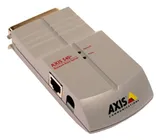
- Ethernet print server that shares Intermec label printers on an Ethernet network; external adapter Part No. 068788, internal adapters 068789 and 069227 p. 19
- Network
- 10BaseT twisted pair, 10 Mbps p. 19
- Printer port
- External adapter: one IEEE 1284 compliant high-speed parallel port, 36-pin Centronics connector, that plugs straight into the printer p. 21, 125
- Power
- Maximum 170 mA at 12 VDC; can instead be powered by the printer (Centronics pin 18: 5 VDC, 300 mA) p. 125
- Hardware
- 32 bit RISC controller (AXIS ETRAX chip), 1MB Flash memory, 256K RAM p. 22, 124
- Front panel
- Power and Network LEDs; Test button for information printouts p. 125
- Printers, external 068788
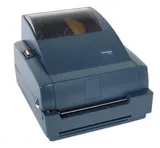
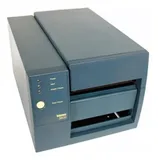
- 91, 301, 401, 501, 501E, 501S, 501XP, 601XP, 901, 4630, 7421, 7422; also 3240, 3400, 3440, 3600 and 4400 with the parallel port option (not the 4400A) p. 19
- Internal adapters
- 068789: 3240, 3400, 3440, 3600 and 4400 printers; 069227: 4420 and 4440 printers p. 19
- Networks supported
- NetWare, UNIX, Windows, LANtastic, OS/2, Macintosh, and any standard Web browser p. 21
- IP address setup
- DHCP, ARP, RARP or BOOTP (all enabled by default), or set manually p. 34
- TCP/IP print methods
- LPD, FTP, PROS (named pipe and filtered), Reverse Telnet p. 123
- External size
- 1.1 in. high, 2.2 in. wide, 4.7 in. deep; 0.26 lb (0.12 kg) p. 125
- Environment
- 40°F to 105°F (5°C to 40°C); 10% to 95% noncondensing p. 125
- Firmware
- Upgradable over the network; Test button label and parameter printouts need firmware 5.59 or higher p. 23
What this manual walks you through
- Printing a print quality label with the Test button or from Data Line Print mode p. 23, 24
- Printing the adapter's parameter list p. 25
- Resetting the adapter to factory default settings p. 25, 26
- Connecting the adapter to the printer and the network p. 29
- Setting the IP address with DHCP, ARP, RARP or BOOTP p. 33, 34
- Setting up on NetWare, Windows, OS/2, Macintosh and UNIX networks p. 6, 7
- Managing the adapter by Web browser, AXIS NetPilot, FTP, Telnet or SNMP p. 8
- Updating the flash memory firmware p. 8, 9
Good to know
- The adapter is not compatible with the 4400A; later 4400 models work. p. 19
- On the 3240, 3400, 3440, 3600 and 4400 the printer needs its parallel port option for the external adapter, and these models also need an external power supply for it. p. 19
- With the internal adapter installed, the parallel port on the 4420 and 4440 cannot be used. p. 19
- A factory reset keeps the node address and IP address; all other parameters are reset. p. 26
- ARP cannot be used to set the IP address across routers. p. 34
Questions this manual answers
Does the Intermec Ethernet adapter work with a 3600 printer?
Yes, the external adapter or the internal adapter Part No. 068789 works with the 3600; the external one needs the printer's parallel port option and an external power supply. p. 19
How do I reset the Intermec Ethernet adapter to factory defaults?
Hold the Test button while powering on until the Network LED flashes once a second, release and wait five flashes, then hold it again until the LED stays lit and restart the adapter. p. 25, 26
How do I print the Intermec Ethernet adapter settings?
With firmware 5.59 or higher, press the Test button twice to print a parameter list with the serial number, IP address and enabled protocols. p. 25
What network speed does the Intermec 068788 Ethernet adapter support?
10 Mbps over a 10BaseT twisted pair connection. p. 19
Can the Intermec Ethernet adapter be used on a 4400A printer?
No, it is not compatible with the 4400A, though it works with all later 4400 models. p. 19
The whole text · 14 parts
Read the manual here as text
Its text as extracted from the PDF, unedited, in parts; each page opens the PDF at that page.
The file