Manual · Intermec
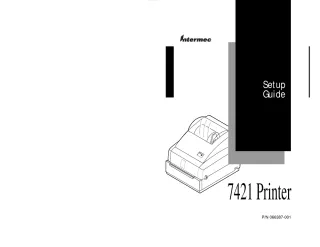
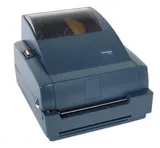
7421 Printer Setup Guide
Manual14 pagesPDF 999 KB
Illustrated setup guide for the Intermec 7421 label printer: unpacking, cabling, loading media and ribbon, and printing test labels.
Covers · 1 model
The models it covers
Summary
What is in it
A short, mostly pictorial setup guide for the Intermec 7421 label printer, with captions in six languages. It shows how to unpack the printer, connect it by serial or parallel cable, load media, print the test labels (with sample configuration and hardware labels), and load thermal transfer ribbon together with media.
Its parts
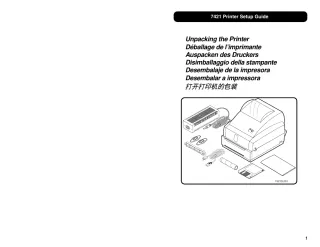
- Unpacking the Printer
- Connecting the Printer
- Loading Media
- Printing the Test Labels
- Loading Thermal Transfer Ribbon and Media
From the manual · read page by page
Key facts from this manual
Each line names its page in the PDF.
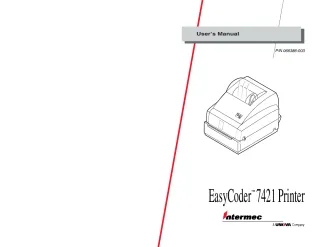
A mostly pictorial setup guide (P/N 066387-001) for the Intermec 7421 printer, with headings in several languages; the cover also shows the 7422. It shows how to unpack the printer, connect it by serial or parallel cable, load media and thermal transfer ribbon, and print the test labels.
- Host connection
- Serial or parallel cable p. 4
- Electrical rating
- 20V; 2.5A p. 2
- Guide part number
- P/N 066387-001 p. 1
What this manual walks you through
- Unpacking the printer p. 3
- Connecting the printer with a serial or parallel cable p. 4
- Loading media p. 5
- Printing the test labels p. 8
- Loading thermal transfer ribbon and media p. 12
Questions this manual answers
What is the electrical rating of the Intermec 7421 printer?
The setup guide prints an electrical rating of 20V; 2.5A. p. 2
How does the Intermec 7421 connect to a computer?
The setup guide shows a serial cable or a parallel cable. p. 4
Does the 7421 setup guide show how to load a thermal transfer ribbon?
Yes, it has a section on loading thermal transfer ribbon and media. p. 12
What is the part number of the 7421 Printer Setup Guide?
P/N 066387-001. p. 1
The whole text · 2 parts
Read the manual here as text
Its text as extracted from the PDF, unedited, in parts; each page opens the PDF at that page.
The file