Manual · Intermec
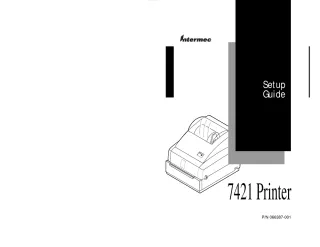
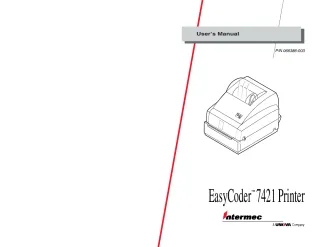
EasyCoder 7421 Printer User's Manual
Manual100 pagesPDF 1.0 MB
User's manual for the Intermec EasyCoder 7421 desktop label printer: loading media, configuration, maintenance and troubleshooting.
Covers · 1 model
The models it covers
Summary
What is in it
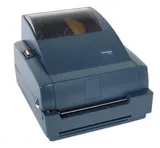
Intermec's user's manual for the EasyCoder 7421 printer, a desktop label printer for direct thermal or thermal transfer printing. It explains the power light and Feed/Pause button, loading roll and fanfold media and using the peel-off option, inserting the optional memory card, setting the media sensitivity number, print darkness and label gap sensor, printing a test label, cleaning and maintenance, troubleshooting, and specifications, communications and character set references.
Its parts
- Before You Begin
- Operating the Printer
- Configuring the Printer
- Maintaining the Printer
- Troubleshooting
From the manual
Key facts from this manual
Each line names its page in the PDF.
User's manual P/N 066386-003 (revision 003, 3/00) for the Intermec EasyCoder 7421 bar code label printer. It explains the front panel, loading media, the optional memory card, configuring print quality with PrintSet, maintenance and troubleshooting. Appendixes give the specifications, options, supported bar codes, serial communications and character sets.
- Printer
- Bar code label printer for direct thermal printing, or thermal transfer with a ribbon p. 70
- Interfaces
- Asynchronous RS-232C serial (1200 to 19200 baud) and IEEE 1284 bi-directional parallel; Ethernet through an external Intermec adapter on the parallel port p. 16, 69
- Power
- External power supply 100 to 240V, 50-60 Hz, 2A maximum; printer input 19-21V, 2.5A p. 69
- Memory
- 512K of DRAM; optional 1 or 4MB flash RAM modules p. 70
- Size and weight
- 7 inches high, 8 inches wide, 10 inches long (17.8 x 20.3 x 25.4 cm); 4.5 pounds (2.0 kg) with no options p. 69
- Operating environment
- 40°F to 104°F (5°C to 40°C); 10% to 90% noncondensing humidity p. 69
- Printhead
- 203 dots per inch (8 dots per mm), 832 elements, 4.1 inches (104 mm) maximum print width; 2 inches per second p. 70, 71
- Media
- Label length 0.38 inch (10 mm) to 8.0 inches (203mm); web width 1.12 to 4.65 inches (28 to 118 mm); roll up to 5 inches (127 mm) on a 1.0 inch core p. 70
- Ribbon
- 3,582 linear inches (91 m) per roll; widths 34 mm, 64 mm, 84 mm and 110 mm; 1.39 inches (35 mm) maximum diameter p. 71
- Fonts
- 21 resident bitmap fonts and three outline fonts; font IDs 3 through 6 and 8 through 19 for downloaded fonts p. 70
- Battery pack option
- About 8 hours and up to 500 labels on a full charge p. 71
- Serial cable
- RS-232 cable 9-pin to 9-pin, Part No. 590123; a 25-pin to 9-pin null modem cable for a PC is also shown p. 82
- Default sensitivity
- Media sensitivity number 567 for thermal transfer media and 180 for direct thermal media p. 36
- Bar codes
- Codabar, Code 39, Code 93, Code 128, Interleaved 2 of 5, UPC, EAN, POSTNET, PDF417, Data Matrix, Maxicode and others p. 72
What this manual walks you through
- Loading media and using the peel-off option p. 19
- Inserting the optional memory card p. 32
- Setting the media sensitivity number for Intermec and other media p. 35, 36, 37, 38, 39
- Adjusting the print darkness and the label gap sensor p. 40, 41
- Printing a test label with PrintSet p. 43, 44
- Selecting mirror or inverse printing mode p. 44, 45
- Troubleshooting operation, print quality and communication problems p. 61, 62, 63, 64
- Testing communications in Data Line Print mode p. 64, 65
- Resetting the printer to factory defaults p. 66
- RS-232 pin assignments and cable wiring p. 80, 81, 82
Good to know
- If the printer overheats, the Power light flashes red and printing stops; it resumes on its own once cool. p. 17
- Use Inverse Printing mode only for a small area of a label, never for printing multiple labels. p. 44
- Fanfold media is not recommended with the peel-off option. p. 19
- Thermal transfer media needs a thermal transfer ribbon. p. 62
- Turn the printer power off before inserting the memory card. p. 32
Questions this manual answers
How do I reset an Intermec 7421 printer to factory defaults?
With the printer off and label stock removed, turn it on holding Feed/Pause, release and press it again when the mechanism moves, then hold it 8 seconds. p. 66
Why does the 7421 stop printing with the Power light orange?
It is a media fault: check the label gap sensor, clear any label jam, make sure the printhead is down and reload the media. p. 62
What media sensitivity number should I use on the 7421?
Use the number on the media or ribbon; the defaults are 567 for thermal transfer and 180 for direct thermal. If unsure, start at 600 or 400 and work down. p. 36, 38
How much memory does the EasyCoder 7421 have?
512K of DRAM, with optional 1 or 4MB flash memory modules for fonts and graphics. p. 70, 71
What cable connects the 7421 to a computer serial port?
The manual shows a 9-pin to 9-pin RS-232 cable, Part No. 590123, and a 25-pin to 9-pin null modem cable for a PC. p. 82
Contents
Chapters and sections
Each line opens the PDF at its page.
The whole text · 12 parts
Read the manual here as text
Its text as extracted from the PDF, unedited, in parts; each page opens the PDF at that page.
- Manual Change Record1-4
- Contents5-8
- Before You Begin9-12
- Chaper 1 - Operating the Printer, pages 13 to 2213-22
- Chaper 1 - Operating the Printer, pages 23 to 3223-32
- Chapter 2 - Configuring the Printer33-46
- Chapter 3 - Maintaining the Printer47-58
- Chapter 4 - Troubleshooting59-66
- Appendix A - Printer Specifications67-72
- Appendix B - Communications Reference73-82
- Appendix C - Character Sets83-92
- Index93-100
The file