Manual · Intermec
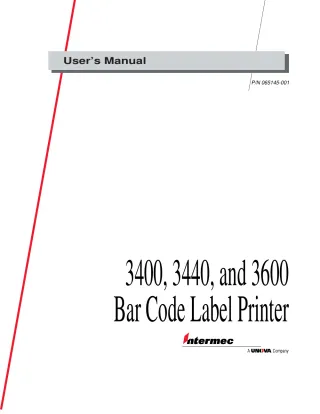
3400, 3440, and 3600 Bar Code Label Printer User's Manual
Manual160 pagesPDF 1.3 MB
User's manual for the Intermec 3400, 3440 and 3600 bar code label printers: installation, operation, maintenance and specifications.
Covers · 3 models
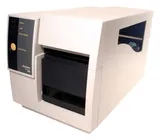
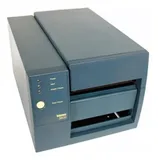
The models it covers
Summary
What is in it
The user's manual for the Intermec 3400, 3440 and 3600 bar code label printers, which the manual describes as almost identical in form and function. It explains how to install the printer and connect it to a PC, network, AS/400 or mainframe, load roll and fanfold media and ribbon, set the media sensitivity number, clean and troubleshoot the printer, optimize print quality and memory, use Test and Service mode, and gives specifications for each model, character sets and communications reference.
Its parts
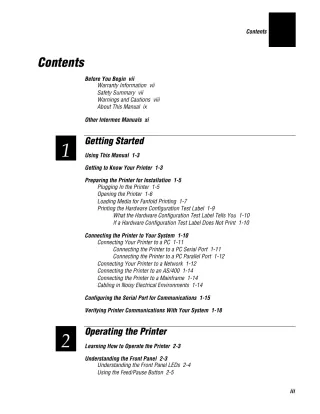
- Before You Begin
- Getting Started
- Operating the Printer
- Maintaining the Printer
- Troubleshooting
- Optimizing Printer Performance
- Using Test and Service Mode
From the manual
Key facts from this manual
Some pages are scans or cannot be read; this says only what the readable text supports. Each line names its page in the PDF.
The user's manual (P/N 065145-001) for the Intermec 3400, 3440 and 3600 bar code label printers. It shows how to connect the printer to a PC, network, AS/400 or mainframe, load media and ribbon, clean it, troubleshoot it, and gives the specifications of each model.
- Printer type
- Bar code label printer, direct thermal or thermal transfer with ribbon p. 103
- Input power
- 100, 120, or 240 VAC ± 10%, 47-63 Hz p. 103
- Serial interfaces
- Asynchronous RS-232C, RS-422 or RS-485, 25-pin D-style connector p. 23, 103
- Operating environment
- 50°F to 104°F (10°C to 40°C), 10% to 90% noncondensing p. 103
- PC cables
- Serial null modem 048668 (25-pin to 25-pin) or 048693 (25-pin to 9-pin); Centronics parallel 051211 p. 23, 111
- Bar codes
- Codabar, Code 39, Code 93, Code 128, Interleaved 2 of 5, UPC, EAN, PDF417, Data Matrix, Maxicode, QR Code, POSTNET and more p. 113
- Print resolution
- 3400 and 3600: 203 dots per inch (8 dots per mm); 3440: 406 dots per inch (16 dots per mm) p. 104, 106, 108
- Label width
- 3600: 3.0 to 6.6 inches; 3400 and 3440: 0.65 to 4.4 inches p. 105, 107, 109
- Print speed
- 3440 and 3600: 2 to 5 inches per second; 3400C: up to 6 inches per second p. 104, 106, 108
- Maximum baud rate
- 3400B and 3600: 19,200; 3400C: 38,400; 3440: 57,600 p. 103
- Memory
- 3600: 512K DRAM and 128K SRAM, SRAM expandable to 512K; 3440: DRAM or flash SIMM modules in 4 or 8 MB p. 109, 110
- Ribbon
- Rolls of 6,000 linear inches (152 m); 3600 widths 3.15 to 6.60 inches; 3400 and 3440 widths 2.0 to 4.1 inches p. 104, 106, 108
- Weight
- 3400 and 3440: 35 pounds (15.8 kg); 3600: 45 pounds (20.3 kg) p. 104, 106, 108
- Options
- Twinax (IBM 5256 emulation), coax (IBM 3287 emulation), Centronics parallel, batch takeup, self-strip; cutter on the 3400C p. 110, 111
What this manual walks you through
- Plugging in the printer, loading fanfold media and configuring the serial port p. 9
- Reading the hardware configuration test label p. 22
- Connecting the printer to a PC serial port p. 23
- Solving printer operation problems p. 67, 68, 69
- Fixing print quality problems p. 69, 70, 71
- Checking for communication problems and data loss p. 71, 72
- Using Test and Service mode to print test labels and set DIP switches p. 9
- Wiring the parallel interface connector p. 112
Good to know
- The Centronics parallel interface is one-way only, and its cable can be at most 10 feet long. p. 111
- There is no Intermec cable for the RS-422 interface; Appendix C has a schematic for making one. p. 23
- The cutter option must be ordered with the 3400C printer, and self-strip printing must be ordered with the printer. p. 111
- The full list of error messages is in the IPL Programming Reference Manual, not in this manual. p. 67
Questions this manual answers
What cable connects an Intermec 3600 printer to a PC serial port?
Intermec null modem cable 048668 goes to a 25-pin serial port and 048693 to a 9-pin serial port. p. 23
What is the maximum baud rate of the Intermec 3600?
The 3600 runs at up to 19,200 baud; the 3440 goes to 57,600 and the 3400C to 38,400. p. 103
How wide a label can the Intermec 3600 print on?
The 3600 takes labels from 3.0 to 6.6 inches wide. p. 109
Does the Intermec 3400, 3440 or 3600 need a ribbon?
No. All three print direct thermal without a ribbon, or thermal transfer with a ribbon. p. 103
The whole text · 16 parts
Read the manual here as text
Its text as extracted from the PDF, unedited, in parts; each page opens the PDF at that page.
- Pages 1 to 101-10
- Pages 11 to 2011-20
- Pages 21 to 3021-30
- Pages 31 to 4031-40
- Pages 41 to 5041-50
- Pages 51 to 6051-60
- Pages 61 to 7061-70
- Pages 71 to 8071-80
- Pages 81 to 9081-90
- Pages 91 to 10091-100
- Pages 101 to 110101-110
- Pages 111 to 120111-120
- Pages 121 to 130121-130
- Pages 131 to 140131-140
- Pages 141 to 150141-150
- Pages 151 to 160151-160
The file