Manual · Intermec
EasyCoder Printer 3400, 3440, and 3600 Getting Started Guide
Manual14 pagesPDF 1.0 MB
Getting started guide for the Intermec EasyCoder 3400, 3440 and 3600 bar code label printers: setup, media, ribbon and cables.
Covers · 1 model
The models it covers
Summary
What is in it
Getting started guide for the Intermec EasyCoder 3400, 3440 and 3600 bar code label printers. It covers unpacking, the front panel LEDs and Feed/Pause button, connecting power, loading direct thermal or thermal transfer media and ribbon, setting the media sensitivity number, printing a test label, communicating through PrintSet, third-party software or IPL commands, connecting to a PC, serial cables and DIP switch settings, troubleshooting, printhead cleaning and print darkness and bias adjustment.
From the manual · read page by page
Key facts from this manual
Each line names its page in the PDF.
Intermec's Getting Started Guide (P/N 064678-003) for the EasyCoder 3400, 3440 and 3600 bar code label printers. It walks through unpacking, power, loading media and ribbon, media sensitivity, test labels, connecting to a PC or network, serial DIP switch settings, cleaning and print quality fixes.
- Device
- Bar code label printer for direct thermal or thermal transfer media, with one Feed/Pause button and three LEDs p. 4, 6
- Default serial settings
- 9600 baud, even parity, 7-bit word, XON/XOFF no status response, device address A, direct thermal media p. 13
- Maximum baud rate
- 3600: 19,200; 3440: 57,600; 3400C: 38,400; 3400B: 19,200 p. 13
- PC serial cables
- RS-232 null modem cable for 25-pin PC, Intermec Part Number 048668; for 9-pin PC, Intermec Part Number 048693 p. 12
- Ports
- Serial port (A); parallel port (B) when the parallel option is installed p. 11
- AS/400 and mainframe
- Twinax adapter card 056835; Coax adapter card 056836 p. 13
- Networks
- Novell NetWare, Token Ring or TCP/IP through a network interface adapter on the parallel port p. 13
- Default DIP switches
- Top bank: switch 1 on, 2 through 8 off; bottom bank: 1 through 8 off p. 5
- Thermal transfer mode
- Bottom bank DIP switch 8 on, then power off and on p. 9
- Default sensitivity
- Direct thermal media 420; thermal transfer media 567 p. 9
- In the box
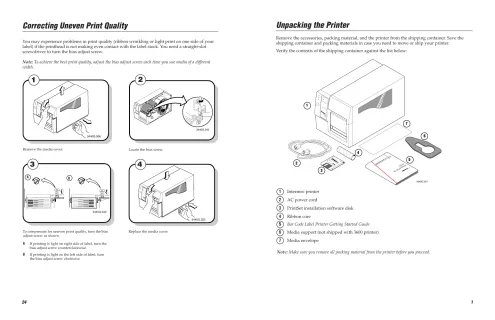
- Printer, AC power cord, PrintSet installation software disk, ribbon core, Getting Started Guide, media support (not shipped with the 3600), media envelope p. 3
- Printhead cleaning
- After every roll or 6,000 inches (152m) of media, with isopropyl alcohol p. 5
- Related manuals
- 3400, 3440, and 3600 Bar Code Label Printer User's Manual 065145; Data Communications Reference Manual 044737; Model 200 Controller System Manual 063439 p. 2, 13
- Software
- PrintSet for configuration, fonts, graphics and test labels; IPL command set; third-party label software p. 11
What this manual walks you through
- Connecting the printer to power and setting the default DIP switches p. 5
- Loading a roll of direct thermal or thermal transfer media p. 6, 7
- Loading thermal transfer ribbon p. 8, 9
- Setting the media sensitivity number, including from DOS p. 6, 7, 8, 9
- Printing a hardware configuration test label p. 10
- Connecting the printer to a PC, network, AS/400 or mainframe p. 11, 13
- Configuring the serial port with the DIP switches p. 12, 13
- Verifying communications in Data Line Print mode p. 14
- Troubleshooting print quality problems p. 10
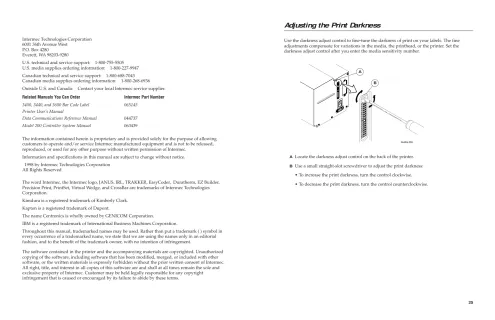
- Cleaning the printhead and adjusting print darkness and bias p. 2, 3, 5
Good to know
- Never scrape the printhead with knives or screwdrivers; use a cotton swab, lint-free cloth or tissue with isopropyl alcohol. p. 5
- A narrow roll of media (less than 3 inches) needs the media support. p. 6
- On a network, the network must be able to use XON/XOFF protocol. p. 13
- A write fault error can mean the cabling is incorrect. p. 14
- Adjust the bias screw each time media of a different width is used. p. 3
Questions this manual answers
What are the default serial port settings of the Intermec EasyCoder 3600?
9600 baud, even parity, 7-bit word, XON/XOFF with no status response, device address A, and direct thermal media. p. 13
What is the maximum baud rate of the EasyCoder 3600?
19,200 baud; the 3440 goes to 57,600 and the 3400C to 38,400. p. 13
How do I switch an EasyCoder 3600 to thermal transfer?
Set DIP switch 8 on the bottom bank to on, then turn the printer off and on again. p. 9
How do I print a test label on the EasyCoder 3400, 3440 or 3600?
Turn the printer off, hold the Feed/Pause button, turn it on, and release the button when the media starts moving. p. 10
Which cable connects an EasyCoder printer to a 9-pin PC serial port?
The RS-232 null modem cable, Intermec Part Number 048693. p. 12
The whole text · 2 parts
Read the manual here as text
Its text as extracted from the PDF, unedited, in parts; each page opens the PDF at that page.
The file