Manual · Intermec
TE 2000 VT/ANSI Terminal Emulation Programmer's Guide
Manual400 pagesPDF 3.1 MB
Programmer's guide for Intermec TE 2000 VT/ANSI terminal emulation on the 2425 and other Intermec terminals.
Covers · 1 model
The models it covers

Summary
What is in it
Intermec's programmer's guide to the TE 2000 VT/ANSI terminal emulation application. It explains how to start and configure the application, use each terminal's keyboard (2415, 2425, 2435A, 2455, 2475, 248X, 6400, 5020, 5055, 59XX, 17XX, 11XX and 700 Series), work through the terminal emulation menus, customize the configuration for a network, and program with VT/ANSI received and transmitted codes and extended commands. Appendices give bar codes for commands, symbologies and a full ASCII table.
Its parts
- Before You Begin
- Getting Started
- Using Terminal Emulation Applications
- Using the Terminal's Keyboard
- Using the Terminal Emulation Menus
- Customizing Your Configuration
- Programming
- Extended Commands
From the manual
Key facts from this manual
Each line names its page in the PDF.
An earlier edition of the TE 2000 VT/ANSI Terminal Emulation Programmer's Guide, written for TE 2000 versions 6.65 or greater and still naming the DCS 300 as the gateway. It explains how to set up, configure and program Intermec's VT/ANSI terminal emulation software on the Trakker Antares 2415, 2425, 2435A, 2455, 2475 and 248X terminals, and also covers the 6400, 5020, 5055, 59XX, 17XX, 11XX and 700 Series as printed.
- Software
- TE 2000 VT/ANSI terminal emulation, versions 6.65 or greater p. 20
- Emulation
- VT100/220/320/340 and ANSI p. 21
- Network protocols
- UDP Plus or WTP through the DCS 300, or TCP/IP direct to the host p. 26
- Radio options
- Trakker Antares terminals: 2.4 GHz OpenAir or 802.11, with WTP, UDP Plus or IP p. 30
- Default data stream
- 3270 on the 2415, 2425, 2435A, 2455, 2475 and 248X p. 28
- Not supported
- SST (Spread Spectrum Transmission) and regular UHF p. 30
- Extended commands
- Off by default; send and receive data on the RS-232 port or collect data p. 28
- File download (Trakker Antares)
- LOADER.EXE, T24FCOPY.EXE over serial, the DCS 300 Download Server (UDP Plus), or TFTP (TCP/IP) p. 241
- Bar code commands
- Command bar codes in the manual are Code 39 p. 22
- 2425 manual
- TRAKKER Antares 2420 and 2425 Hand-Held Terminal User's Manual, P/N 064024 p. 47
- 248X meaning
- The 2480, 2481, 2485 and 2486 terminals p. 21
What this manual walks you through
- Setting up the terminal and network before running TE 2000 p. 26
- Performing a quick configuration for VT/ANSI p. 28
- Picking the program name for each terminal and radio p. 30
- Using the 2425 keyboard for VT/ANSI keys, function keys and control characters p. 47, 50, 51
- Restarting terminal emulation with the Reset Firmware bar code or Cold Start p. 181, 182
- Downloading files to Trakker Antares terminals p. 241
- Updating 6400 and 5055 flash memory over INTERLNK p. 242
Good to know
- The 902-928 MHz SST radio mentioned in the manual was not for sale or use in Europe. p. 2
- DCS controllers do not support the F5 (Break) function on the 2425. p. 50
- Restarting TE also clears the saved auto-login information. p. 181
- Some 2425 settings live in the Trakker Antares 2400 Menu System rather than the TE menus. p. 182
- Dual sessions are not supported on Trakker Antares UDP Plus or TCP terminals. p. 29
Questions this manual answers
What is the default data stream on a Trakker Antares 2425?
3270; the quick configuration steps change it to VT/ANSI. p. 28
How do I restart terminal emulation on a 2425?
Scan the Reset Firmware bar code or select 6) Cold Start from the TE Main Menu after entering the password. p. 181, 182
What does 248X mean in the TE 2000 guide?
It stands for the 2480, 2481, 2485 and 2486 terminals. p. 21
Contents
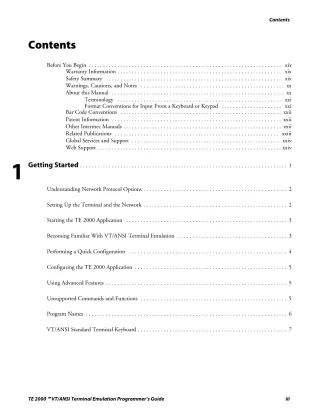
Chapters and sections
Each line opens the PDF at its page.
- Title1
- Before You Begin19
- Chapter 1: Getting Started25
- Understanding Network Protocol Options26
- Setting Up the Terminal and the Network26
- Starting the TE 2000 Application27
- Becoming FamiliarWith VT/ANSI Terminal Emulation27
- Performing a Quick Configuration28
- Configuring the TE 2000 Application29
- Using Advanced Features29
- Unsupported Commands and Functions29
- Program Names30
- VT/ANSI Standard Terminal Keyboard31
- Chapter 2: Using Terminal Emulation Applications33
- Chapter 3: Using the Terminal's Keyboard41
93 more lines, from page 74 on
- 5020 Data Collection PC74
- Chapter 4: Using the Terminal Emulation Menus113
- Chapter 5: Customizing Your Configuration187
- Chapter 6: Programming247
- Character Encoding248
- Character Sets248
- Received Codes257
- Select C1 Controls257
- Terminal Modes258
- Cursor Positioning260
- Tab Stops261
- Character Rendition and Attributes262
- Line Attributes263
- Erasure Mode264
- Editing265
- Erasing266
- Scrolling Margins (Top and Bottom)267
- Printing267
- User-Defined Keys (DECUDK)268
- Down-Line Loadable Character Set272
- Reports273
- Terminal Reset275
- Tests and Adjustments276
- VT52 Mode Escape Sequence277
- Define Area Qualification277
- Private Sequences277
- Proprietary Sequences278
- VT340 Applications279
- ANSI Mode Sequences281
- Transmitted Keyboard Codes282
- Transmitted Keyboard Keys283
- Local Edit Mode286
- Chapter 7: Extended Commands291
- Appendix A: Bar Code Scanning327
- Appendix B: Bar Code Symbologies357
- Appendix C: Full ASCII Table367
- Index371
The whole text · 45 parts
Read the manual here as text
Its text as extracted from the PDF, unedited, in parts; each page opens the PDF at that page.
- Pages 1 to 81-8
- Pages 9 to 149-14
- Pages 15 to 1815-18
- Before You Begin19-24
- Chapter 1: Getting Started25-32
- Chapter 2: Using Terminal Emulation Applications33-40
- Chapter 3: Using the Terminal's Keyboard, pages 41 to 4941-49
- Chapter 3: Using the Terminal's Keyboard, pages 50 to 5850-58
- Chapter 3: Using the Terminal's Keyboard, pages 59 to 6759-67
- Chapter 3: Using the Terminal's Keyboard, pages 68 to 7668-76
- Chapter 3: Using the Terminal's Keyboard, pages 77 to 8577-85
- Chapter 3: Using the Terminal's Keyboard, pages 86 to 9486-94
- Chapter 3: Using the Terminal's Keyboard, pages 95 to 10395-103
- Chapter 3: Using the Terminal's Keyboard, pages 104 to 112104-112
- Chapter 4: Using the Terminal Emulation Menus, pages 113 to 122113-122
- Chapter 4: Using the Terminal Emulation Menus, pages 123 to 132123-132
- Chapter 4: Using the Terminal Emulation Menus, pages 133 to 142133-142
- Chapter 4: Using the Terminal Emulation Menus, pages 143 to 152143-152
- Chapter 4: Using the Terminal Emulation Menus, pages 153 to 162153-162
- Chapter 4: Using the Terminal Emulation Menus, pages 163 to 172163-172
- Chapter 4: Using the Terminal Emulation Menus, pages 173 to 182173-182
- Chapter 4: Using the Terminal Emulation Menus, pages 183 to 186183-186
- Chapter 5: Customizing Your Configuration, pages 187 to 196187-196
- Chapter 5: Customizing Your Configuration, pages 197 to 206197-206
- Chapter 5: Customizing Your Configuration, pages 207 to 216207-216
- Chapter 5: Customizing Your Configuration, pages 217 to 226217-226
- Chapter 5: Customizing Your Configuration, pages 227 to 236227-236
- Chapter 5: Customizing Your Configuration, pages 237 to 246237-246
- Chapter 6: Programming, pages 247 to 255247-255
- Chapter 6: Programming, pages 256 to 264256-264
- Chapter 6: Programming, pages 265 to 273265-273
- Chapter 6: Programming, pages 274 to 282274-282
- Chapter 6: Programming, pages 283 to 290283-290
- Chapter 7: Extended Commands, pages 291 to 299291-299
- Chapter 7: Extended Commands, pages 300 to 308300-308
- Chapter 7: Extended Commands, pages 309 to 317309-317
- Chapter 7: Extended Commands, pages 318 to 326318-326
- Appendix A: Bar Code Scanning, pages 327 to 336327-336
- Appendix A: Bar Code Scanning, pages 337 to 346337-346
- Appendix A: Bar Code Scanning, pages 347 to 356347-356
- Appendix B: Bar Code Symbologies357-366
- Appendix C: Full ASCII Table367-370
- Index, pages 371 to 380371-380
- Index, pages 381 to 390381-390
- Index, pages 391 to 400391-400
The file