Manual · HHP
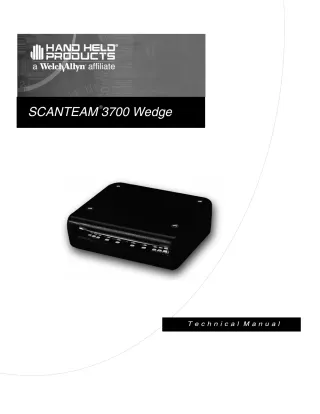
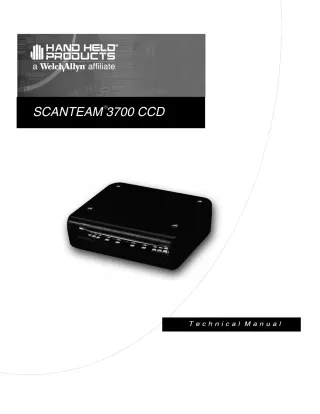
SCANTEAM 3700 CCD Technical Manual
Manual76 pagesPDF 454 KB
Technical manual for the Hand Held Products SCANTEAM 3700 fixed mount CCD bar code scanner with built-in decoder and RS-232 interface.
Covers · 1 model
The models it covers
Summary
What is in it
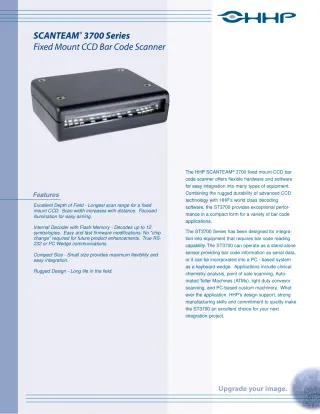
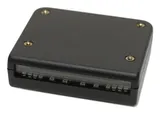
The technical manual for the SCANTEAM 3700, a fixed mount CCD bar code scanner with an integral decoder made to be built into host equipment such as clinical analyzers, label verification systems and industrial automation. It describes the hardware, connectors and power, set-up and installation, and configuring the scanner with serial commands over the RS-232 interface, plus service, CCD and bar code basics, technical specifications, a serial command summary and an ASCII table.
Its parts
- SCANTEAM 3700 Description
- System Hardware Description
- Set-Up and Installation
- Configuring the SCANTEAM 3700
- Service/Technical Assistance
- CCD Operation and Bar Code Scanning
- Technical Specifications
- Serial Commands Summary
- ASCII Conversion Table
From the manual
Key facts from this manual
Each line names its page in the PDF.
Hand Held Products' technical manual for the SCANTEAM 3700 fixed-mount CCD bar code scanner in its RS-232 serial version. It explains the hardware, the serial port settings and handshaking, external triggering, default settings, troubleshooting, removal, and the specifications and interface cable pinouts.
- Device
- Fixed-mount CCD bar code scanner with integral decoder, for building into host equipment p. 11
- Interface
- Full duplex asynchronous RS-232 with RTS/CTS, XON/XOFF and ACK/NAK p. 11
- Serial settings
- 600 to 38400 baud; even, odd or no parity; 7 or 8 data bits; 1 or 2 stop bits p. 16
- Factory defaults
- 9600 baud, 7 data bits, even parity, 1 stop bit, CR LF postamble, beeper off p. 42
- Power
- +5V, 170 to 250 mA depending on scan rate, supplied by the host p. 55
- Connector
- 10-pin modular port: trigger/enable, ground, RX, TX, +5VDC, RTS, CTS p. 55
- Interface cable
- 42205204-01 or 42205204-02 (external power): 10 pin RJ41 to 9 pin D female, optional 4 pin mini-DIN power plug p. 58
- Triggering
- External trigger on pin 2 (switch or object sensor), or a serial trigger command from the host p. 15, 17
- Symbologies
- Codabar, Code 39, Code 128, Interleaved 2 of 5, UPC, EAN p. 12
- Scan rate and width
- 100 scans per second; 2.4 in. (61 mm) wide at contact, 3.5 in. (89 mm) maximum p. 53
- Focal distance
- 0.6, 1.95 or 3.2 in., chosen when ordered p. 54
- Dimensions
- 3.5 in. W x 2.9 in. L x 1.05 in. H p. 11
- Mounting
- Four #6-32 UNC-2B (M3.5) holes p. 56
- Temperature
- Operating 0° C to +50° C; storage -40° C to +70° C p. 56
What this manual walks you through
- Setting baud rate, parity, data bits and stop bits p. 16
- Using RTS/CTS and ACK/NAK handshaking p. 17
- Wiring an external trigger such as a foot switch or optical sensor p. 17
- Default configuration and symbology settings p. 42
- Resetting the scanner with a serial command p. 44
- Troubleshooting scanning, beeper and data problems p. 44
- Removing and replacing the scanner p. 47
- Bar code label print requirements p. 57
- Interface cable connector pinouts p. 58
Good to know
- Do not use a host cable with more wires connected than needed; miswiring can damage equipment. p. 16
- Do not substitute any other Welch Allyn serial interface cable. p. 58
- A null modem is needed to connect to a DTE type port. p. 56
- Turn host power off and ground yourself before removing the scanner; it is sensitive to static. p. 47
- Avoid the specular reflection zone, a skew of 0 to -10 degrees. p. 54
Questions this manual answers
What are the default serial settings of the HHP ST3700?
9600 baud, 7 data bits, even parity and 1 stop bit, with handshaking disabled and a CR LF postamble. p. 42
What is the part number of the SCANTEAM 3700 interface cable?
42205204-01, or 42205204-02 when external power is used; it runs from a 10 pin RJ41 plug to a 9 pin D female. p. 58
Why is my ST3700 not sending data?
Check the cable, then whether the scanner is waiting for CTS or for an XON; have the host raise CTS or disconnect it, or disable XON. p. 44
How do I reset the SCANTEAM 3700?
Send it the <A> serial command; memory is cleared and the saved user settings, or the defaults, are reloaded. p. 44
What power does the SCANTEAM 3700 need?
+5V from the host, drawing 170 to 250 mA depending on scan rate. p. 55
The whole text · 8 parts
Read the manual here as text
Its text as extracted from the PDF, unedited, in parts; each page opens the PDF at that page.
The file