Manual · HHP
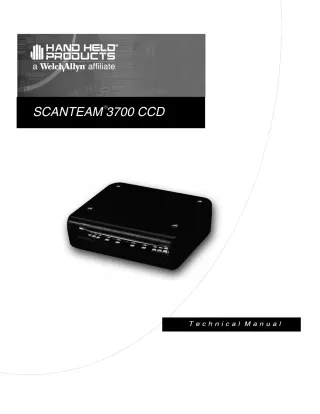
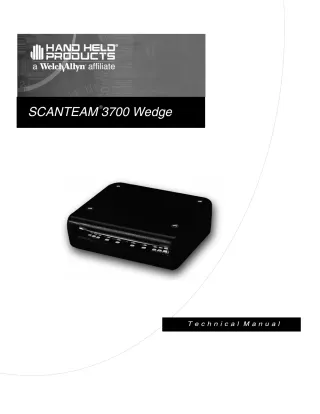
SCANTEAM 3700 Wedge Technical Manual
Manual100 pagesPDF 648 KB
Technical manual for the Hand Held Products SCANTEAM 3700 Wedge fixed-mount CCD scanner: setup and bar code programming.
Covers · 1 model
The models it covers
Summary
What is in it
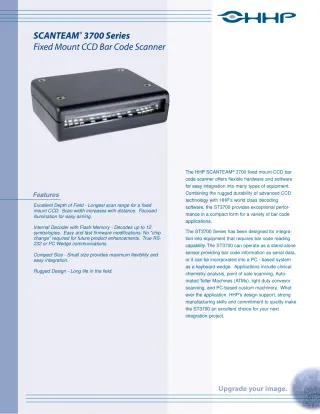
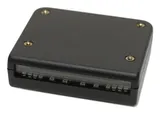
The technical manual for operating and programming the SCANTEAM 3700 Wedge, a fixed-mount CCD bar code scanner with a built-in decoder for embedding in host equipment, connected through a keyboard wedge. It covers setup in the design lab, tailoring the terminal and keyboard, output parameters, data message formatting, the symbology menu, firmware utilities, supported interface keys, hardware and mounting, troubleshooting, default charts and sample bar codes, and technical specifications.
Its parts
- SCANTEAM 3700 Wedge Description
- Getting Started
- Tailoring the Terminal and Keyboard
- Configuring the Output Parameters
- Formatting the Data Message
- Symbology Menu
- Firmware Utility Menu
- Supported Interface Keys
- System Hardware Description
- Troubleshooting And Maintenance
- Customer Support
- Default Charts
From the manual
Key facts from this manual
Each line names its page in the PDF.
Hand Held Products' technical manual for the SCANTEAM 3700 Wedge (label ST3700), a fixed-mount CCD bar code scanner with a built-in decoder and a keyboard wedge output. It explains how to connect it between a PC and its keyboard, program it with bar code menus, mount and aim it in host equipment, troubleshoot reading problems, and lists its specifications.
- Device
- Fixed-mount CCD bar code scanner with integral decoder, for building into host equipment p. 9
- Output
- Keyboard wedge: cable connects the scanner, the computer and its keyboard p. 14
- Supported terminals
- IBM PC/XT (ID 01), IBM PS/2 25 and 30 (ID 02), IBM AT and PS/2 (ID 03) p. 15
- Power
- +5V, 250 mA, supplied by the host p. 86
- Connector
- 10-pin modular port carrying terminal clock and data, keyboard clock and data, +5VDC and ground p. 86
- Scan rate
- 100 scans per second, single line p. 85
- Scan width
- 2.4 in. (61 mm) at contact, 3.5 in. (89 mm) maximum at 1.95 in. focal distance p. 85
- Symbologies
- Codabar, Code 39, Code 93, Code 128, Code 2 of 5, Matrix 2 of 5, Code 11, Interleaved 2 of 5, UPC, EAN, addenda, MSI, Plessey p. 10
- Dimensions
- 3.5 in. W x 2.9 in. L x 1.05 in. H (88.9 x 73.7 x 26.7 mm) p. 10
- Mounting
- Four threaded inserts, #6-32 UNC-2B or M3.5 p. 67
- Operating temperature
- 32° F to 122° F (0° C to +50° C) p. 87
- Storage and humidity
- -40° C to +70° C storage; 0 to 95% non-condensing p. 87
- Durability
- Three 4 ft. (1.2 m) drops; MTBF 45,000 hours minimum p. 87
- Settings memory
- Nonvolatile flash stores settings made by scanning menu bar codes p. 10
What this manual walks you through
- Connecting the wedge to a PC and keyboard p. 14
- Programming the terminal interface with ID bar codes p. 15
- Adding or clearing a carriage return suffix p. 16
- Mounting the scanner and aligning its optical center line p. 67
- Presenting bar codes within pitch, skew and tilt limits p. 68, 69
- Troubleshooting reading and display problems p. 73, 74
- Restoring factory settings p. 75
Good to know
- Turn the host system off before connecting the wedge cable. p. 14
- Avoid the specular reflection zone, a skew of 0 to -10 degrees. p. 69
- MSI and Plessey are off by default and must be enabled one by one. p. 74
- Provide a drain path for static when building the scanner into a host. p. 87
- Cables must be shielded, with the shield tied to the connector shell, to stay within FCC rules. p. 3
Questions this manual answers
What power does the HHP ST3700 wedge scanner need?
+5V at 250 mA, which the host system supplies through the interface cable. p. 86
How do I make the SCANTEAM 3700 press Enter after each scan?
Scan the Carriage Return Suffix - Yes bar code; this adds a CR suffix to all enabled symbologies. p. 16
Why does the ST3700 show wrong characters on the screen?
It may be set for the wrong terminal interface; reprogram it with the correct terminal selection bar code. p. 74
How do I reset the SCANTEAM 3700 Wedge to factory defaults?
Scan the Factory Default Settings bar code in Section 7, Factory Settings. p. 75
The whole text · 10 parts
Read the manual here as text
Its text as extracted from the PDF, unedited, in parts; each page opens the PDF at that page.
The file