Manual · Argox
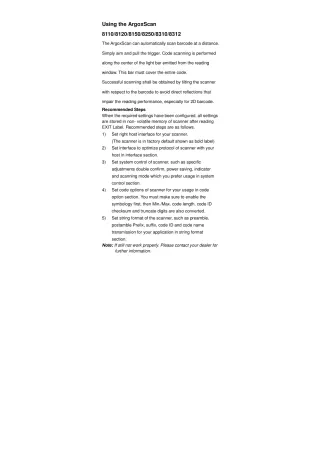
Using the ArgoxScan 8110/8120/8150/8250/8310/8312
Manual123 pagesPDF 2.1 MB
User and programming manual for ArgoxScan 8110, 8120, 8150, 8250, 8310 and 8312 CCD scanners: installation, specifications and setup bar codes.
Covers · 1 model
The models it covers
Summary
What is in it
The user manual for the ArgoxScan 8110, 8120, 8150, 8250, 8310 and 8312 handheld CCD bar code scanners. It explains installation by keyboard wedge, RS-232 or USB, lists default settings and the specifications of each model, and shows how to program the scanner by reading setup bar codes. The parameter chapters cover interface selection, system control, code options for each symbology and string format (prefix, suffix, preamble and postamble), with a test chart and ASCII table in the appendix.
Its parts
- Introduction
- Parameter Setting
From the manual
Key facts from this manual
Each line names its page in the PDF.
User's manual for the ArgoxScan 8110, 8120, 8150, 8250, 8310 and 8312 bar code scanners. It gives the specifications and default settings, shows how to connect the scanner and program it by scanning bar codes, and explains the interface, scanning, beep, symbology and data format settings along with the connector pin assignments.
- Device type
- Bar code scanner with built-in decoder for keyboard wedge, RS-232, USB or (8110/8150/8250) wand emulation p. 17
- Power
- 5 VDC ± 0.25V; 8150: 255 mA operating, 120 mA standby p. 13
- Connector
- RJ-45 phone jack connector p. 13
- Scan speed
- 8150/8250: 200 scans/sec p. 12
- Depth of scan field
- 8150/8250: 0-250 mm (Code 39, PCS 90%, 20 mils) p. 12
- Scanning width
- 8150/8250: 120 mm p. 12
- Resolution
- 8150: 0.1mm (4mils), Code 39, PCS 90%, on contact p. 12
- Scanning angle
- Front 60°, rear 60°, yaw 75° p. 12
- Print contrast
- 25% or more p. 12
- Weight
- 8150/8250: 150 g, cable not included p. 13
- RS-232 options
- 300 to 38400 BPS; parity none, odd or even; 7 or 8 data bits; 1 or 2 stop bits; flow control none, RTS/CTS, Xon/Xoff or ACK/NAK p. 24, 25
- Wand emulation
- 8110/8150/8250: output speed 620 to 20000 pps; bar/space and initial polarity selectable p. 26, 28
- Programming
- By scanning special bar codes, DOS commands through RS-232, or a Windows configuration program; flash memory for upgrades p. 14
What this manual walks you through
- Connecting the scanner by keyboard wedge, RS-232 or USB p. 6
- Programming options by scanning Program, option, value, Finish and Exit bar codes p. 15, 16
- Selecting the interface, including keyboard, RS-232 and USB auto detection p. 17
- Keyboard wedge settings: keyboard type, layout, speed, Caps Lock and delays p. 18, 19, 20, 21, 22
- RS-232 flow control, delays, baud rate, parity, data and stop bits p. 23, 24, 25
- Wand emulation polarity, output speed and margin delay p. 26, 27, 28
- Pin assignments of the scanner and host connectors p. 29, 30, 31
- Scan modes, double read, code lengths, CTS trigger and stand mode p. 33, 34, 35, 36, 37, 38
- Power-on alert, good-read LED and beeper settings p. 39, 40
- Adding code IDs, code length and inserted characters to the output p. 111, 112, 115, 116
Good to know
- With RTS/CTS flow control, the scanner gives 5 warning beeps if the host sends no CTS within the response delay. p. 23
- If characters are lost on a keyboard wedge, set the keyboard speed to 05 or 06. p. 19
- Enable power-on simulation when the PC runs without a keyboard installed. p. 21
- Test only scan mode is for testing scan performance, not for checking the accuracy of transmitted data. p. 33
- Multi field scan does not work when Double confirm is set. p. 33
Questions this manual answers
What power does the Argox AS-8150 need?
5 VDC ± 0.25V; the 8150 draws 255 mA operating and 120 mA on standby. The DC transformer is listed as Class 2, 5VDC @ 450 mA. p. 13
How far can the Argox 8150 scanner read?
The 8150/8250 depth of scan field is 0-250 mm for 20 mil Code 39 at PCS 90%, with a 120 mm scanning width. p. 12
Why does my AS-8150 give 5 warning beeps on RS-232?
With RTS/CTS flow control set, the scanner beeps 5 times when the host does not answer with CTS within the response delay. p. 23
My AS-8150 keyboard wedge drops characters. What should I change?
Set the keyboard speed to 05 or 06 to match the host keyboard speed. An inter-character delay can also help when the transmission is too fast. p. 19, 21
Can the AS-8150 be triggered by an external device?
Yes. With CTS trigger enabled, a signal on the CTS input starts scanning as if the trigger were pressed. p. 35
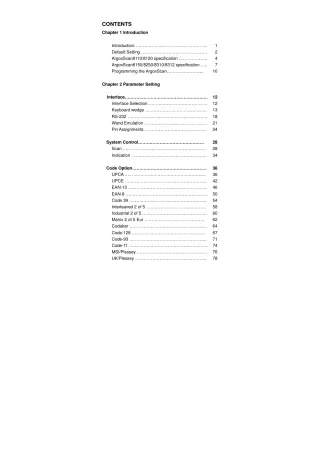
Contents
Chapters and sections
Each line opens the PDF at its page.
The whole text · 13 parts
Read the manual here as text
Its text as extracted from the PDF, unedited, in parts; each page opens the PDF at that page.
- Pre-All Scanner Manual PN 49-81101-008.pdf1-4
- All Scanner Manual PN 49-81101-008.pdf, pages 5 to 145-14
- All Scanner Manual PN 49-81101-008.pdf, pages 15 to 2415-24
- All Scanner Manual PN 49-81101-008.pdf, pages 25 to 3425-34
- All Scanner Manual PN 49-81101-008.pdf, pages 35 to 4435-44
- All Scanner Manual PN 49-81101-008.pdf, pages 45 to 5445-54
- All Scanner Manual PN 49-81101-008.pdf, pages 55 to 6455-64
- All Scanner Manual PN 49-81101-008.pdf, pages 65 to 7465-74
- All Scanner Manual PN 49-81101-008.pdf, pages 75 to 8475-84
- All Scanner Manual PN 49-81101-008.pdf, pages 85 to 9485-94
- All Scanner Manual PN 49-81101-008.pdf, pages 95 to 10495-104
- All Scanner Manual PN 49-81101-008.pdf, pages 105 to 114105-114
- All Scanner Manual PN 49-81101-008.pdf, pages 115 to 123115-123
The file